Introducing the eligibility checks view
You can now track individual eligibility check attempts in the new checks view of the Stedi portal's Eligibility page.
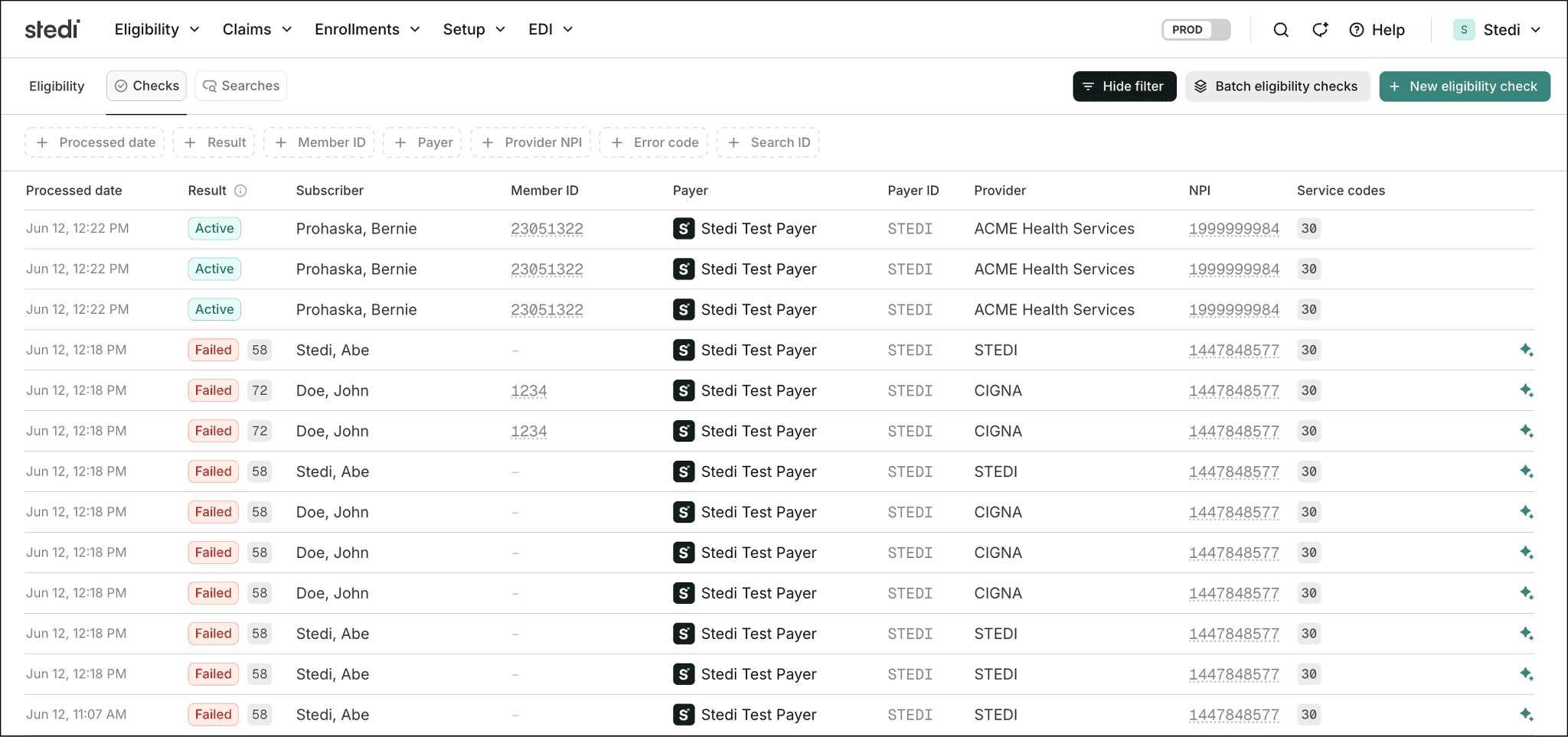
Previously, the Stedi portal’s Eligibility page grouped all related retries of the same eligibility check into a single record, called an eligibility search. To view individual check attempts, you had to click into the search record.
Now, the Eligibility page has two views, which you can toggle between:
-
Checks – Lists every eligibility check attempt as its own row. When you retry a check, the retry appears as a separate row alongside the original. Now the default view.
-
Searches – Groups all retries of the same check into a single record, called an eligibility search.
The checks view lets you reference the result of any single attempt and spot failure patterns. For example, you can filter by payer to see whether every check in the last hour failed, which can signal a payer outage.
Eligibility checks in the checks view are sorted by processed date, newest first. You can filter by processed date, result, member ID, payer, provider NPI, error code, and search ID.
Search statuses now reflect the prevailing check
In the searches view, a single eligibility search can contain several checks with different results. To determine the status of a search, Stedi has to pick which check’s result represents the search as a whole.
Previously, each search showed the status from the most recent check. For example, a search whose latest check failed had a Failed status, even if an earlier attempt returned active coverage.
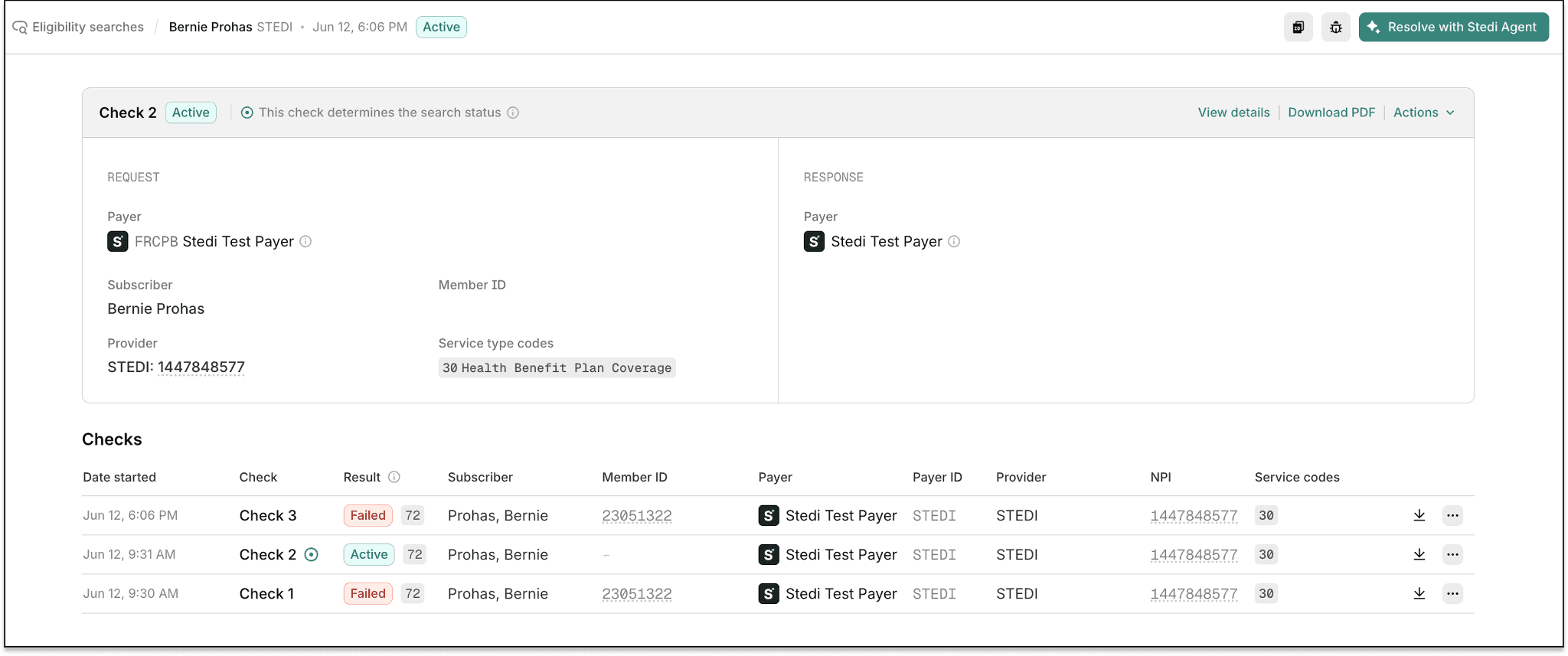
Now, each eligibility search shows the status and data from the check with the highest-priority status, called the prevailing check. Stedi ranks statuses in the following order: Active → Inactive → Investigate → Failed. If two checks have the same status, the more recent check wins.
The prevailing check’s data applies to all search-level data, not just status. Patient information, payer details, Service Type Codes (STCs), and error metadata now come from the prevailing check.
For example, a search with a failed check, then an active check, then a second failed check now shows as Active. The active check is the prevailing result, even though it isn't the most recent.
For more information, see our Eligibility views docs.