Changelog

Announcing 85% price decrease for EDI Core requests

As of January 1, 2022, EDI Core has a new pricing table. The decreased price of $0.0075 per request for new and existing customers costs 85% less than the previous price of $0.05 (for volumes between 101-1,000,000 request a month).

The price per request is tiered and the first 100 requests per month are free.

Request CountPriceFirst 100FreeFrom 101 to 1,000,000$0.00750Above 1,000,000Contact us

API bytes processed per request pricing

The price per KiB is a flat 0.00005 per KiB.

KiBPrice1 KiB$0.00005

Mappings: "duplicate mapping" functionality

You are now able to duplicate an existing Mapping by clicking the "Duplicate" icon next to each Mapping in the Mappings list page:

EDI Core and EDI Reference now support X12 Version 3 releases, dating back to 1991

EDI Reference provides users with comprehensive EDI documentation and X12 table data. Until now, Stedi only had support for all X12 table data from Version 4-8 (1998-present). Now, users who are still on older formats can access table data from Version 3 (003010 - 003070) dating back to 1991.

EDI Core's translate API enables users to translate between X12 and JEDI (JSON EDI), with validation against the specified release. Now, users can validate their X12 files against Version 3 releases using EDI Core.

Mappings: example source/target files

You are now able to load a sample source/target JSON to quickly get started experimenting with Mappings. Until now, you had to provide your own JSON files to map.

Mappings: support for array-of-objects JSON documents

Mappings now supports using the JSON array-of-objects structure as both source and target documents when building a mapping.

JSON documents converted from tabular data formats, like CSV, XML, etc., do not have a top-level object by default. Until now, it was impossible to set the list context correctly, without manually adding a top-level object.

With the expanded support of the JSON specification in Mappings, JSON array-of-objects structure can be used as the source and target documents, without the need for manual adjustments and additional transformations before and after the mapping request.

To learn more, refer to the JSONata array-of-objects cheatsheet here.

Optional envelope trailers

The following X12 EDI envelope trailers are now optional when converting JEDI 2.0 to EDI:

IEA GE SE LE

When these trailers are not included in the input JEDI, they are automatically generated based on the contents of the corresponding header and envelope. This simplifies the generation of EDI for users, as they can avoid potentially toilsome tasks such as counting the number of segments nested within a transaction set.

Date and time conversion functions for Mappings

Mappings now has a $convertDateTime function which makes date formatting and parsing easier (see examples below). On top of that, Mappings now also provides $dateTime const with common date formats. See the documentation here

$convertDateTime("20140919", "yyyyMMdd", "yyyy-MM-dd") → "2014-09-19" $convertDateTime("2021-01-02T12:00:00Z", $dateTime.RFC3339, "yyyy-MM-dd") → "2021-01-02" $convertDateTime("2021-01-02T12:00:00+00:00", $dateTime.RFC3339, "yyyy-MM-dd") → "2021-01-02" $convertDateTime("210102", $dateTime.EDIDate, $dateTime.RFC3339) → "2021-01-02T12:00:00Z" $convertDateTime("12:00 2nd January 2021", "hh:mm do MMMM yyyy", "yyyy-MM-dd") → "2021-01-02"

EDI Core number conversions

Numbers stored in EDI may have adjustments applied to them based on how they're defined in a mapping guide. For instance, in an Invoice (810), you return the invoice's total not as 34.95, but as 3495. This field is noted as type "N2", meaning "this number has two decimal places."

With this change to JEDI@2.0-beta when using the EDI Core API, we handle the math for you - numbers provided with N types in the EDI will be converted to their real values in the JEDI document on the other end. Of course, if you translate JEDI to X12, we will handle this as well.

In the example below, we convert the 1450 in the SAC05 in the X12 on the left to 14.50 in the "amount_05" on the JEDI on the right.

Control numbers API for EDI Core

There is now an API to set the value of a control-number sequence for a specific sender+receiver pair.

The next generated control number will be the 1 + the value that you set. Control numbers roll back to 1 when reaching 1e9.

Inspector now supports JEDI 2.0 (Beta) and renders dates and times nicely

The Inspector now supports and displays JEDI@2.0-beta when viewing JSON.

We've also added custom renderers to nicely display dates and times, as well as numeric and decimal data types into the "rich view" of the Inspector.

EDI Core accepted codes list

There is a new output option to include_accepted_code_list for Jedi@1.0 and Jedi@2.0-beta. If enabled, a list of accepted_codes will be returned in the validation errors. This is disabled by default. This will help provide clearer error/validation messages. As an example of a validation error result:

{ "code": "invalid_id", "message": "Invalid code value 'X' specified for element N1-01", "path": [ "interchanges", "0", "groups", ... ], "severity": "error", "accepted_codes": [ "01", "02", "03", ... ] }

New homepage for EDI Reference

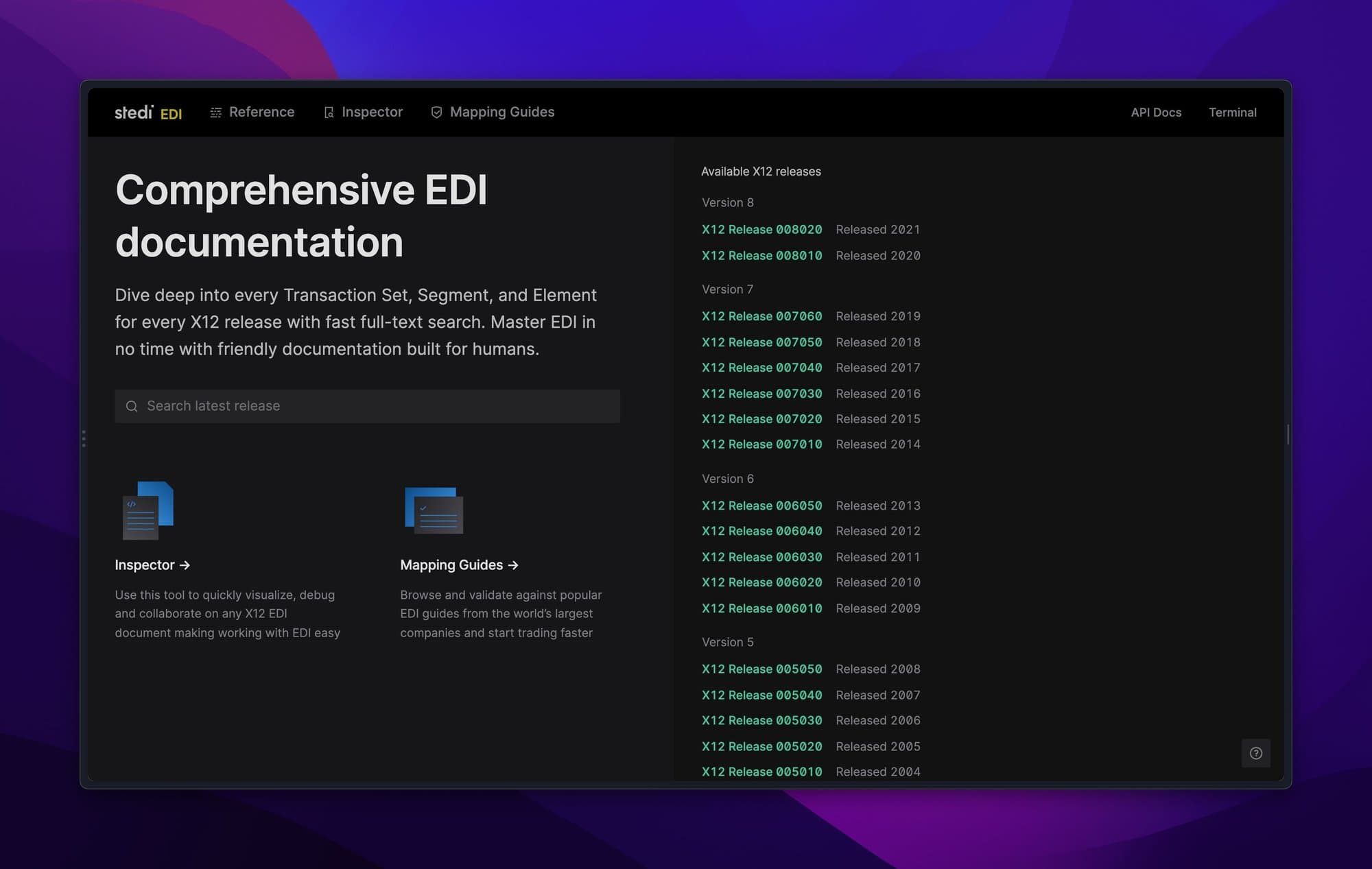
/edi has a brand new homepage. There you can search for any Element, Segment or Transaction Set and you can also see all the available X12 releases we have on the site.

Mappings: support for functions when setting List Context

In many mapping scenarios, a source document might contain one or more JSON arrays. In order to map an array like that to a different array on the target document, you need to specify a list context (see Mapping Loops).

Previously, you could only loop over all items on the source array and map each item, but it was not possible to change the order of the array elements or exclude certain array items from the result.

Today, we are adding support for JSONata functions usage when setting a List Context. With the support from $filter$sort$reverse, and other functions you should be able to translate an array of any shape to the desired format.

For example, assuming that the orders below are coming in a random sorting order, you can adjust that order and sort the result by orderDate before mapping them to shipments:

Mappings: ability to restore unsaved changes

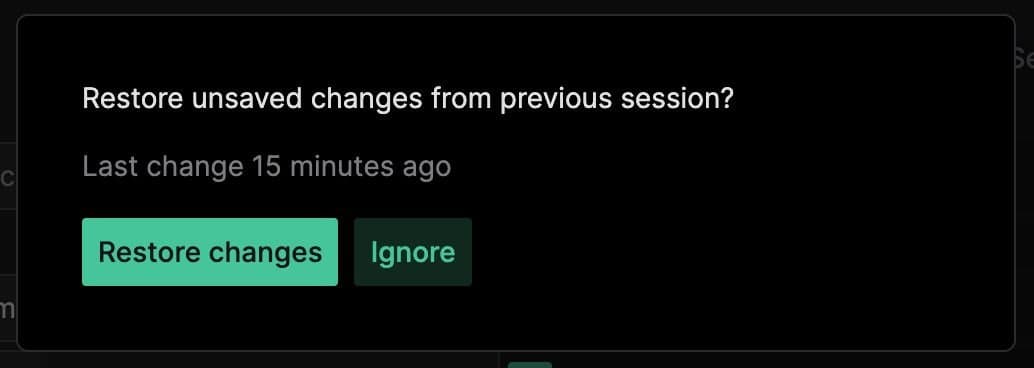
In addition to a friendly prompt to save your changes when leaving the Edit Mapping page, we've started to preserve unsaved changes in Local Storage inside the browser to further reduce the risk of losing any unfinished state of a mapping session.

Now, if you've spent a few hours building or editing a mapping, but you're not ready to submit the changes yet, you can leave the website and get an option to restore your in-progress state when you return to the same mapping.

It is important to note that only the last mapping session gets stored in Local Storage, so if you have multiple mappings to edit simultaneously, it is still advised to save your changes before closing the browser tab.