Introducing the ERA PDF API endpoint
You can now programmatically retrieve PDF versions of your 835 Electronic Remittance Advice (ERAs) using Stedi’s new ERA PDF API endpoint.
The PDFs are the same as the ones you can download from the Stedi portal:
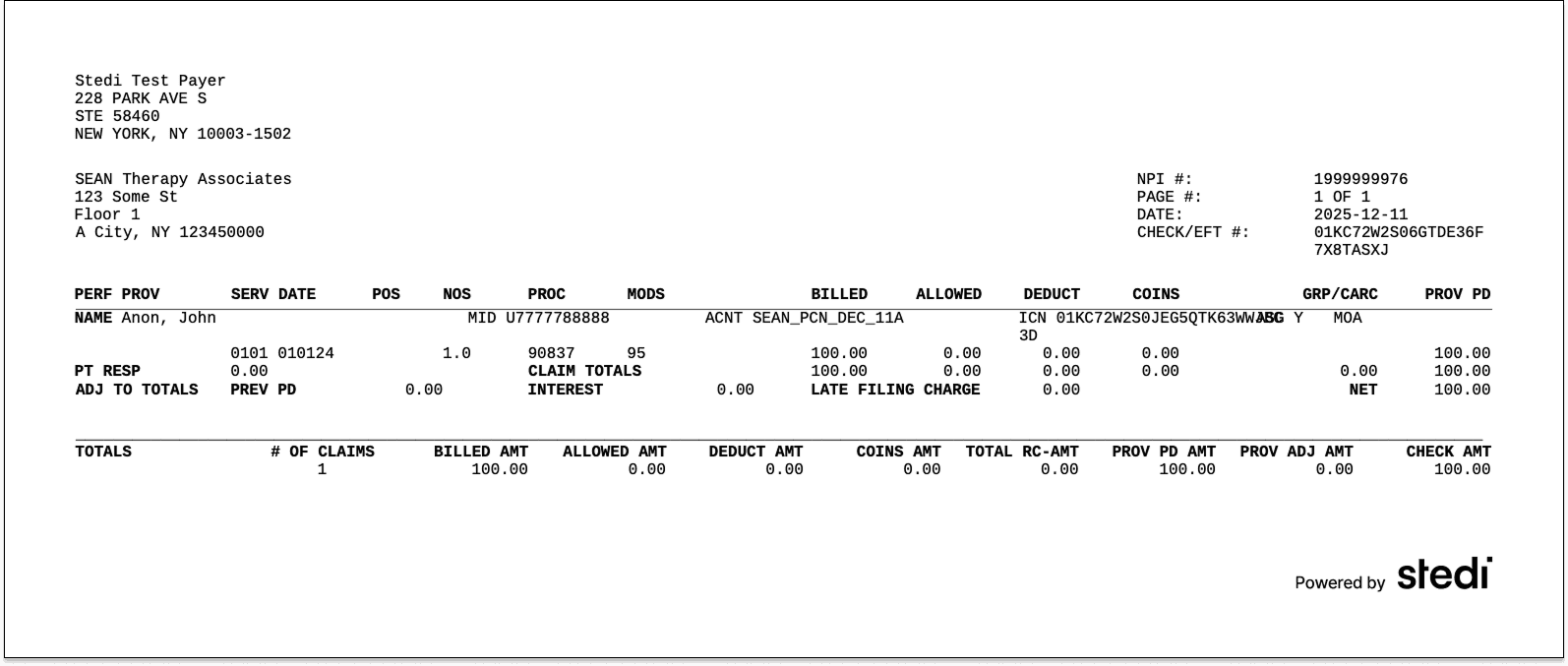
Each PDF gives you a clean, printable view of the ERA’s data, showing exactly how claims were paid, adjusted, or denied by the payer.
Having a PDF can make it easier for teams to post remittances by hand or keep physical copies of their ERAs.
How to use the endpoint
Stedi generates a PDF for every processed ERA. To download the PDF through the API:
-
Get the ERA’s transaction ID from one of the following:
-
The ERA's Details tab in the Stedi portal
-
Use the transaction ID to call the ERA PDF API endpoint and retrieve the generated PDF.
By default, the endpoint returns the PDF as a base64-encoded string. To get the unencoded PDF data, include the
Accept: application/pdfrequest header. To view the PDF, save the PDF data to a file with a.pdfextension.curl -X GET \ "https://healthcare.us.stedi.com/2024-04-01/electronic-remittance-advice/{transactionId}/pdf" \ -H "Authorization: <api_key>" \ -H "Accept: application/pdf" \ > era.pdf
To learn more, check out our API reference.
Pricing
The ERA PDF API endpoint is available now on Stedi production accounts.
ERA PDFs are billed at standard transaction rates. See our pricing page.
Try it out
To try the endpoint yourself, reach out for a free trial.