Introducing new filters for the List Enrollments and List Providers endpoints
You can now filter results more precisely in the List Enrollments and List Providers API endpoints.
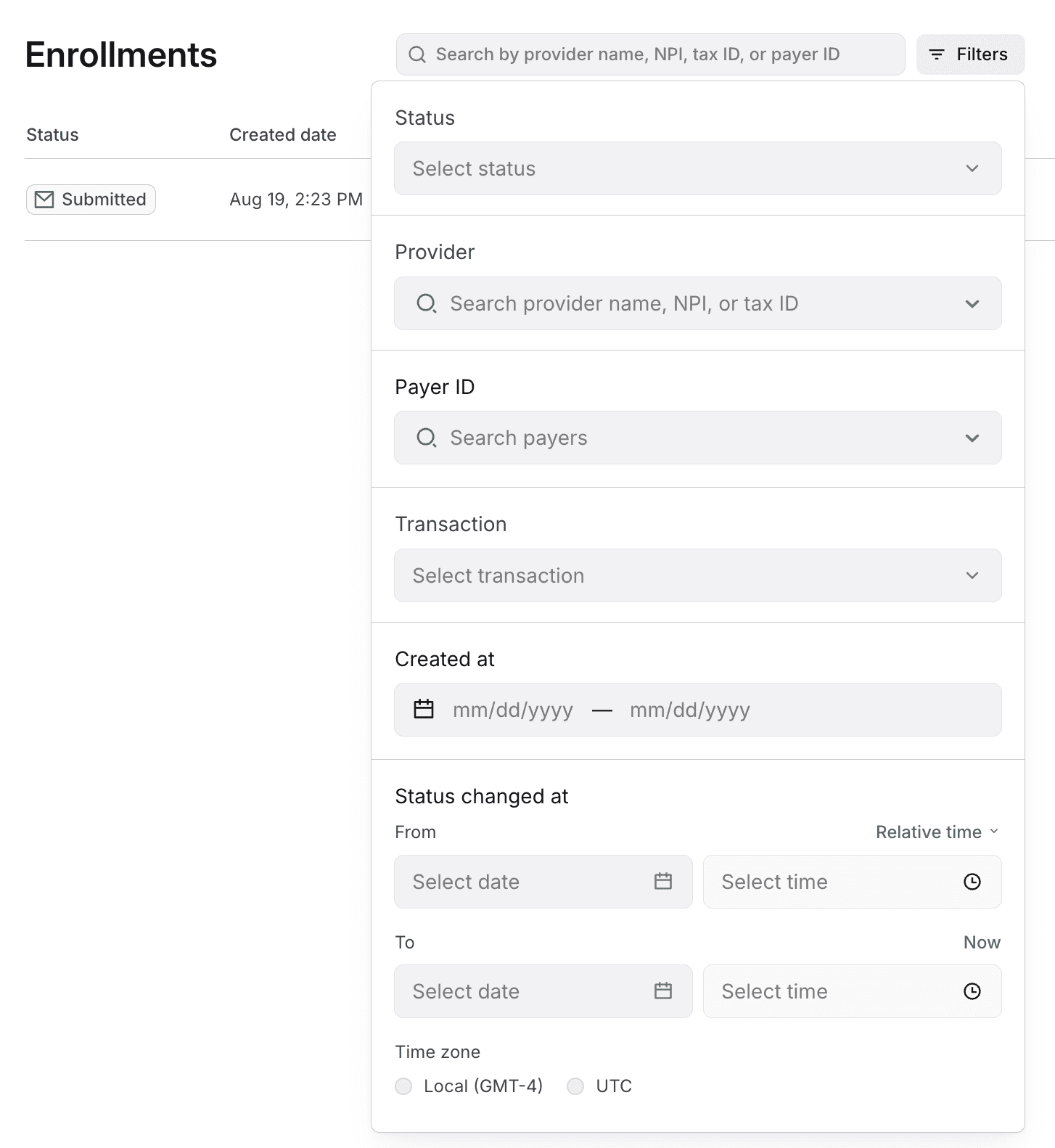
We’ve also updated the Enrollments page and Providers page in the Stedi portal to surface these filters.
List Enrollments endpoint
We’ve added new query parameters to the List Enrollments endpoint. You can use the parameters to filter by:
-
Partial term:
filterlets you search across multiple fields at once. -
Status: Filter by one or more enrollment statuses—such as
DRAFT,SUBMITTED,PROVISIONING,LIVE,CANCELED, orREJECTED. -
Provider details: Filter by NPI (
providerNpis), tax ID (providerTaxIds), or name (providerNames). -
Payer: Filter by payer IDs (
payerIds). -
Source: Limit results by how the enrollment was created:
API,UI, orIMPORT. -
Transaction type: Filter by transaction types, like
eligibilityCheck,claimStatus, orclaimSubmission. -
Date: Filter enrollments by when they were created (
createdFrom,createdTo) or when their status last changed (statusUpdatedFrom,statusUpdatedTo). -
Import ID: If an enrollment was created through CSV import, filter by the returned
importId.
Several of these query parameters accept arrays. You can include an array parameter more than once in the URL to filter by multiple values.
List Providers endpoint
The List Providers endpoint now accepts a filter parameter for searching by provider name, NPI, or tax ID. Filtering is case-insensitive and supports partial matches.
Updated filters in the Stedi portal
Alongside API improvements, we’ve updated the Stedi portal to surface these new filters on the Enrollments page and Providers page.
On the Enrollments page:
On the Providers page:
