Changelog

Improvements to Guides and Mappings

Stedi guides are machine-readable EDI specifications that you can share as interactive web pages with built-in X12 EDI validation. Stedi mappings let you transform JSON from one shape to another. You can base the source or target schema of a mapping on a guide, which lets you automatically pull changes from the connected guide into the mapping.

We recently released the following Guides and Mappings improvements and fixes:

Improvements

  • You now receive a warning when you try to delete a guide that is connected to one or more mappings. The warning lists all of the connected mappings.

  • The guide builder now includes tooltips when you hover over the colored icons next to each node in the sidebar. The tooltips tell you the segment or element type and whether or not it’s required.

  • The mappings UI now pre-selects all target keys when you create a mapping externally from the API or guide builder. Previously, Mappings only pre-selected target keys when you created a mapping from within the Mappings UI.

Fixes

  • When you enter Allowed Values for elements, the guide builder displays a shortened versioned of long JSON keys so they don't overlap with the description.

  • The guide builder now allows spaces in values. This update is important for values like organization names, which require spaces for readability.

EDI Guide Catalog expanded to include guides for Albertsons, Amazon, Best Buy, CVS, JCPenney, Lowe's, and Nordstrom

The EDI Guide Catalog is an open directory of our most-requested public Stedi guides, interactive EDI specifications that let you instantly validate X12 EDI documents.

We are excited to announce the addition of guides for the following brands to our public catalog:

Stedi guides contain validated sample files to help trading partners learn valid usage patterns faster. You can also use Stedi guides to automatically validate, parse, and generate EDI documents according to partner-specific requirements.

Submit a request for new guides for any trading partner, and we'll add them to the catalog for free. Building new guides typically only takes a few business days.You can also contact us to add your existing guides to the catalog.

Omit any field in Mappings based on a condition

While building a Stedi mapping

, you often need to omit a specific field based on the data in the incoming source document. For example, you may need to omit a delivery address object completely if the purchase order has not been confirmed yet. Now, you can use the $omitField constant

 to omit both primitive fields and entire objects.Previously, Mappings UI only allowed using the $omitField for primitive fields (fields that map to strings, numbers, and booleans).You can now use $omitField to exclude an entire object or an array based on a condition. Mappings now recognizes $omitField within list context expressions

. In addition, every object field has a new optional object context input

 with built-in support for $omitField.

Auto-generate EDI Translate API calls from any Stedi guide

EDI Translate uses Stedi guides to read, validate, and generate EDI according to partner-specific requirements. When you call EDI Translate APIs, you must provide your Stedi API key for authorization and either the EDI document (reading) or JSON document (writing EDI).

The guide builder now auto-generates sample EDI Translate API calls for reading and writing EDI. Click Actions > Get Translate API snippet to copy sample calls for several languages, including cURL, HTTP, and Python.

The sample API calls include valid test EDI or JSON data based on the guide's specifications. The guide builder auto-generates generic test data, but you can also get test data from an attached sample EDI file.

Bootstrap module now supports polling FTP/SFTP servers

The Stedi bootstrap repository lets you quickly deploy a reference implementation that sends and receives EDI documents, connecting Stedi products in an end-to-end flow.

The bootstrap implementation now supports polling remote FTP / SFTP servers for new files. When the poller finds files, it copies them to a Stedi bucket and optionally deletes those files from the remote server. You can configure the bootstrap module to process these files automatically. Visit the bootstrap external poller README for more details.

Book time with our technical team for help deploying the bootstrap repository to your Stedi account and customizing it for your use case.

View connected Stedi guide for any mapping on the list view

Building a Stedi mapping requires defining a source and target JSON schema. You can generate these schemas automatically by connecting the mapping to an existing Stedi guide.

Now, the Mappings UI shows you which mapping source or target schemas are connected to Stedi guides and links directly to the connected guide. This new view helps you understand how many mappings are linked to Stedi guides and which mappings are affected by specific guide changes.

Enable payload validation for transformed JSON documents in Mappings API

Stedi Mappings let you transform JSON documents from one structure to another. By default, the Mappings API does not apply any payload validation on the /map endpoint.Now, you can enable Strict validation mode to validate the input and the output payload of the mapping operation. Validation helps you ensure that the mapping results are accurate and catch deviations from expected results early.To apply strict validation

, set the validation_mode query parameter to strict. Mappings uses the source schema

 to validate the input document and the target schema

 to validate the outgoing document.If validation of the input or output payload fails, the response is a 400 error with the validation_failed code and validation_errors object.

HTTP/1.1 400 Content-Type: application/json { "code": "validation_failed", "message": "The input of the mapping does not conform to the specified source JSON Schema, and the output of the mapping does not conform to the specified target JSON Schema.", "validation_errors": { "source": { "mapping_input": { "quantity": 15, "unit_price": 2.50 }, "errors": [ { "code": "required", "message": "must have required property 'unit_description'", "json_pointer": "/", "json_schema_pointer": "#/required" } ] }, "target": { "mapping_output": { "total": 37.50 }, "errors": [ { "code": "type", "message": "must be integer", "json_pointer": "/total", "json_schema_pointer": "#/properties/total/type" } ] } } }

Add a description to validated samples in Stedi guides

You can include multiple EDI sample files in Stedi guides to help new trading partners understand valid usage patterns faster and reduce onboarding time.

Now, you can add a description to each sample that gives trading partners even more context about the intended use cases. The description appears at the top of the guide’s EDI Inspector.

This feature is available both for Public Guides and for Stedi guides published privately. View descriptions for samples in the YRC Freight X12 Motor Carrier Bill of Lading.

Mappings UI Improvements

Stedi mappings let you transform JSON data from one shape to another, most importantly between your internal schema and EDI-like JSON required for EDI Translate.We launched the following improvements to the Mapping builder UI:

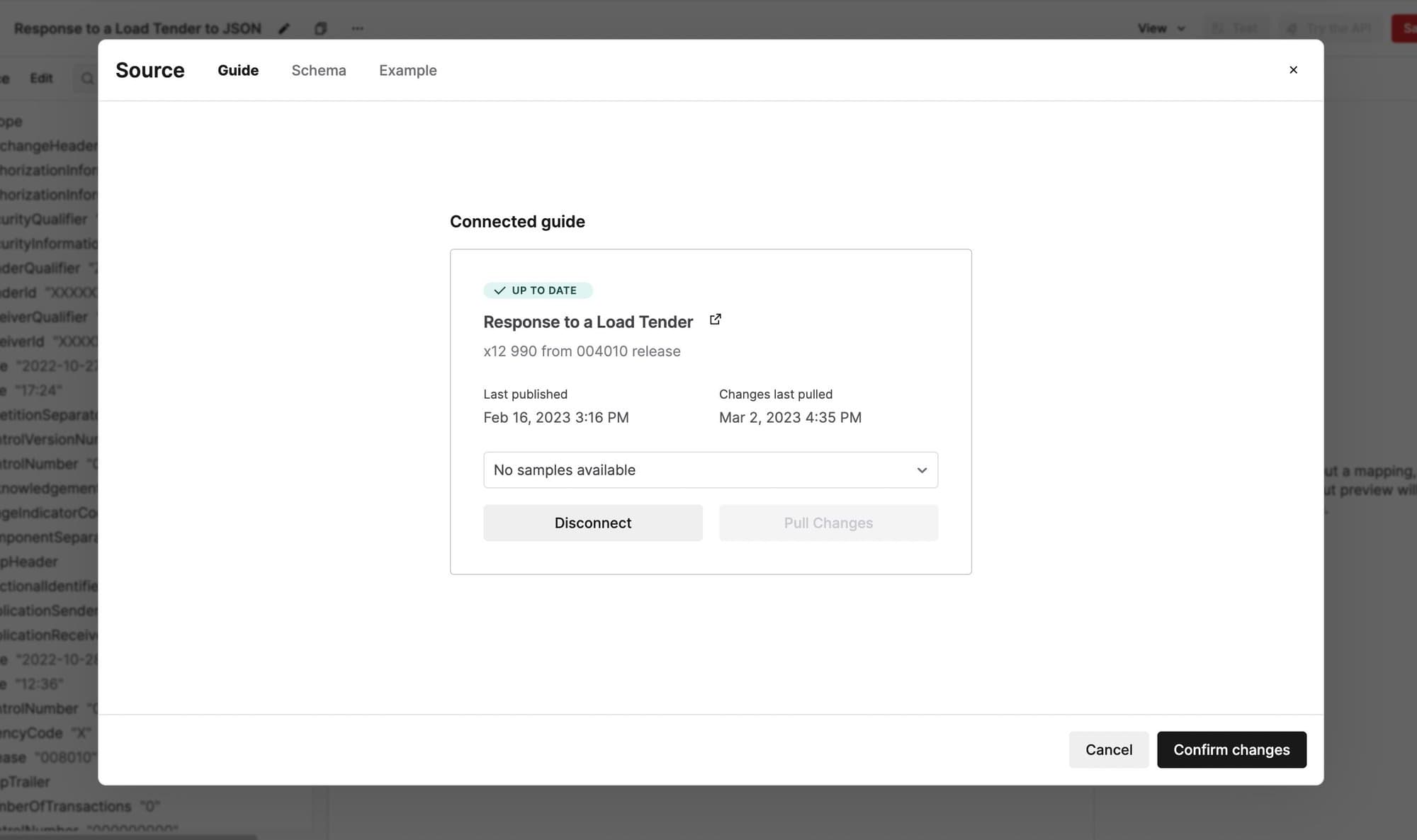
  • When you connect a Stedi guide to the mapping’s source or target schema, the Guide tab links directly to the connected guide.

  • The Schema and Example tabs are now read-only when a guide is connected. This prevents you and collaborators from manually editing the schema out of sync with the connected guide.

  • You can use the View menu to show and hide the source and output columns as needed.

Change the industry identifier for X12 HIPAA guides

The industry identifier for an EDI transaction set is specified in characters 7-12 of the GS-08 element of the functional group header.

You can now change the industry identifier when building a custom Stedi guide for an X12 HIPAA transaction set. You can build a custom guide by importing an X12 HIPAA public guide into your account. EDI Translate uses the industry identifier you choose when generating EDI documents according to your guide's specifications.