Introducing ERA views in the Stedi portal
You can now view Electronic Remittance Advice (ERAs) in the Stedi portal's claims view.
Previously, the Stedi portal only had a ‘flat’ transactions view for ERAs. ERAs weren't filterable, and the transactions view didn’t include details such as the amount paid, the payment date, the payer, or the payee. You had to click into each ERA transaction to see who paid, what was paid, or the related claims.
Now, you can see ERA details at a glance in the list view, filter the full list, and jump from a claim's timeline to the ERAs that match its Patient Control Number (PCN).
Browse and filter ERAs
In the claims view, click 835 ERAs to see every ERA in your account. You can filter ERAs by:
-
Processed date – When Stedi received the ERA.
-
Trace number – The unique ID the payer assigns to the ERA transaction. When payment is remitted by check, this is the check number.
-
Total paid – Total amount paid across all claims in the ERA.
-
Payment date – When the payer issued the payment.
-
Payment method – Check, ACH, or other.
-
Payer – Payer name, ID, or alias.
-
Payee – The billing provider's name.
-
Payee NPI – The billing provider's National Provider Identifier (NPI).
-
Payee Tax ID – The billing provider's Tax Identification Number, such as a Social Security Number (SSN) or Employer Identification Number (EIN).
-
PCN – Matches any ERA whose claims include this Patient Control Number (PCN).
View ERA details
Click any ERA to open its details. The ERA Overview page shows:
-
Payer and payee information
-
Total amount paid
-
Payment date and method
-
Details for all claims included in the ERA
-
Adjustments applied to each claim
-
Provider-level adjustments and related reason codes
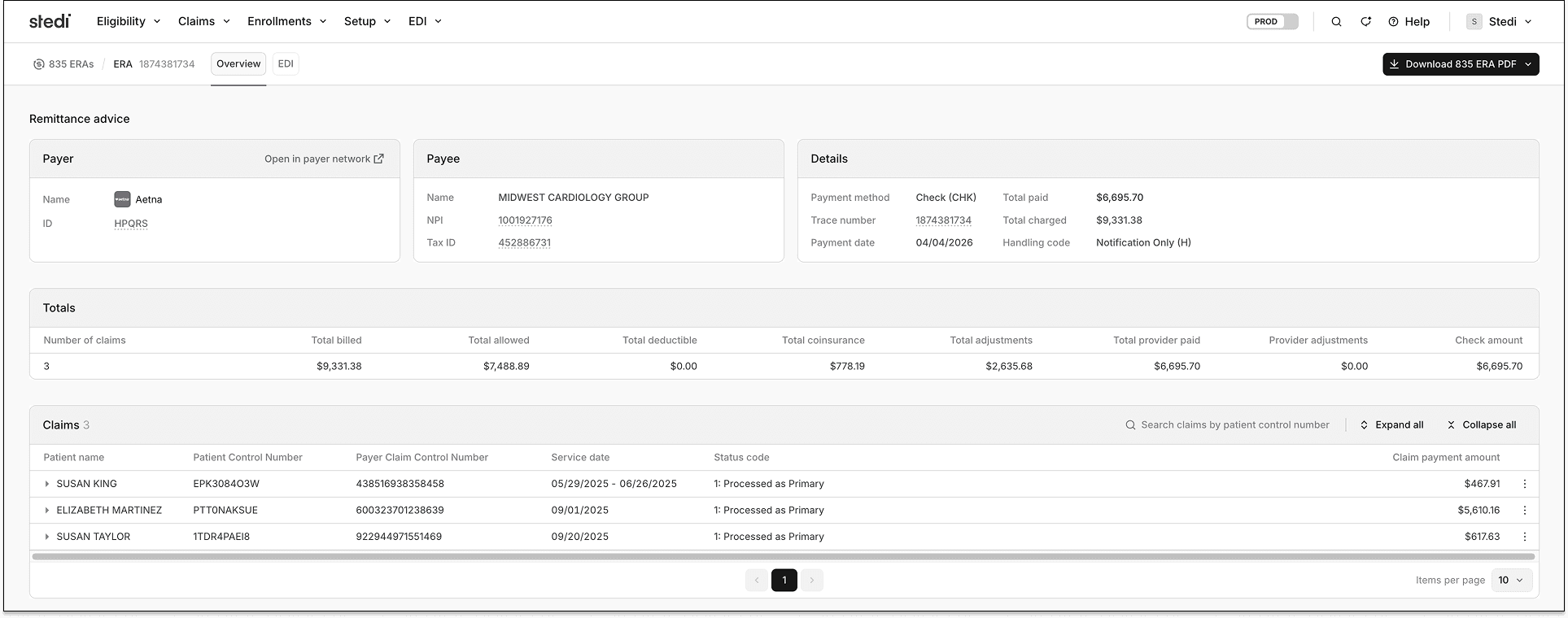
When an ERA contains more than 10 claims, you can paginate through the Claims section or search within it by PCN.
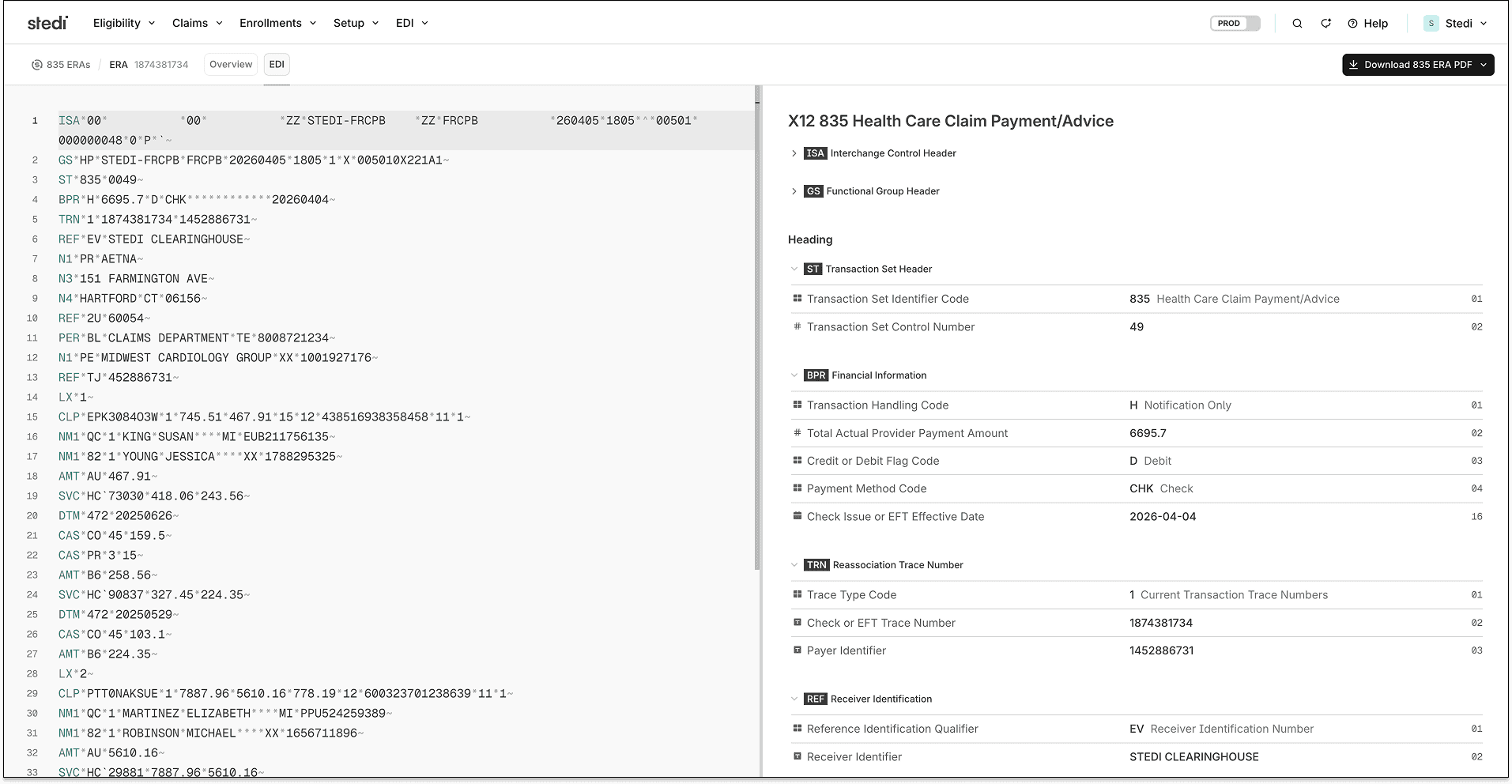
Click EDI at the top of the page to review the raw X12 EDI for the transaction.
Download ERA PDFs
From an ERA's Overview page, click Download PDF at the top right. The download menu lets you export each claim as a separate PDF, packaged in a zip file when the ERA contains multiple claims.
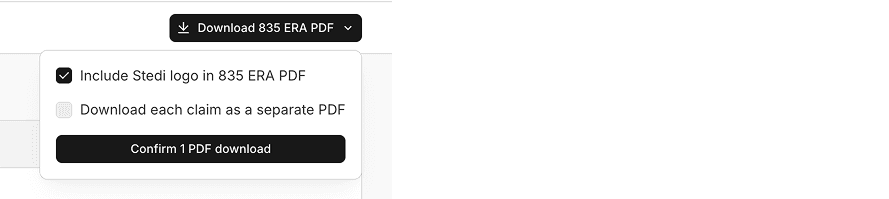
To download the ERA PDF for a single claim, click the three dots next to the claim in the Claims section and select Download 835 ERA PDF for this claim.
Find ERAs related to a claim
Open any claim in the claims view, then click Find matching ERAs in the side panel under the PCN.
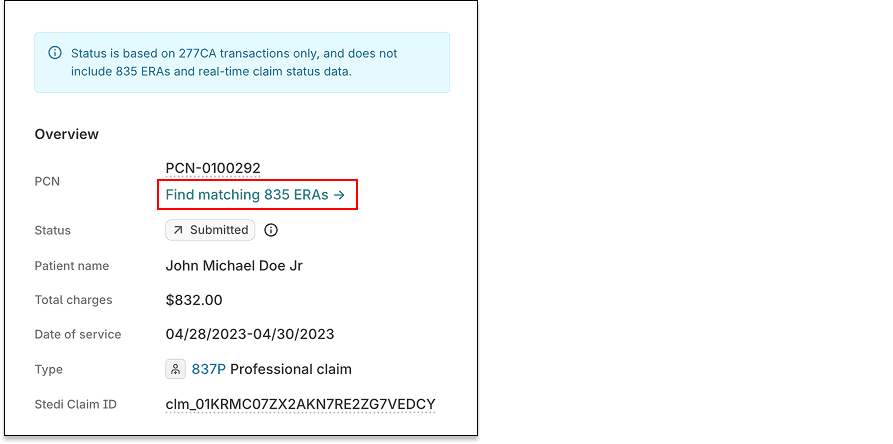
Stedi shows a pre-filtered list of ERAs that match the claim's PCN. If no ERAs match, the list is empty.
Availability and pricing
The new ERA views are available for free on all production accounts.