Introducing event destinations
You can now get real-time notifications for Stedi events using event destinations, Stedi's new webhook framework.
For this launch, event destinations support transaction enrollment events. You can get a real-time notification whenever a request goes live or is rejected.
Previously, monitoring enrollment status meant polling the Enrollments API or checking the Stedi portal manually.
You can use event destinations anywhere you'd typically use a webhook. For example, if you're building or maintaining an EHR, you can use event destinations to notify providers when enrollments are complete. You can also connect a destination to Slack via Zapier to alert your billing team when an enrollment is rejected.
We plan to release more event types for event destinations soon. This release doesn’t affect Stedi’s existing webhooks product, which is used for 277CA claim acknowledgments and ERAs.
What are event destinations?
An event destination is a configured webhook URL that Stedi sends events to when something in your account changes.
You create one or more event destinations from your Developer settings in the Stedi portal. You provide a URL to receive events at and choose which event types to subscribe to.
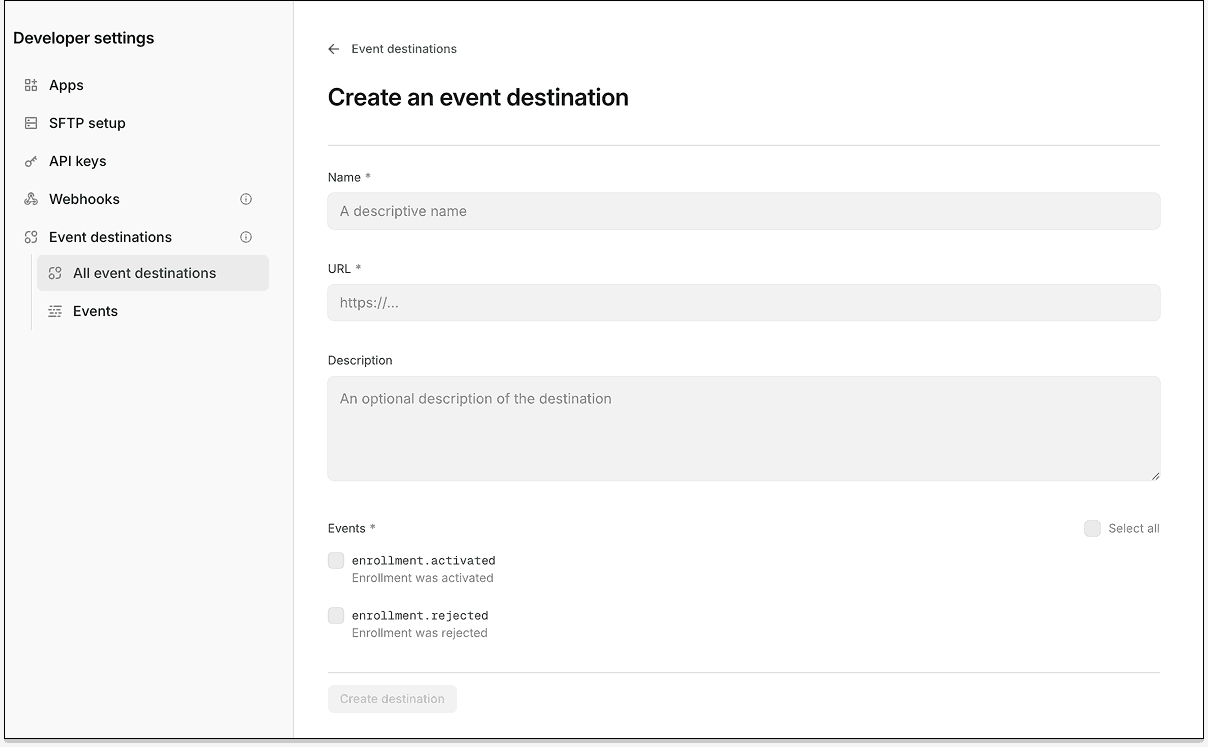
Once you create a destination, related events are sent as a POST HTTP request to the URL you provided. Stedi manages delivery and automatic retries for failures.
Event schema
Stedi uses a thin event schema. Events are only intended to notify you that a resource changed. They don't include the resource's data.
For example, the following enrollment activation event only includes the enrollment record’s ID, resource.id. You can pass this ID in the Retrieve Enrollment API endpoint’s enrollmentId parameter to get the full details.
{
  "account": "11111111-2222-3333-4444-555555555555",
  "created": "2026-03-30T23:19:00.501Z",
  "environment": "PRODUCTION",
  "id": "evt_a81659f1-16a5-9bec-03e1-0ba8ab5e9652",
  "object": "v1.event",
  "resource": {
    "id": "019bb508-dc63-73a1-8ddc-9d4720299072",
    "type": "enrollment"
  },
  "type": "enrollment.activated"
}
You can create up to 16 event destinations per Stedi account.
Event types
Event destinations currently support two transaction enrollment event types:
-
enrollment.activated– The enrollment request has theLIVEstatus. The provider can now exchange the listed transaction types with the payer. -
enrollment.rejected– The payer rejected the enrollment request, which now has aREJECTEDstatus.
More event types are coming soon.
How does Stedi handle delivery failures?
Stedi begins delivering events immediately after you configure a destination. If a delivery fails, Stedi automatically retries at increasing intervals.
When deliveries repeatedly fail, Stedi sends notification emails to all members of your Stedi account – first at 2 hours, then again at 24 hours. If all retries fail, Stedi disables the destination. You can re-enable it once the issue is resolved.
You can also manually retry any failed delivery from the Stedi portal. Manual retries reset the automatic retry schedule.
Review events using the API
You can access events and attempted event deliveries using two new Events API endpoints:
-
List Events – Retrieves all events from the past 30 days, filterable by event type, delivery status, and created date
-
Retrieve Event – Retrieves the full payload for a specific event
An OpenAPI spec is available for both endpoints.
We recommend periodically listing events to catch cases where delivery succeeded but your processing logic encountered an error. For example, the following List Events request gets all enrollment.activated events from the last 30 days:
curl --request GET \
  --url "https://events.us.stedi.com/2026-02-01/events?eventType=enrollment.activated" \
  --header "Authorization: <api_key>"
Review events in the Stedi portal
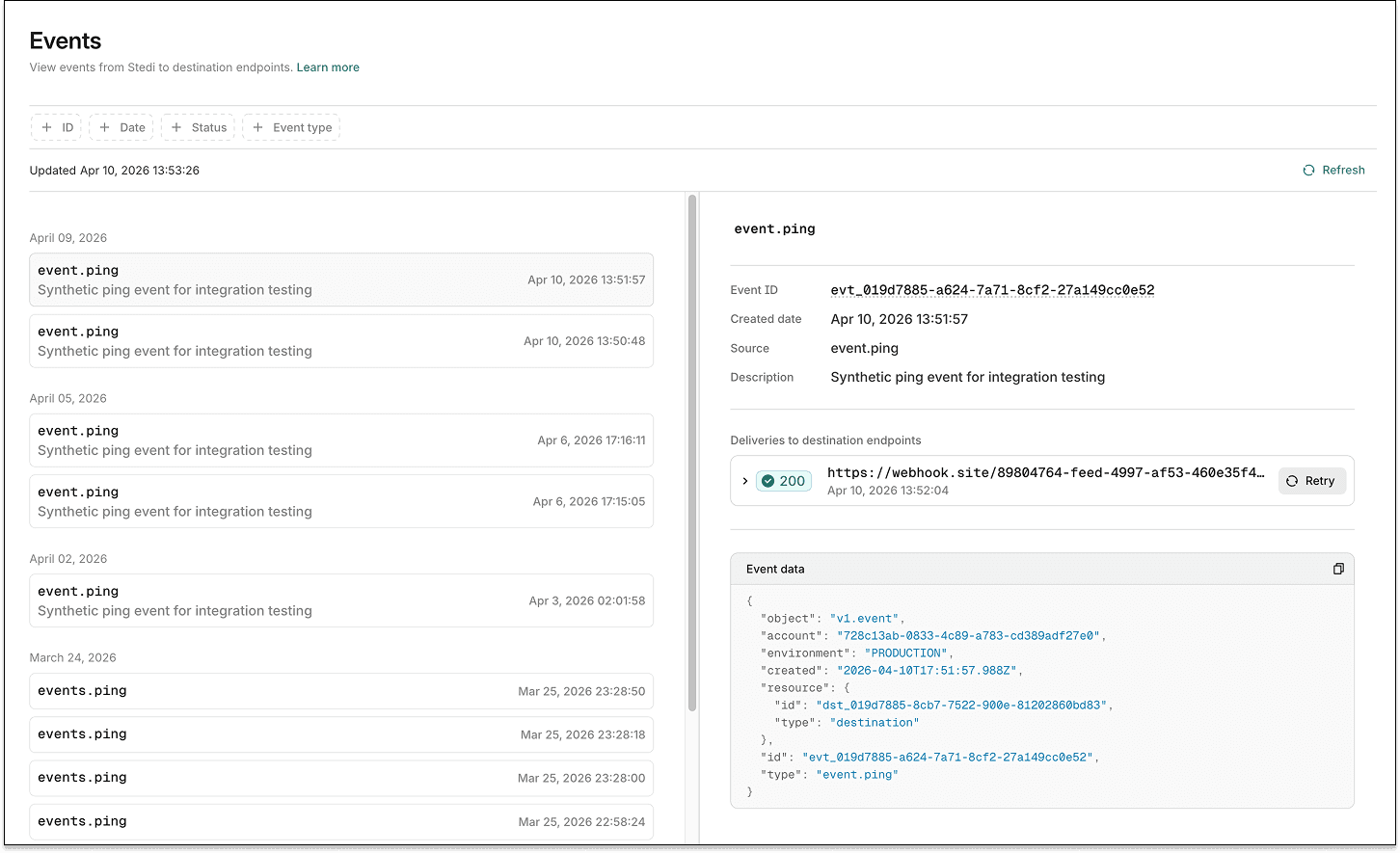
Events and delivery attempts are visible in the Stedi portal under Developer settings > Event Destinations > Events. You can inspect HTTP status codes, full request and response bodies, and retry history for any delivery.
Security
Stedi generates a secret for each event destination. Each event delivery includes a webhook-signature header. You can use the secret and any Standard Webhooks-compatible library to verify the signature’s authenticity.
For instructions, see our verification docs.
Send test events
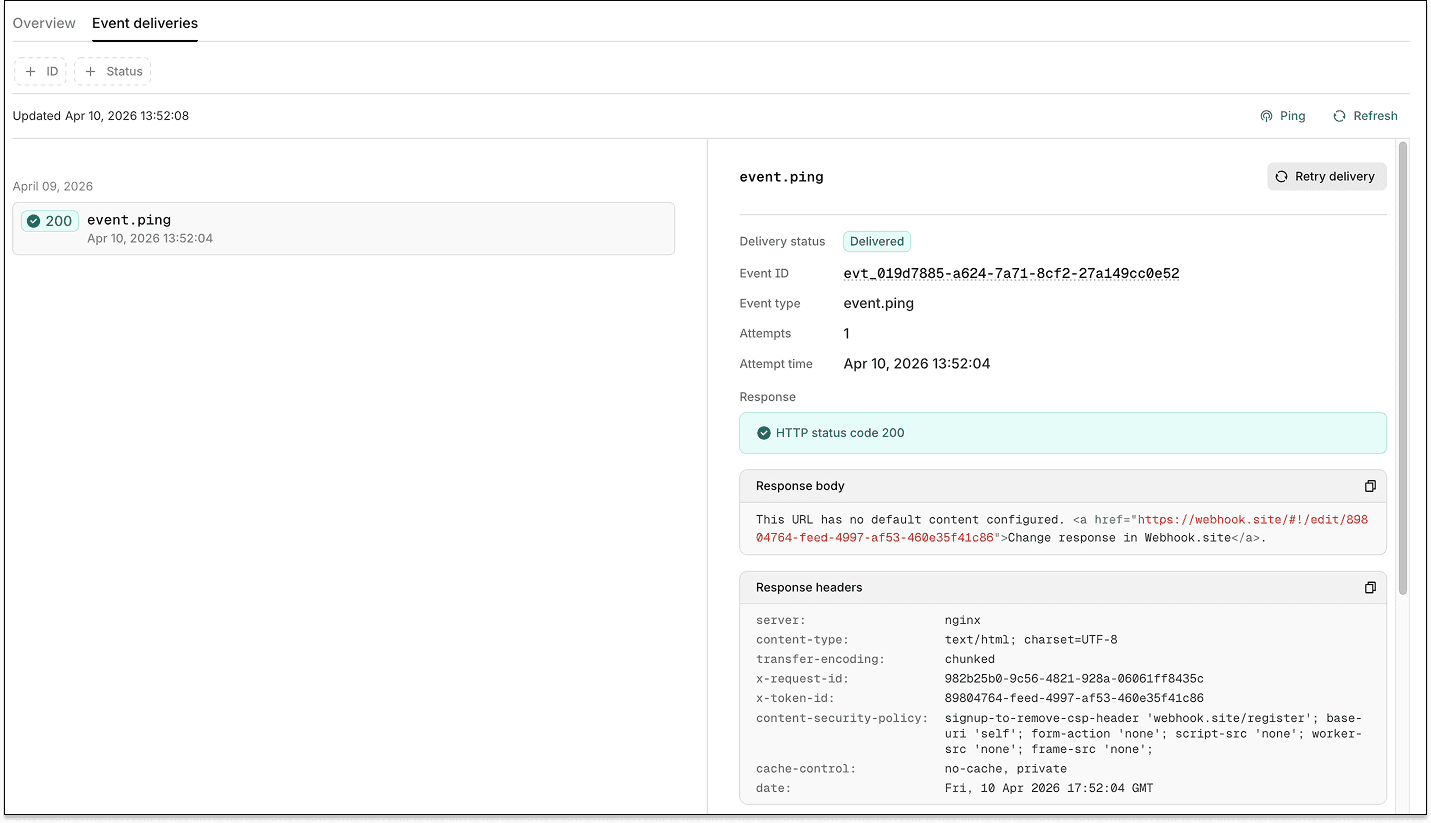
You can manually trigger event.ping events for integration testing. To send a test ping:
-
From the Event destinations page, click the event destination you want to test.
-
Click the Event deliveries tab.
-
Click the Ping button.
Stedi attempts to deliver an event.ping to the destination’s URL. You can review its status and details on the Event deliveries tab.
Existing webhooks
This release doesn’t affect Stedi’s existing webhooks product. You can continue to use these webhooks to get notifications for new 277CA claim acknowledgments and ERAs. Event destinations don’t yet support these event types.
Get started
Event destinations are available on all paid Stedi plans. To request a free trial with full production access, fill out our contact form.