Eligibility checks now show the patient's name
The Stedi portal and eligibility PDFs now label each eligibility check with the patient's name. When a check includes a dependent, the dependent is the patient.
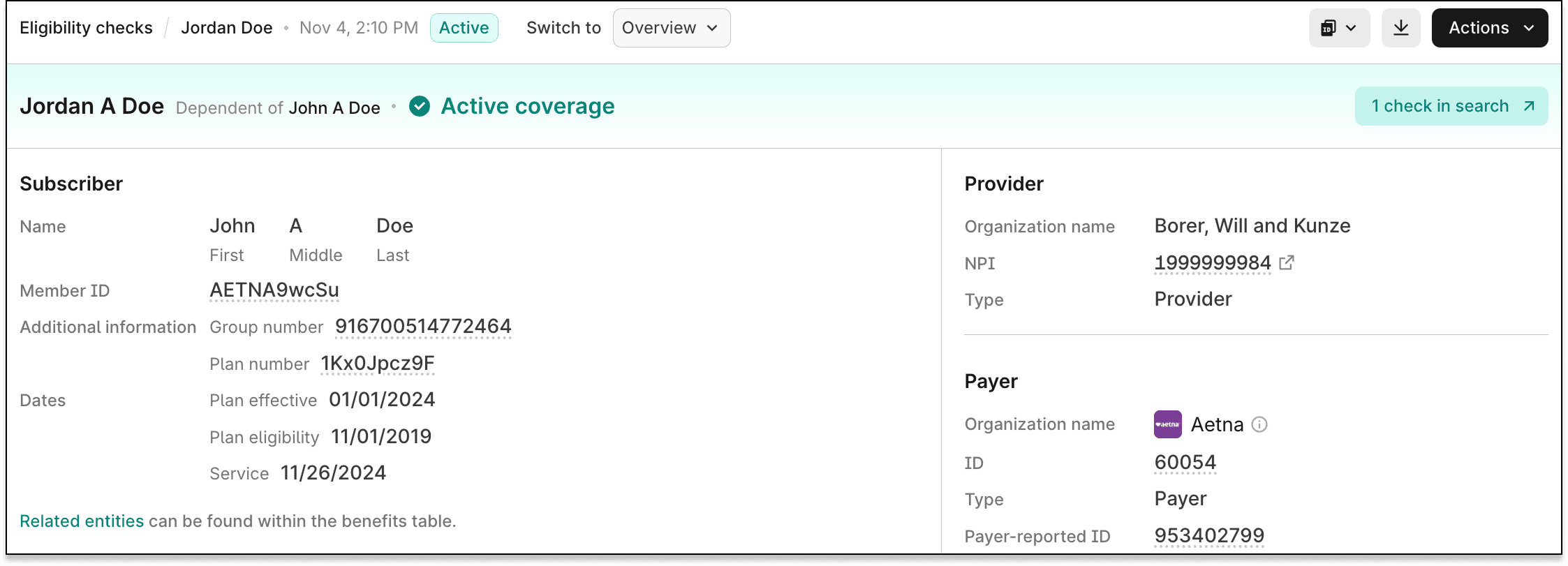
Previously, the portal and eligibility PDFs always labeled each check with the subscriber's name, even for a dependent's check. The subscriber is the person who holds the insurance policy. This made the dependent's benefits look like the subscriber's.
Now, the patient's name appears in these places:
- Checks view – The Subscriber column is now the Patient column. Hover over a dependent's name to see the dependent's and the subscriber's names.
- Check details – The breadcrumb and the Overview title show the patient's name. For a dependent, the title can also show Dependent of and the subscriber's name.
- Eligibility PDFs – The PDF header matches the Overview title.
The Member ID column still shows the subscriber's member ID.
For more information, see our eligibility views docs.