Stedi portal
Run eligibility checks, submit and track claims, and automatically reconcile payments from a single, user-friendly UI.
Build procedures that work the same way across all your payers – and any provider. Try the portal for free with a sandbox account.
Built for everyone
The Stedi portal is an intuitive UI built on top of our public API endpoints. Work in the UI, build on the API, or do both.
Who uses the Stedi portal
Billing teams
Check coverage, fix rejected claims, and reconcile payments. You don’t need to write code.
Health systems
Give revenue cycle staff one UI that works the same way across 3,500+ payers.
MSOs and DSOs
Onboard new practices in bulk. Then check coverage and track claims across every practice.
Developers
Debug and troubleshoot transactions. View API requests, including raw JSON.
How it works
From eligibility check to payment,
in one place
Verify insurance
and benefits
Use Agentic Discovery to find a patient’s coverage and benefits in one automated step. It runs an eligibility check. If the check fails, it tries to recover it. If recovery fails, it runs an insurance discovery check.
Agentic Discovery is part of the Stedi Agent, the Stedi portal’s built-in AI assistant.
You can also use the Stedi portal to run standard eligibility checks one patient at a time or in batches from a CSV.
Transaction enrollment
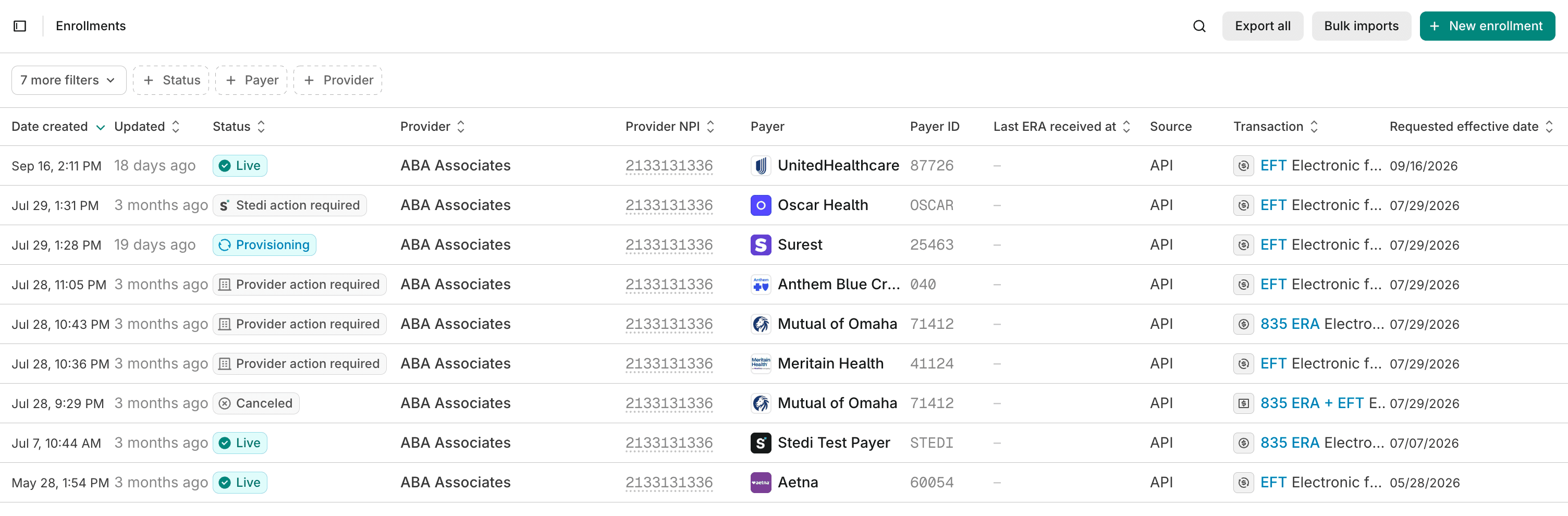
Enroll providers with payers
Use the Stedi portal to enroll providers for ERAs, EFTs, and other transactions using our turnkey transaction enrollment process.
Submit enrollment requests one at a time or in bulk from a CSV. Track every enrollment from submission to go-live. Each enrollment shows its status and clear next steps.
Claims view
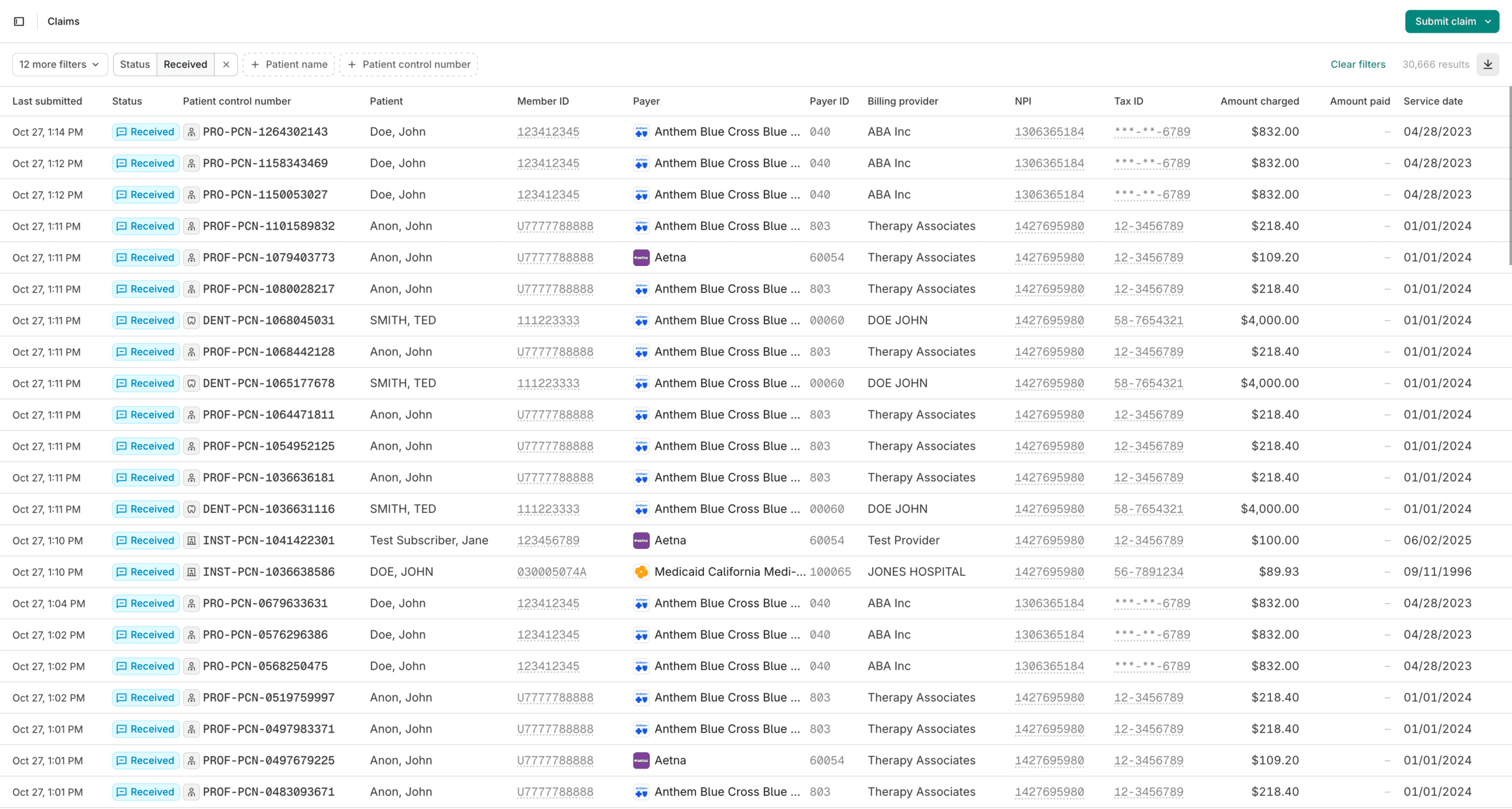
Find claims that need work
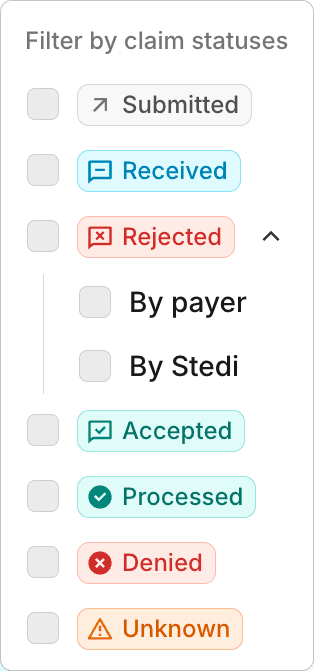
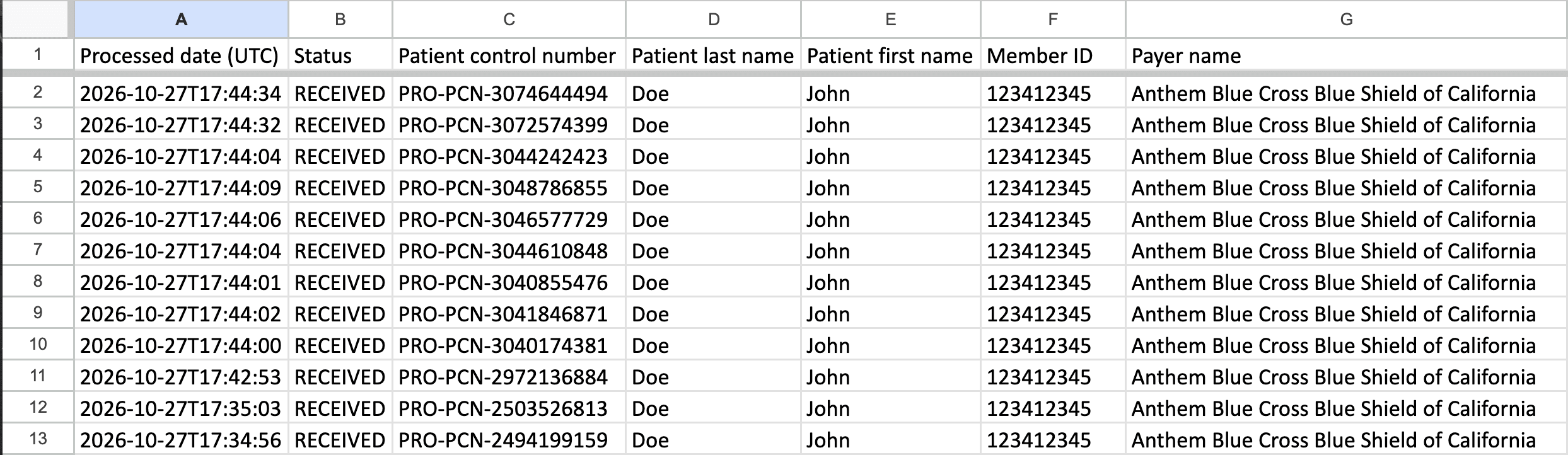
The Stedi portal’s claims view lists every claim you submit through Stedi. Each claim shows its current processing status, like Accepted, Rejected, or Denied.
Use filters to find rejected claims, unpaid claims, and payment reversals.
CMS-1500 form and claim timeline
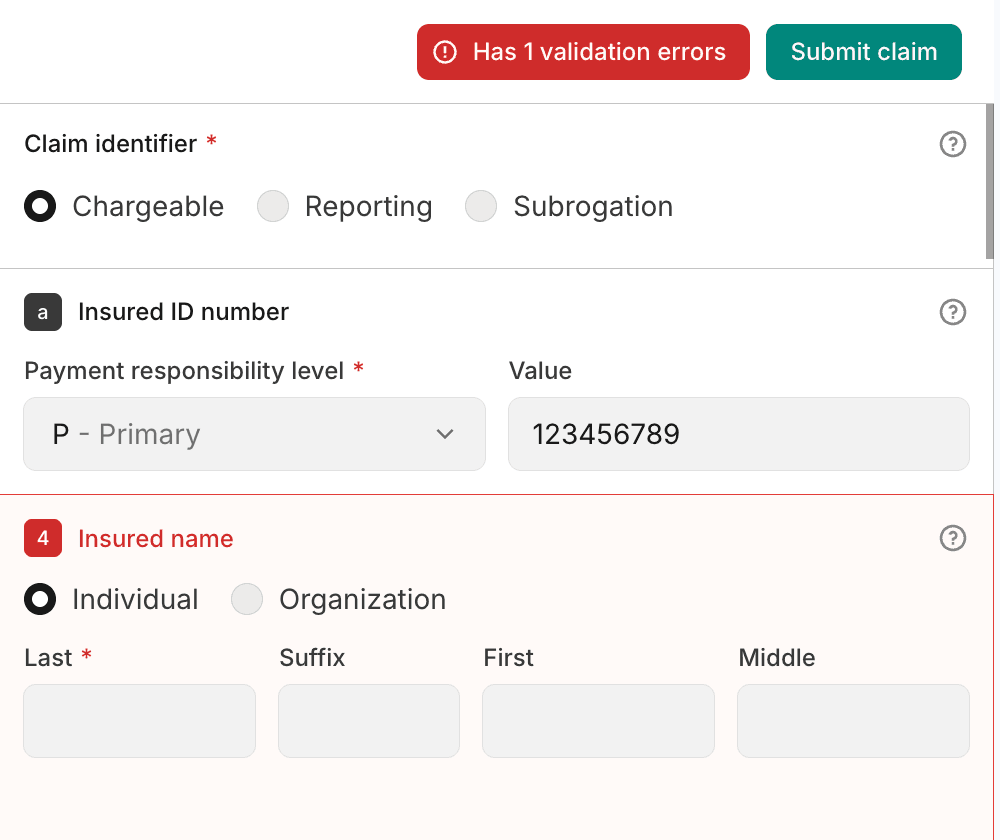
Catch errors and fix rejected claims
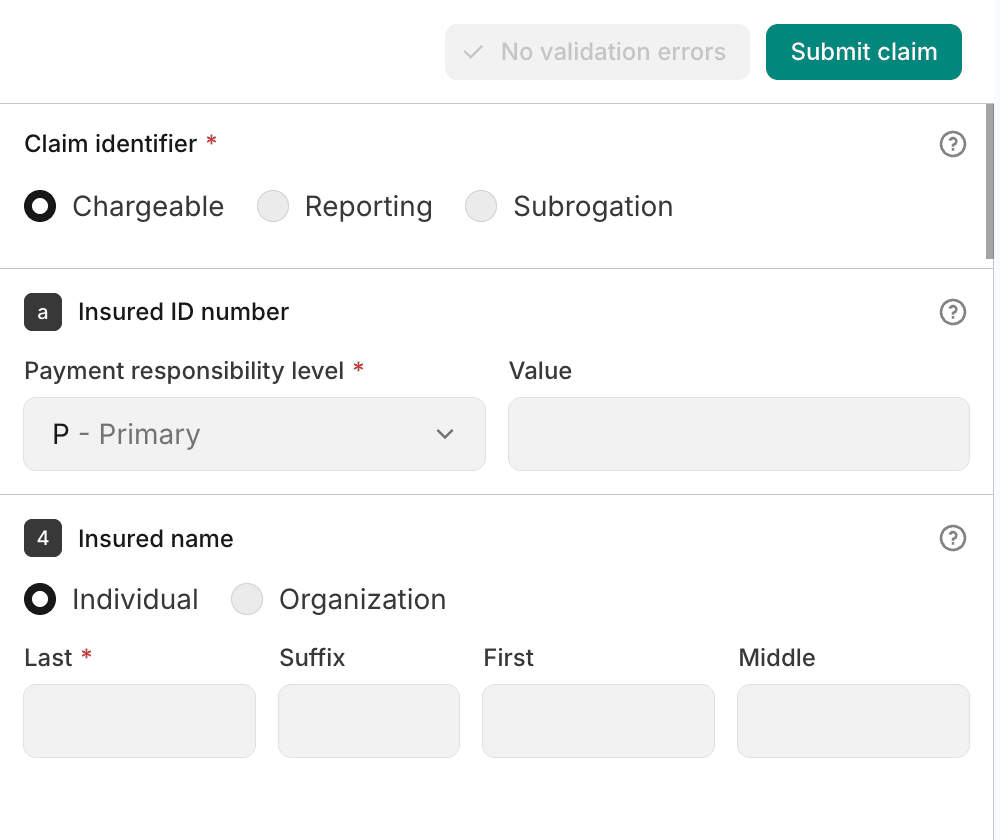
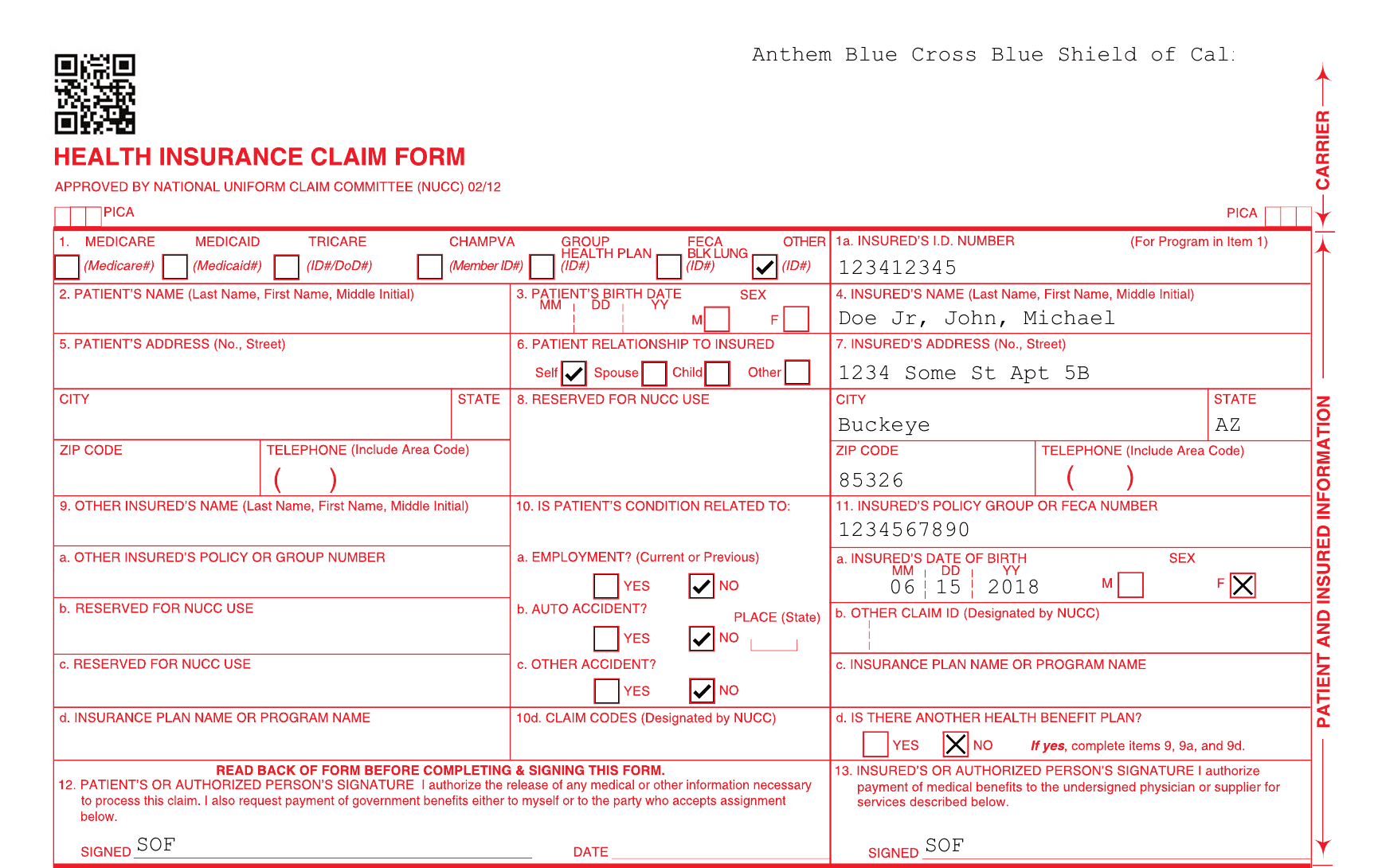
Submit (and resubmit) 837P professional claims through the Stedi portal’s CMS-1500 form. The form checks each claim against Stedi’s claim edits as you fill it out.
Payers accept 98% of claims submitted through Stedi. If a payer rejects a claim, you can correct and resubmit it using the same form.

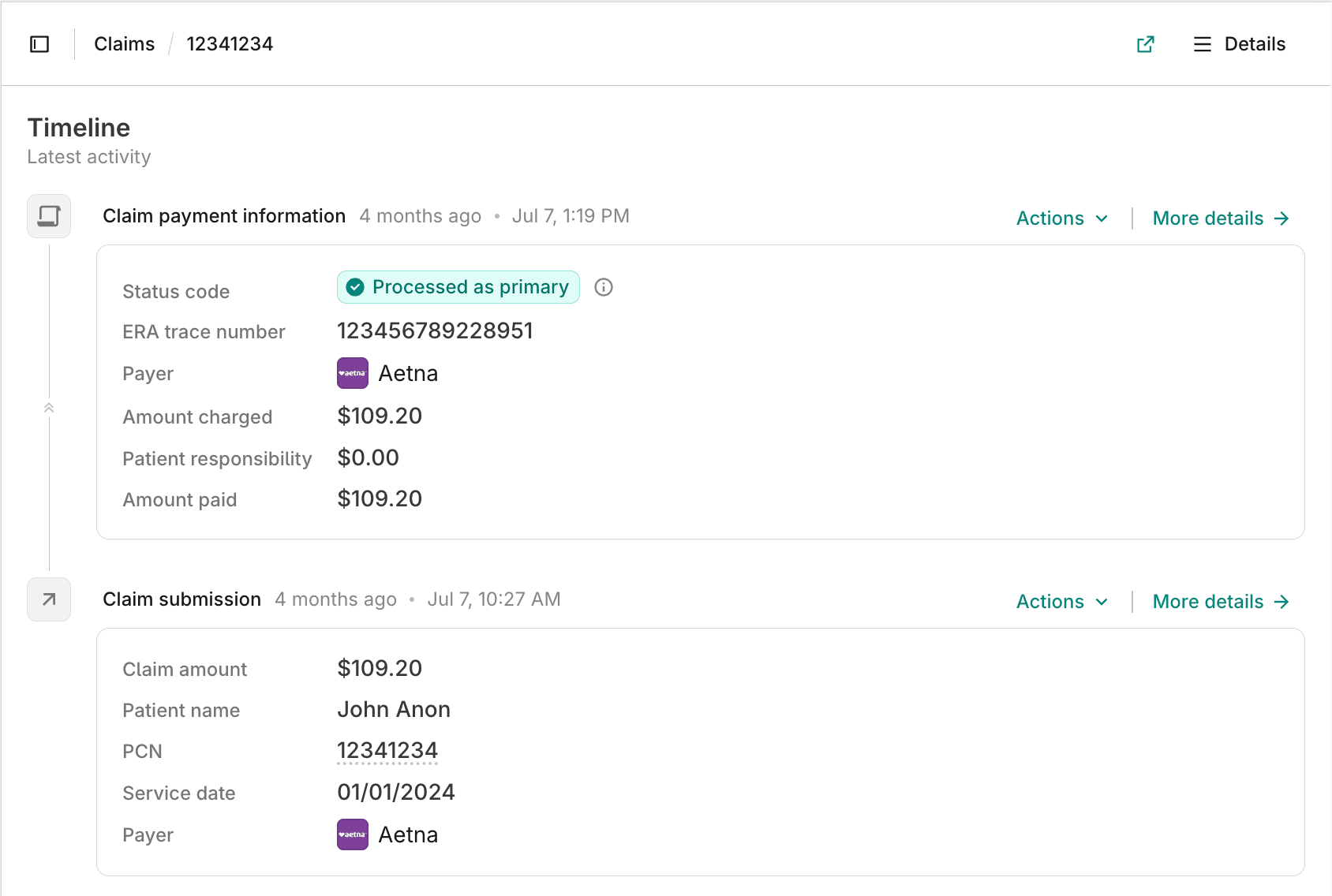
Claim payment information
See denials and payments
Each ERA adds a related card to the claim timeline. The card shows the amount charged, the amount paid, and the patient’s responsibility.
The card’s details show claim and service line adjustments. If the payer denied the claim, they also show the denial reasons.
Reconcile payments
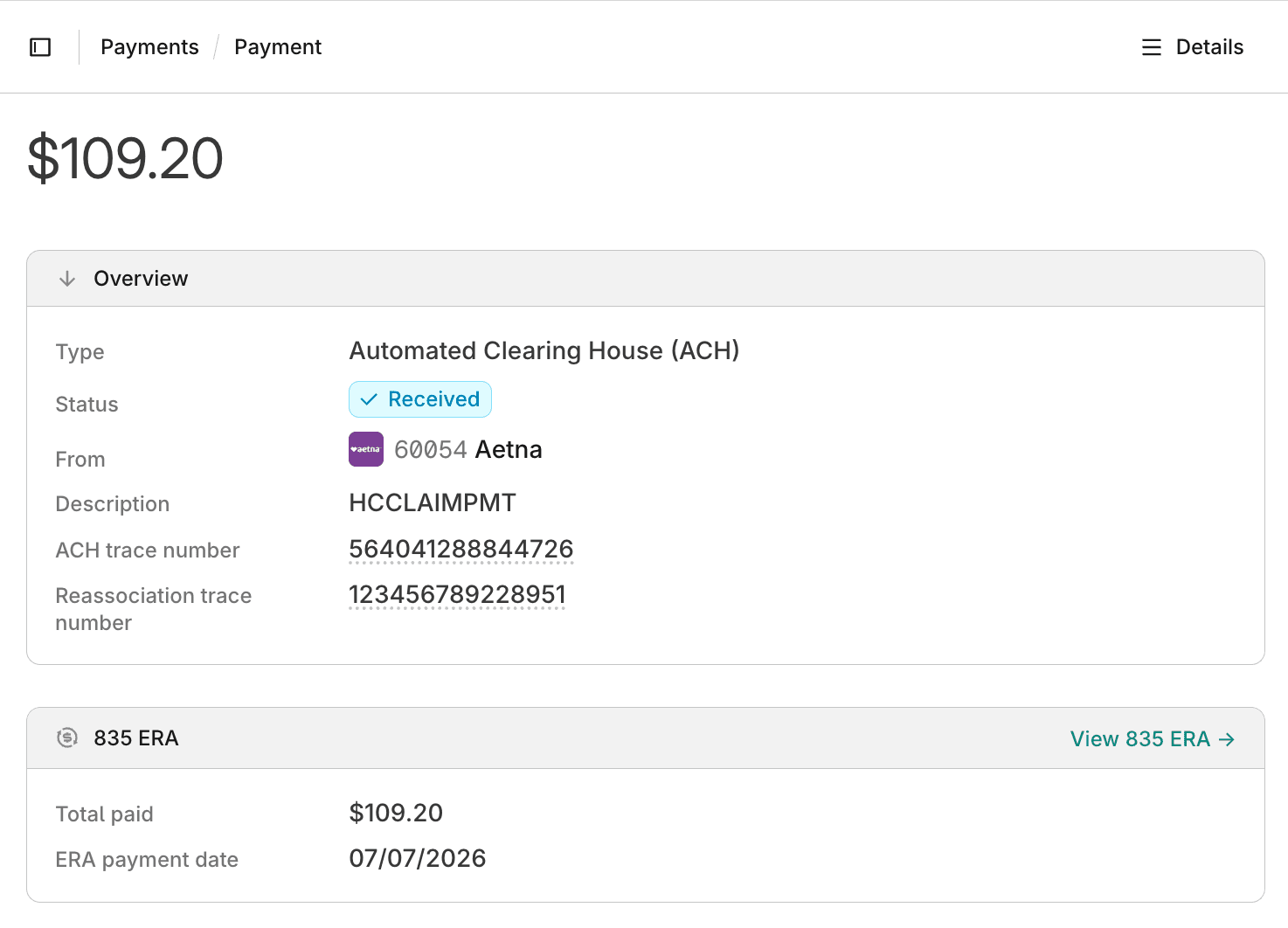
The Stedi portal’s ERAs view lists every ERA you receive through Stedi. Filter ERAs by payer, payee, payment date, total paid, or trace number.
With Stedi Treasury, Stedi matches each EFT to its ERA for you. With Stedi Lockbox, paper checks appear in the portal the same way EFTs do.
Use the My Payers view to find payers that haven’t sent ERAs for your claims.
Exports and PDFs
Export claims and ERAs
Export a filtered list of claims or ERAs as an Excel file. Use the export for month-end reports or reconciliation in another system.
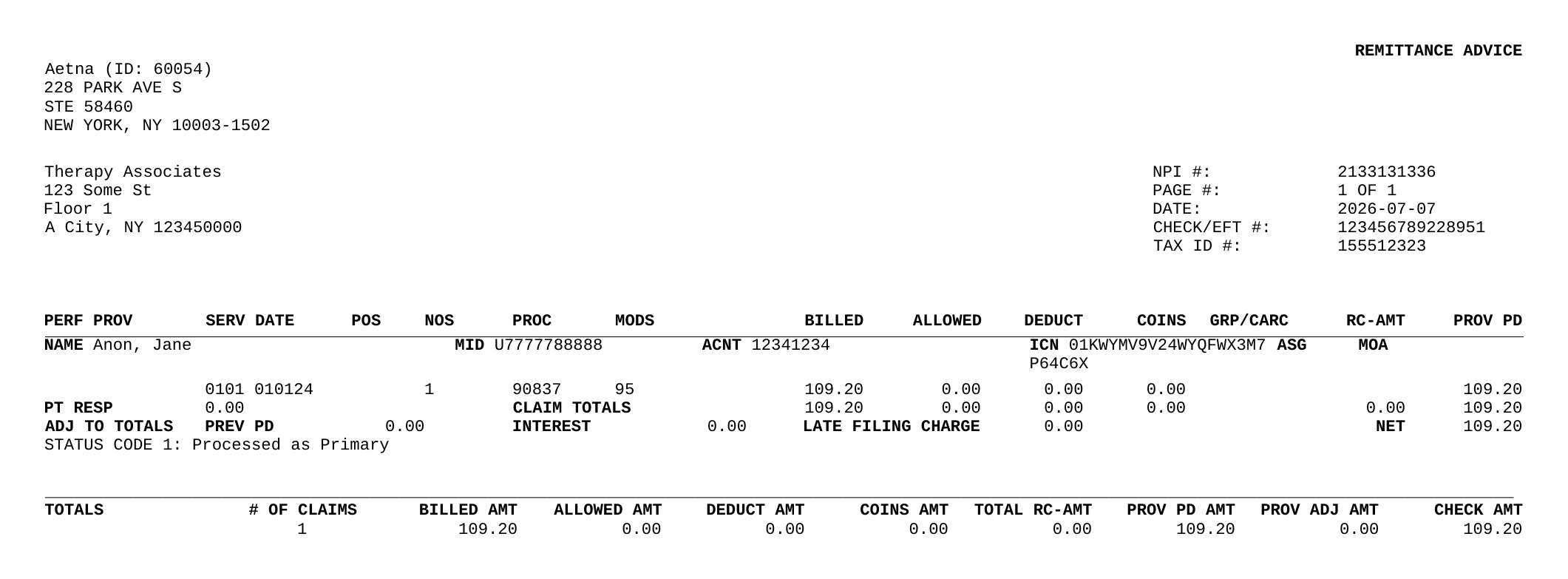
Download a PDF for a whole ERA or for each claim it pays. Professional claims also have CMS-1500 PDFs.
Try the Stedi portal for free
Stedi’s free sandbox accounts include access to the Stedi portal. It takes less than two minutes to sign up. No credit card is required.
When you’re ready, upgrade to production. There are no monthly minimums or setup fees. You only pay for the transactions you use. See our pricing.