Introducing payer ID lookup by member ID card in the Stedi Agent
You can now find a payer ID by uploading a photo of an insurance member ID card to the Stedi Agent.
Eligibility checks fail if you use the wrong payer ID, even if you provide the right patient data. Many member ID cards don't list the payer ID used for eligibility checks and other electronic transactions, so matching a card to the right payer previously required a manual search.
If your workflow starts with a physical or digital insurance card, you can now get the primary payer ID without manually searching Stedi's payer list.
How member ID card payer lookups work
To start a lookup:
-
Open the Stedi Agent.

-
Select New chat > Upload member ID card.
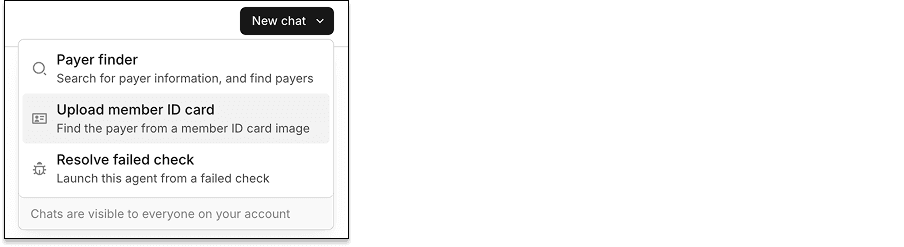
-
Upload a JPEG or PNG image of the member ID card. You can upload an image up to 5MB in size.
After you upload an image, the agent reads the card and identifies the payer. If it finds a match, it returns the payer ID, a confidence rating, and the transaction types the payer supports.
If the agent can't read the card, try uploading a clearer image. If it can't determine the payer, contact Stedi support.
Availability and pricing
Member ID card payer lookups are available on all production Stedi accounts.
Stedi bills per lookup. For pricing, see our pricing page.
Security
You must have the Operator role or above to use the Stedi Agent. All Stedi Agent chats are visible to anyone with access to your Stedi portal account.
For more information, see our Stedi Agent docs.