Changelog

Automatically generate and send positive TA1s to trading partners

Stedi can now automatically generate positive TA1s for inbound transactions and deliver them to your trading partners. 

TA1 Interchange Acknowledgments indicate receipt of an interchange and identify any errors in the interchange’s envelope (`ISA` and `IEA`) information. Positive TA1s contain code `A` in the `TA104` element to indicate you received the interchange successfully, and it contains no errors.

Enable automatic TA1s for each partnership in the Acknowledgments settings. You can send TA1s for every inbound file or only when your trading partner requests them. Visit the Acknowledgments documentation for complete details. 

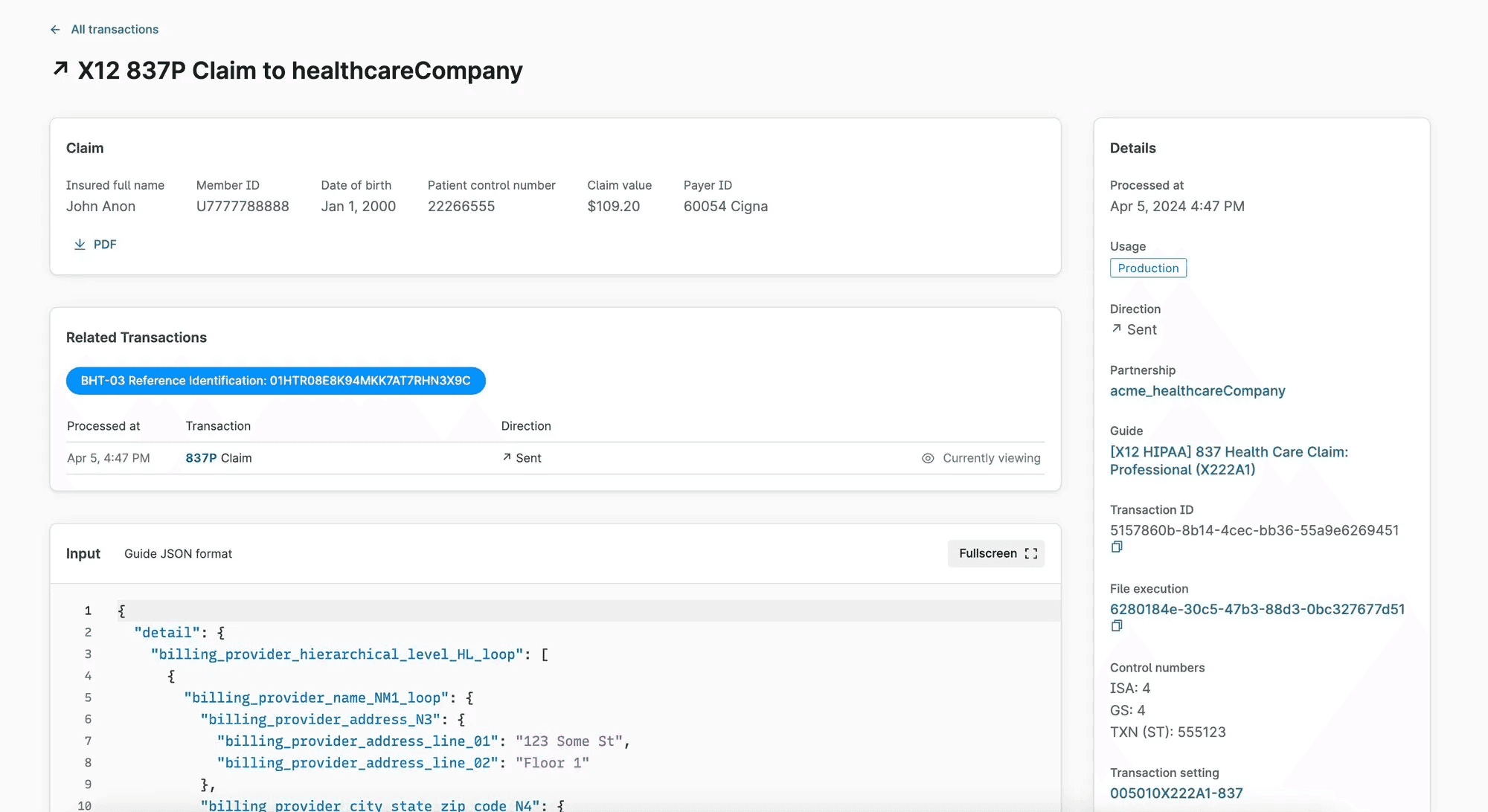
Improved transaction view

The transaction details page has the following improvements:

  • For 837P (professional) claims, Stedi automatically puts key details, including subscriber information and the claim value, at the top for easy access. You can also instantly download a PDF of the autogenerated 1500 Claim Form

  • Transactions with a common business identifier are clearly identified and linked, so you can easily move between related transactions.

  • The transaction’s raw input and output are available for review and download. 

  • Multiple other UX updates to make the transaction’s data easier to understand and digest.

You can review this information by clicking any transaction on the Transactions page in the Stedi app.

Retrieve payer responses with new Report APIs for claim status and ERA processing

You can now use the following APIs to retrieve payer responses in JSON format:

  • Get 277 Report: Retrieve processed 277 Claim Acknowledgments

  • Get 835 Report: Retrieve processed 835 Electronic Remittance Advice (ERA) transactions

You can either poll or listen for event-driven webhooks to discover new payer responses. Then, you can call the Report APIs to retrieve the processed responses from Stedi. For convenience, Stedi returns 277s and 835s in the same JSON format as the Change Healthcare (CHC) Convert Reports APIs.

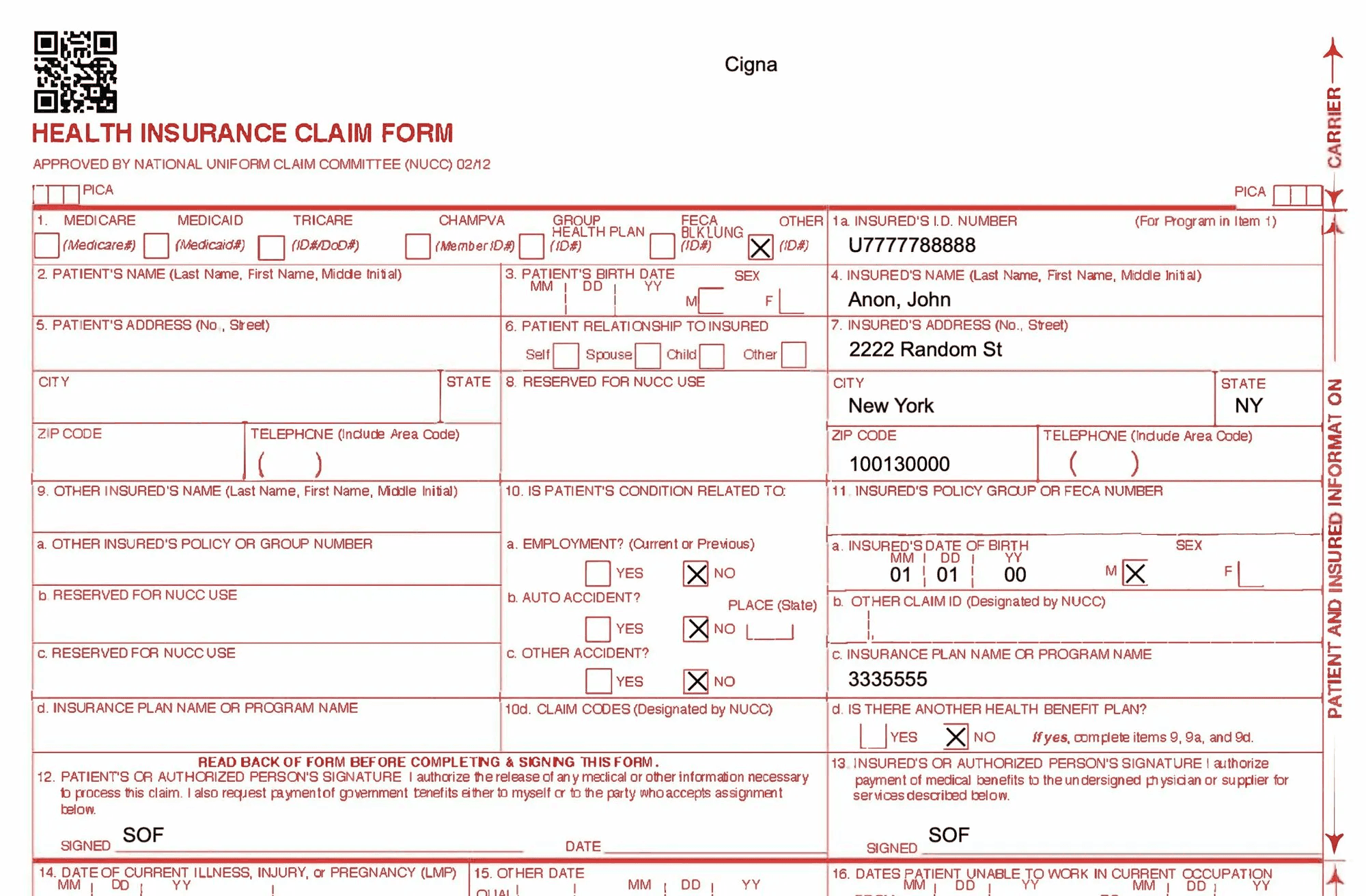
Download auto-generated 1500 Claim Form PDFs

For every claim you submit through our Professional Claims APIs, Stedi now automatically generates a complete 1500 Claim Form. You can download these PDF claim forms from the transaction detail page for that claim in the Stedi app.

This feature is useful when you need to export claim forms for record-keeping purposes, physically mail a claim to a payer, or review specific claim information in a familiar format. 

Compare and instantly roll back to previous versions of a Stedi mapping

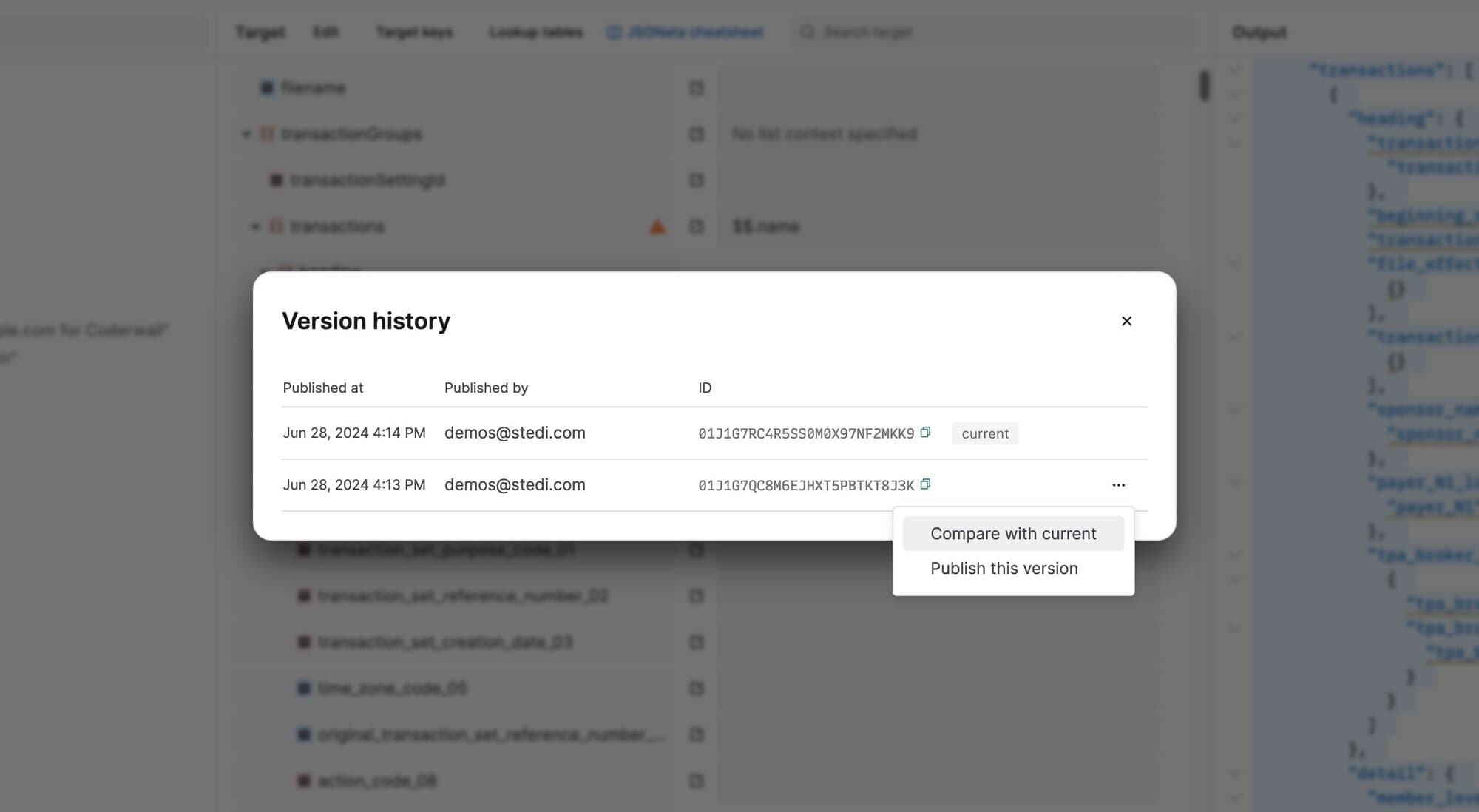
You can now review a mapping’s version history, compare older versions with the current, and instantly roll back to any published version. This functionality helps you better understand the updates made in each version and debug issues in production mappings.

To review a mapping’s version history, go to the mapping, open the Actions menu, and select Version history. You can choose to publish an older version or compare it with the current version in production. Comparing highlights every difference between the old and current versions to show you what has been added or deleted.

Eligibility Check API supports 200+ new dental payers

You can now send eligibility checks to more than 200 dental payers through Stedi’s growing Payer Network. New dental payers include Guardian, Delta Dental, UHC Dental, Anthem Blue Cross Blue Shield, Pacificare Dental & Vision Plan, Aetna Dental, Cigna Dental, and more.

Search the Payer Network to instantly find the payer ID for any payer and use it to start sending real-time eligibility checks through Stedi’s Eligibility Check API.

New X12 EDI APIs for eligibility checks and claims processing

The following APIs are now available for customers who want to send raw X12 EDI to payers. These APIs are ideal for companies that generate X12 EDI internally and want to use Stedi to validate and deliver these transactions to payers.

  • Eligibility Check Raw X12: Send raw X12 EDI 270 Eligibility Benefit Inquiry transactions and receive the payer’s raw X12 EDI 271 Eligibility, Coverage, or Benefit Information in the response - all in real time.

  • Professional Claims Raw X12: Send raw X12 EDI 837P (professional) Health Care Claims to payers.

  • Claim Status Raw X12: Send raw X12 EDI 276 Claim Status requests and receive the payer’s raw X12 EDI 277 Status Request Response - all in real time.

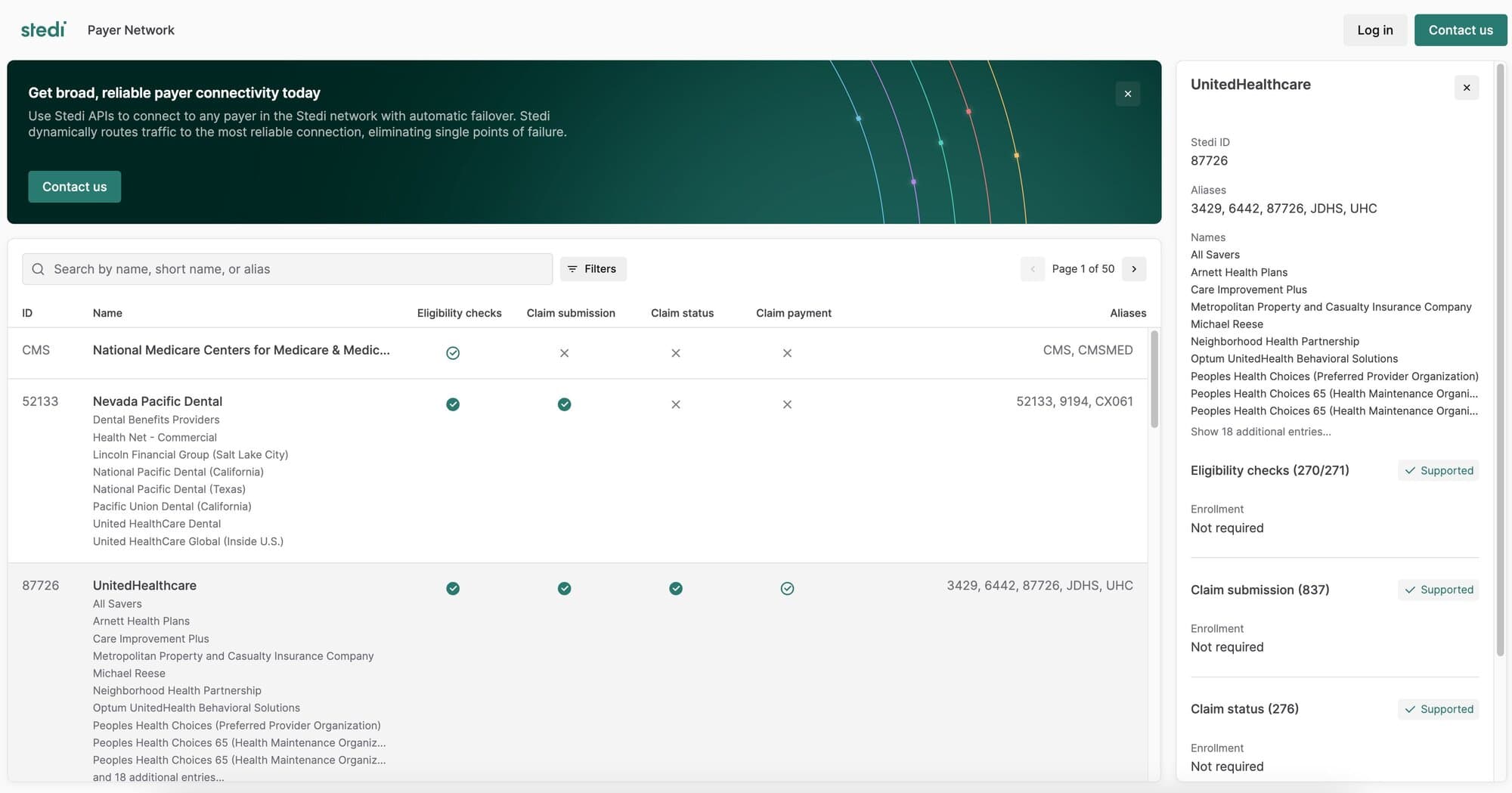
Major improvements to the Stedi Payer Network

We redesigned the Stedi Payer Network to make it more comprehensive and user friendly. Improvements include:

  • Enhanced searching and filtering capabilities so you can instantly find the payers you need for your use case.

  • Alternative payer names to help you identify payers using the name most familiar to your organization. For example, “Eaton Benefits Ohio” is an alternative associated with “Cigna”—searching for either name returns the same payer within the database. 

  • UX improvements, including clearly showing all of the transaction types supported for each payer as well as the payer ID and any payer ID aliases.

List Transactions and Poll Transactions APIs now return business identifiers

The List Transactions and Poll Transactions APIs now return business identifiers for each transaction.

Business identifiers are values you can use to correlate a transaction with related transactions or other data in your business system. For example, Stedi automatically marks the purchase order number (PRF01) as a business identifier for 850 Purchase Orders. 

The following example shows a truncated API response containing the new businessIdentifiers object.