Changelog

Set a custom filename for outbound EDI files

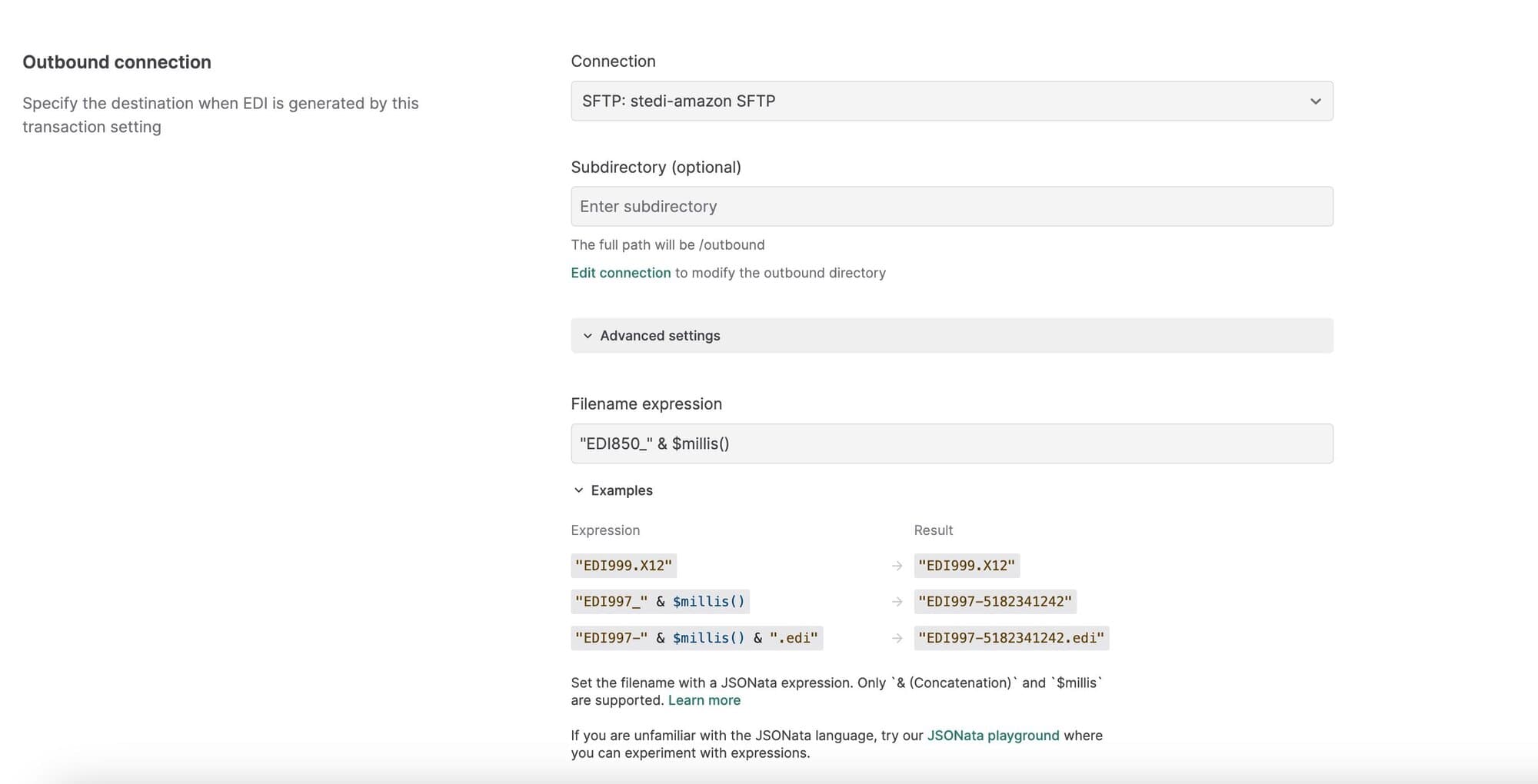
You can now set custom filenames for generated EDI files within outbound transaction settings.

By default, Stedi autogenerates a unique name for outbound files using a UUID. To specify a custom filename, open Advanced settings in the outbound transaction setting and enter a JSONata expression into the Filename expression field. 

You can use & (Concatenation) or $millis in the expression to generate a unique name based on the processing timestamp. For example, the expression “EDI850-” & $millis() results in filenames like EDI850-5182341242.

Lock production mappings to prevent accidental changes or deletions

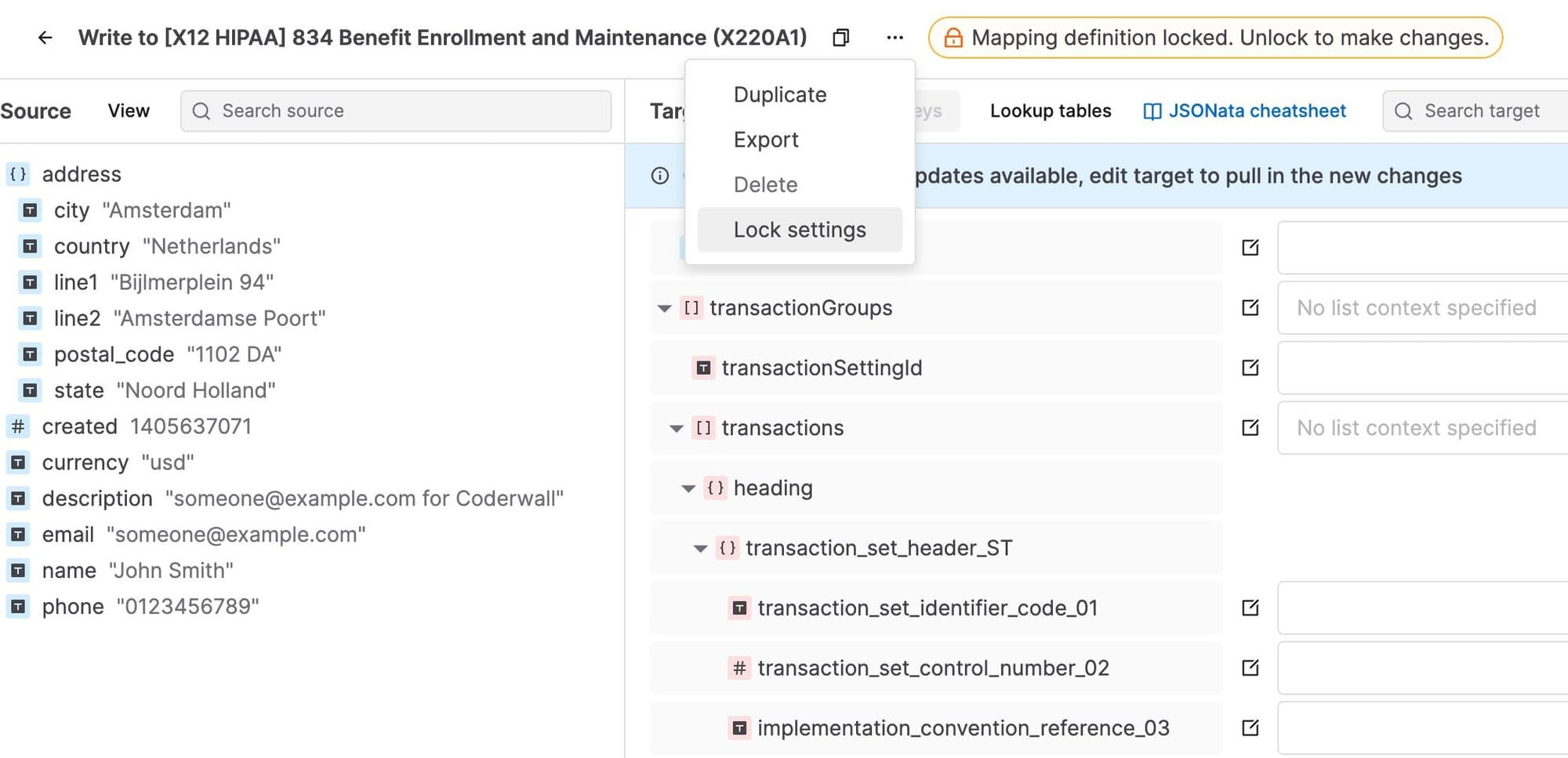
You can now lock mappings in your account to prevent accidental changes or deletions. Any user in your Stedi account can lock a mapping, but only an account admin can unlock it. 

You can lock the entire mapping or just the mapping definition. When you lock the mapping definition only, you can add or edit lookup tables, but you cannot edit the mapping source schema, target schema, or mapping expressions. 

To lock a mapping, open it, click the ...(ellipses) menu next to its name, and select Lock settings.

Claims API autocorrects non-Latin characters

Our Professional Claims API now automatically replaces non-Latin characters with their Latin equivalents. 

Claim submissions with non-conforming characters are a common cause of 999 rejections from the payer. The new autocorrect feature will help reduce these types of errors and the (often significant) time and manual work it takes to fix them.

Detailed eligibility check error messages and resolution steps

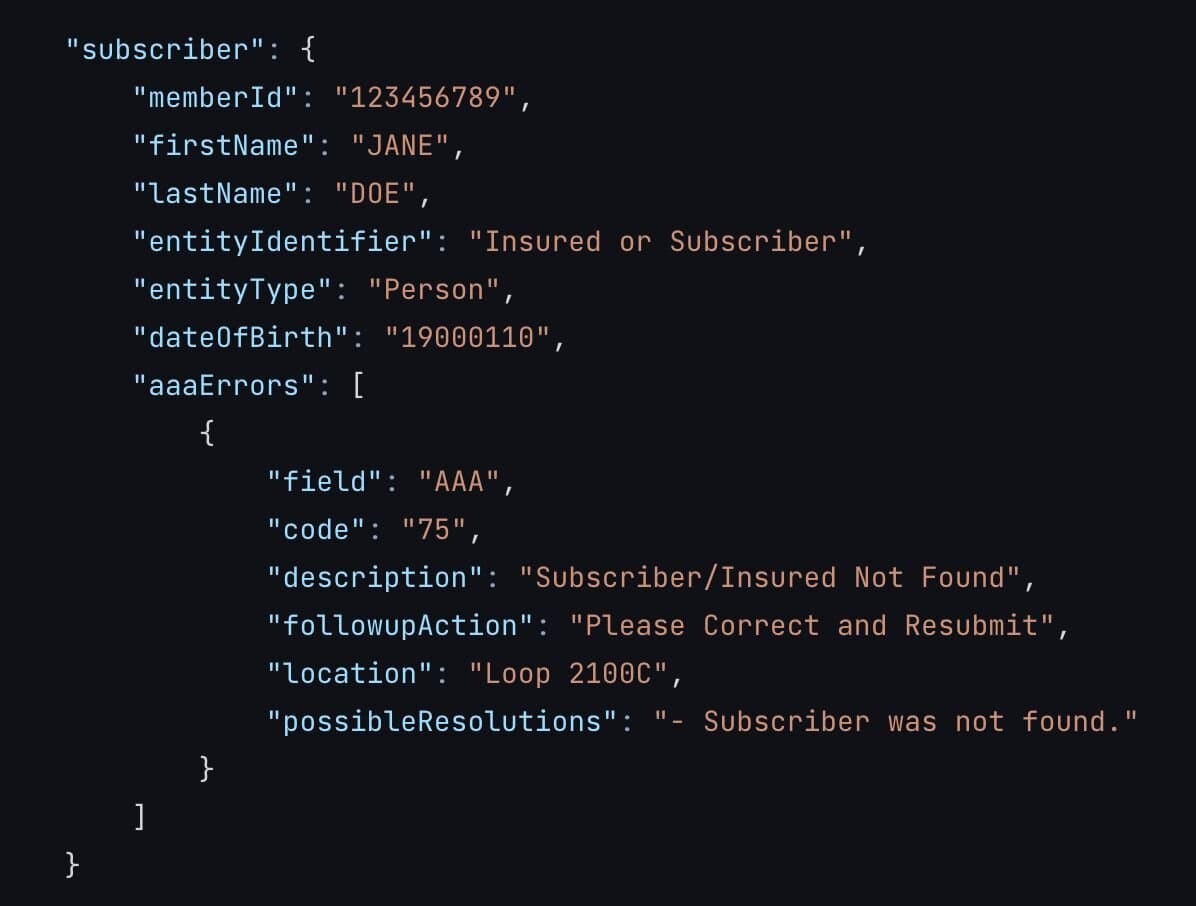
The Eligibility Check API now returns detailed AAA error messages that specify why the payer rejected the transaction and any recommended follow-up actions. Stedi includes this information in the aaaErrors object in the response JSON.

The following example shows an error at the subscriber level:

Visit our eligibility check troubleshooting docs for a complete list of all possible error types and resolution steps.

EDI platform improvements

We released the following EDI platform features:

You can now lock guides in your account to prevent accidental changes or deletions. Any user in your Stedi account can lock a guide, but only an account admin can unlock them. To lock a guide, go to the Actions menu and select Lock.

When configuring an outbound test file, you can now review the EDI that Stedi will generate from your JSON test data. To generate an outbound test file, go to the Files page, open the Create file menu, and select Test outbound.

Introducing the Stedi Payer Network

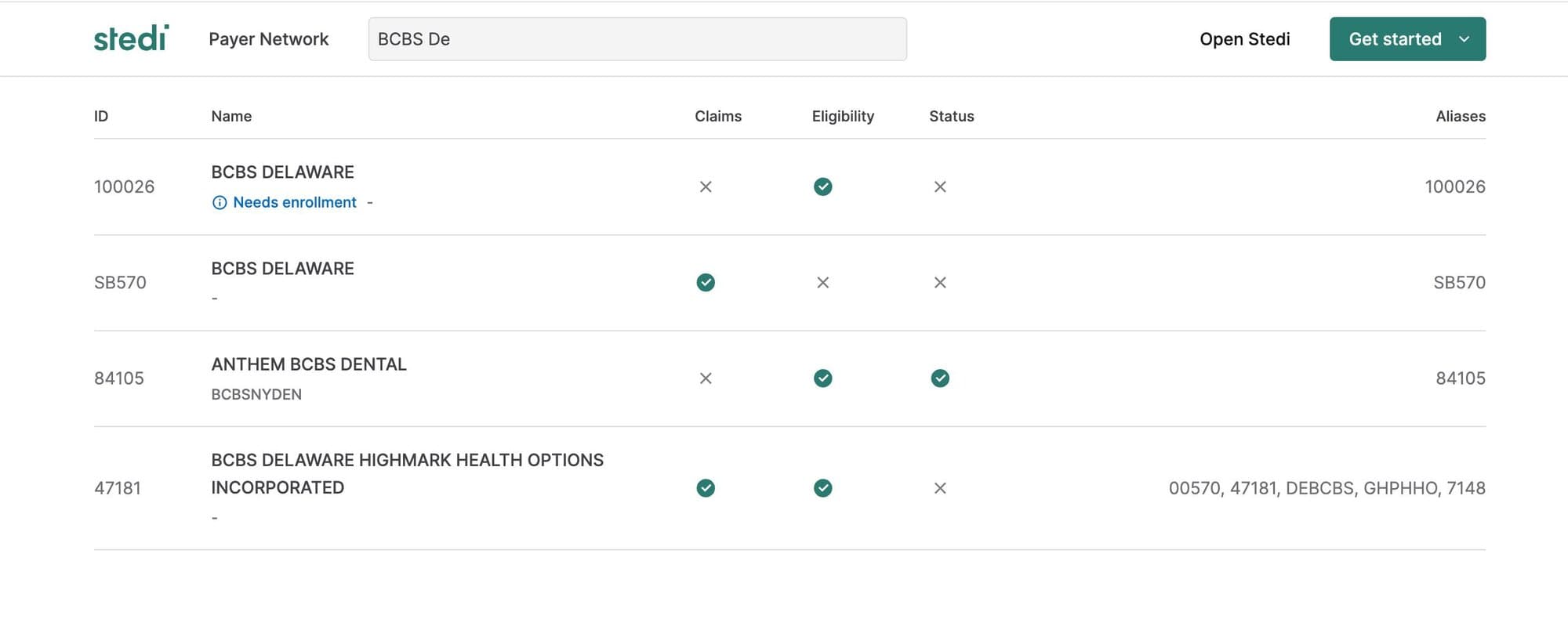
Introducing the Stedi Payer Network - a comprehensive list of every payer Stedi supports for eligibility checks, claim submission, and claim status checks. You can search by the payer’s name or payer ID alias to retrieve their payer ID, learn which Stedi APIs are supported, and determine whether or not the payer requires provider enrollment.

User-friendly responses from manual eligibility checks

When you perform a manual eligibility check through the Stedi app, you can now review a more user-friendly 271 Eligibility, Coverage, or Benefit Information response organized by coverage type and level. Click a row to review more details about the benefit type, including the Service Type Code (STC) and the raw JSON response data. 

Submitting a manual eligibility check can be useful for testing and when you need to do a one-time eligibility check. Learn more about eligibility checks in our docs.

Introducing Stedi’s real-time Claim Status API

Stedi’s Claim Status endpoint directly replaces the Change Healthcare (CHC) Claim Status API. You can use it to check the status of an existing claim.

  • Call Stedi’s endpoint with a JSON payload in the CHC 276 Claim Status format.

  • Stedi automatically maps CHC payer IDs to our IDs.

  • Stedi translates the JSON to the X12 EDI 276 format and delivers it to the payer or peer clearinghouse.

  • The endpoint returns a synchronous 277 response in the CHC Claim Status response JSON format.

Visit the Claim Status API docs for more information.