Changelog

Authorization Header update

We updated the authorization scheme in our API to better align with OpenAPI specifications.

The Authorization header no longer requires the Key prefix. Instead, you should now provide API keys directly (Authorization ${STEDI_API_KEY}). This change aligns with the OpenAPI standard and allows for out-of-the-box compatibility with OpenAPI tools and services.

Previously, our APIs required API keys to be passed with a Key prefix (Authorization: Key ${STEDI_API_KEY}), which required manual setup to work with OpenAPI. We will continue to support the previous format for backward compatibility, but we encourage you to adopt the new format to leverage the benefits of OpenAPI compliance.
Support for new X12 release 008050

You can now read and write EDI for X12 release 008050, the latest version approved in December 2023 and released in February 2024. Stedi now supports every release from 002001 (released in 1987) to present.

The 008050 release is supported throughout the entire Stedi platform. You can review every 008050 transaction set in EDI Reference, create PDF and machine-readable 008050 Stedi guides for your trading partners and EDI integrations, and process live 008050 transactions instantly.

Pre-filled settings for OAuth 2.0 Destination webhooks

Stedi Destinations now pre-fills the grant_type header for OAuth 2.0.

When you create or edit a Stedi Destination with OAuth 2.0 configured, the Header parameter grant_type is now pre-populated with client_credentials. This is the most common grant type used when the client is acting on its own behalf. You can change this value in the Advanced menu if you need to use a different grant type.

This change helps ensure that your OAuth 2.0 connections are set up correctly and securely, without extra manual configuration.

For more details on the OAuth 2.0 protocol, visit RFC 6749 section 4.4, which outlines the protocol for the client credentials grant.

Custom Interchange Version Control Number Code

You can now set a custom Interchange Version Control Number Code (ISA-12) for generated EDI files. 

When you call the Generate EDI API, the outbound transaction setting ID you provide dictates which Stedi Guide will be used for validation and translation. By default, Stedi sets ISA-12 to be the X12 release number of the associated guide. However, some trading partners may require that you specify a different release for the transaction and the ISA envelope – for example, you might send a transaction from X12 release 003020 inside an ISA envelope with an Interchange Version Control Number Code of 00401.

Visit the Generate EDI docs for complete details about ISA and GS overrides.

Support for additional X12 releases and custom GS identifier codes

You can now use Stedi to read and write any transaction set from all releases in the 1980s-era X12 Version 2:

With this update, Stedi now has complete coverage of all transaction sets across all releases from X12 002001 to X12 008040.

Stedi also now supports custom GS-08 Industry Identifier Codes for all X12 releases when reading and writing EDI.

Industry Identifier Codes are the 1-6 characters appended to the end of a release in the GS-08 element – for example, 005010**UCS** and 004010**VICS** or 005010**X279A1** in the X12 HIPAA standard. You can now define your own custom identifier for any transaction set as needed. Custom identifiers are helpful when trading with automotive OEMs such as Ford (which uses 002002**FORD**) and Chrysler (which uses 002040**CHRY**).

Improved Stedi app navigation

We consolidated the top navigation bar to make the Stedi app easier to use and understand. 

The top navigation is now organized into three sections:

  • Files: Review, sort, filter, and inspect every file flowing through Stedi. This page was previously called File executions.

  • Transactions: Review, sort, filter, and inspect every EDI transaction flowing through Stedi. 

  • Setup: Access all the tools and configurations required to onboard and manage trading partners. This menu includes Trading partners, Guides, Destinations, EDI settings, and Mappings (if applicable). 

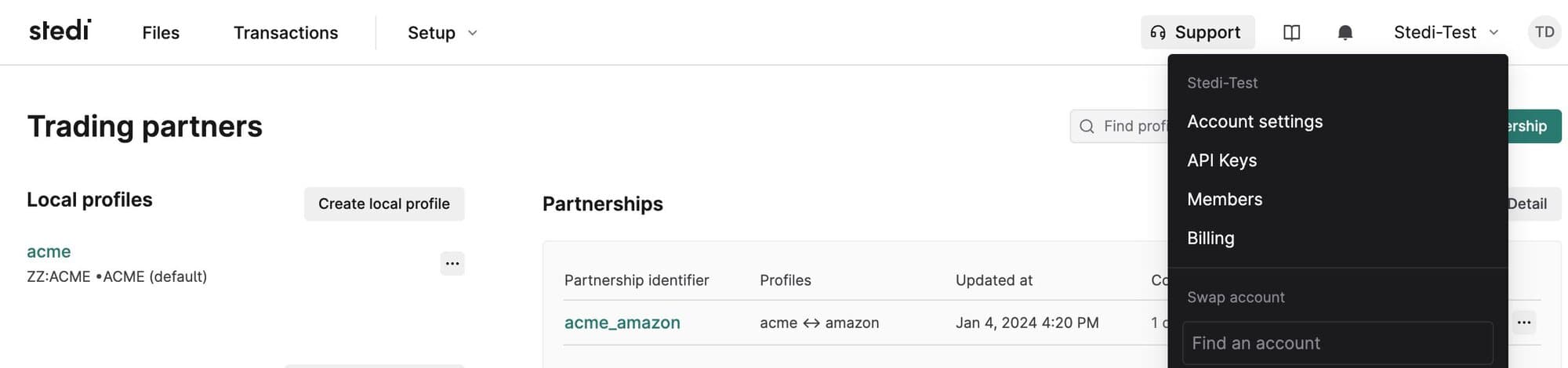
We also consolidated documentation and resources into a single menu and co-located key account admin pages, such as Account settings, under the account selection menu.

Retrieve file execution metadata

Stedi stores metadata about each successful file execution, such as the processing timestamp and X12 Interchange and Functional Group values. You can now retrieve this metadata through the following methods:

  • The file.processed.v2 event includes a metadata artifact with a document download URL you can use to fetch the execution metadata.

  • The Get Execution Metadata API returns a document download URL you can use to fetch the execution metadata.

Retry individual events without reprocessing a file

You can now retrigger events for successfully processed files. This feature makes it easier to test your end-to-end integration – for example, triggering webhooks – without continually reprocessing the same files.

To retry an event:

  1. Go to the Files page.

  2. Click the name of the processed file.

  3. Go to the Events tab.

  4. Click the ellipses (...) next to an event and select Retry.

X12 HIPAA 999 Implementation Acknowledgment added to the Stedi Network

The HIPAA 999 Implementation Acknowledgment is now available in the Stedi Network’s collection of X12 HIPAA guides. 

The Stedi Network is a free and open catalog of Stedi guides for hundreds of popular trading partners. Stedi guides are a machine-readable format for EDI requirements that Stedi uses to automatically validate, translate, and generate EDI according to trading partner’s requirements.

You can import the 999 into your account for free and add it to transaction settings for your EDI integration. 

Request guides: If you don’t see your partner’s guides in the Stedi Network, submit a request, and we’ll build the guides you need for free in 1-2 business days.

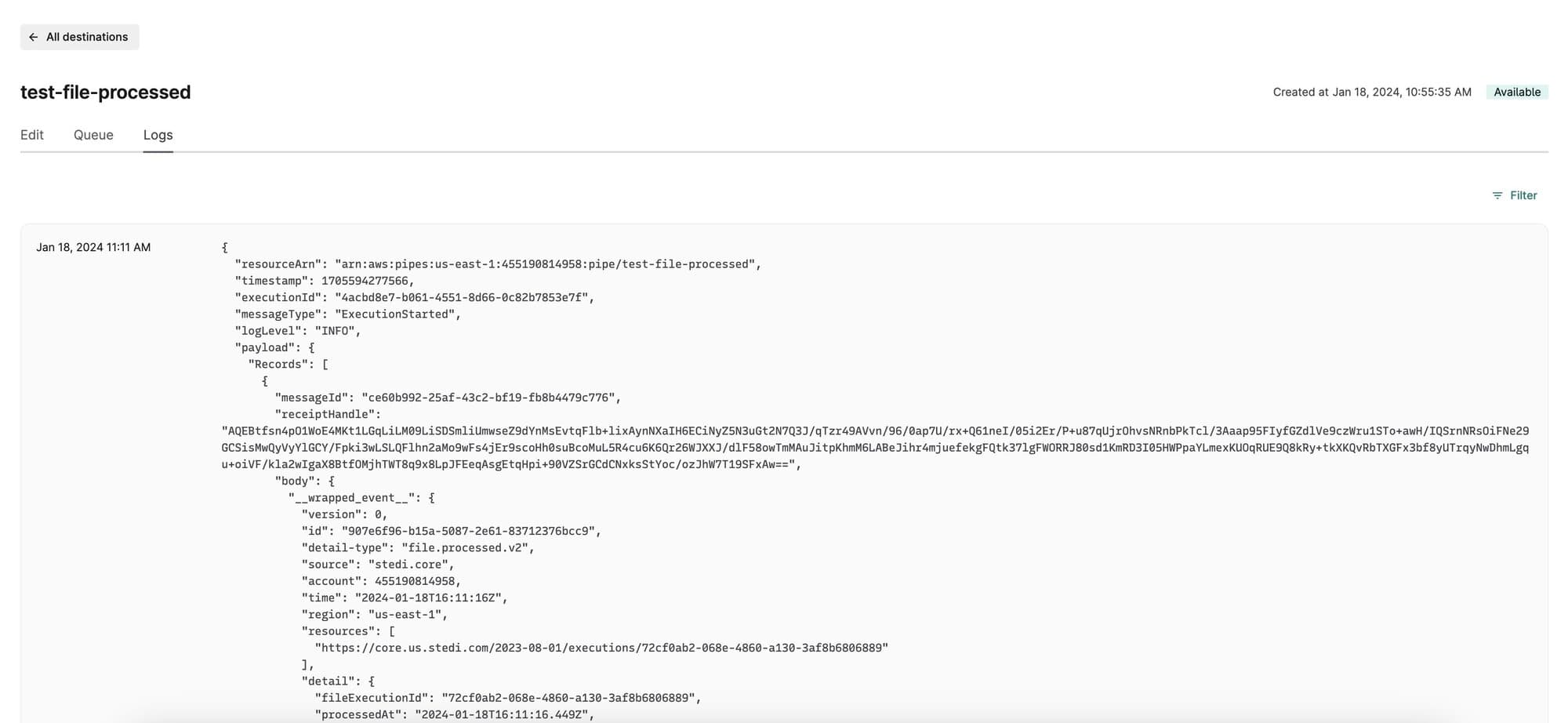
Set the log level for Destination webhooks

To make debugging easier, you can now set the log level for each Destination webhook. Destination webhooks allow you to send transaction data and events from Stedi to any external API. 

You can edit the webhook to switch between the following log levels at any time:

  • OFF - no logs

  • ERROR - errors only

  • INFO - errors and select execution steps, such as successful deliveries

  • TRACE - all execution steps

To review a webhook’s logs, click its name and then go to the Logs tab.