Introducing Agentic Discovery
You can now find a patient's insurance coverage and benefits in one click using Agentic Discovery.
Previously, to find a patient's coverage and benefits in the Stedi portal, you had to chain up to three products together yourself: eligibility checks, automated eligibility check recovery with the Stedi Agent, and insurance discovery.
To start, you ran an eligibility check. If it failed, you could use the Stedi Agent to recover it. If recovery failed, you could then run an insurance discovery check. You had to manually sequence and run each of these steps separately.
Agentic Discovery combines eligibility checks, automated check recovery, and insurance discovery into a single, automated workflow.
With Agentic Discovery, you start by entering the data you have about a patient, such as name, date of birth, and – if you know it – the payer ID. The agent runs an eligibility check. If the check succeeds, the agent stops. If the check fails, the agent tries to recover it using Stedi's best practices. For example, the agent may try follow-up eligibility checks with variations of the patient's name.
If recovery fails, the agent then runs an insurance discovery check. Insurance discovery checks can find coverage based on limited information, even if the original eligibility check had missing or incorrect information.
Agentic Discovery is now the default way to run eligibility checks in the Stedi portal. It also replaces the previous iteration of eligibility check recovery in the Stedi Agent. The Resolve with Stedi Agent option is still there, but it now runs the more complete Agentic Discovery check instead.
Watch the 2026 Stedi Keynote announcement:
How to run an Agentic Discovery check
You can start an Agentic Discovery check from the Stedi portal in three ways:
-
Click + New eligibility check in the checks view, fill out the form, then under Run as, click Agentic Discovery.

-
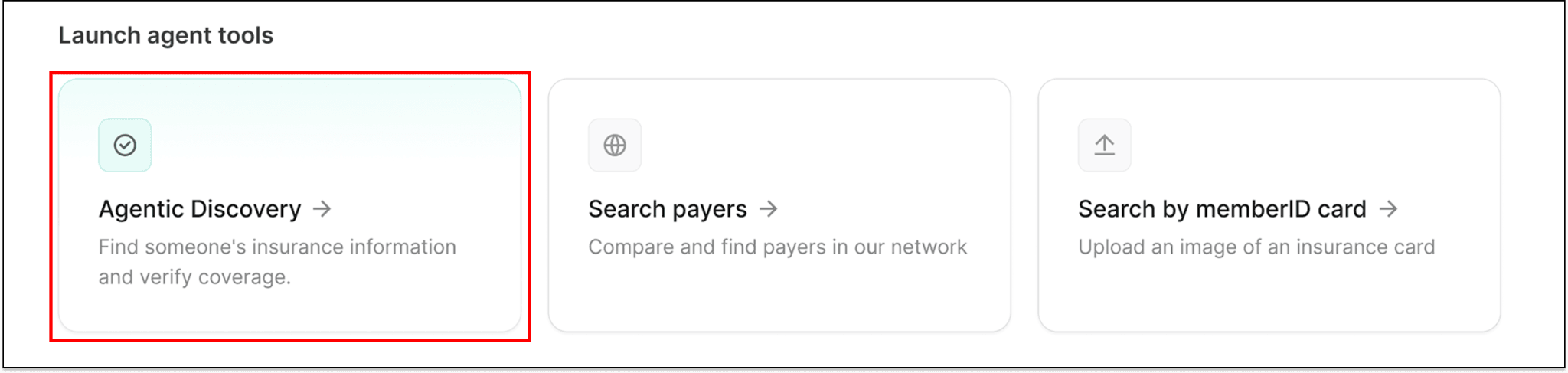
Select Agentic Discovery on the Stedi Agent's Chats page.
-
Click Launch Agentic Discovery for failed eligibility checks in the checks view.
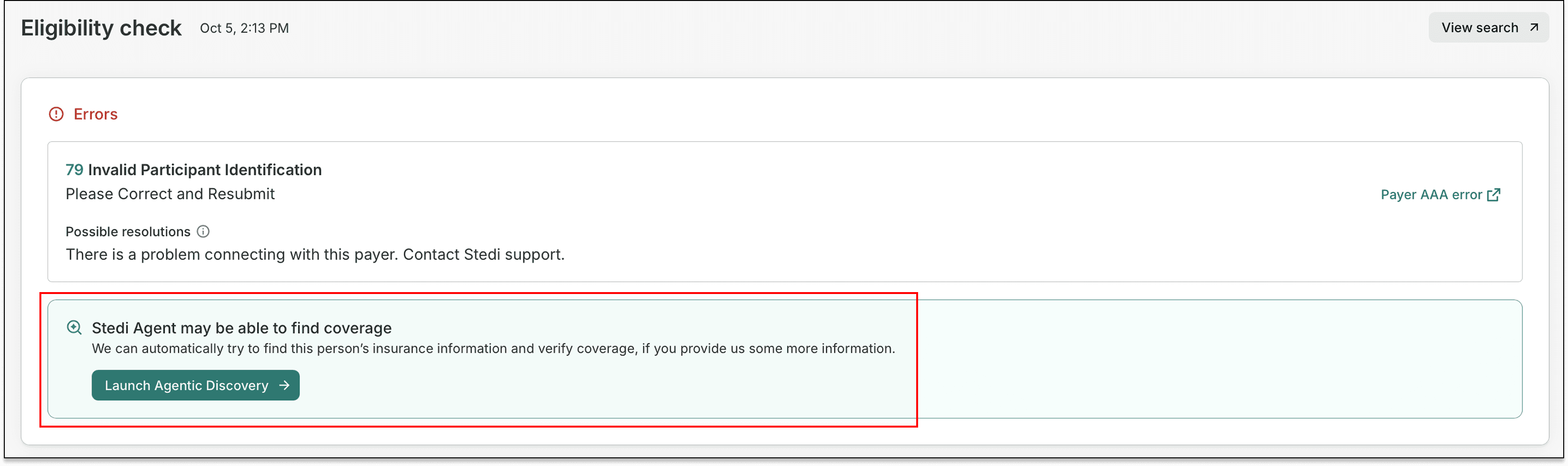
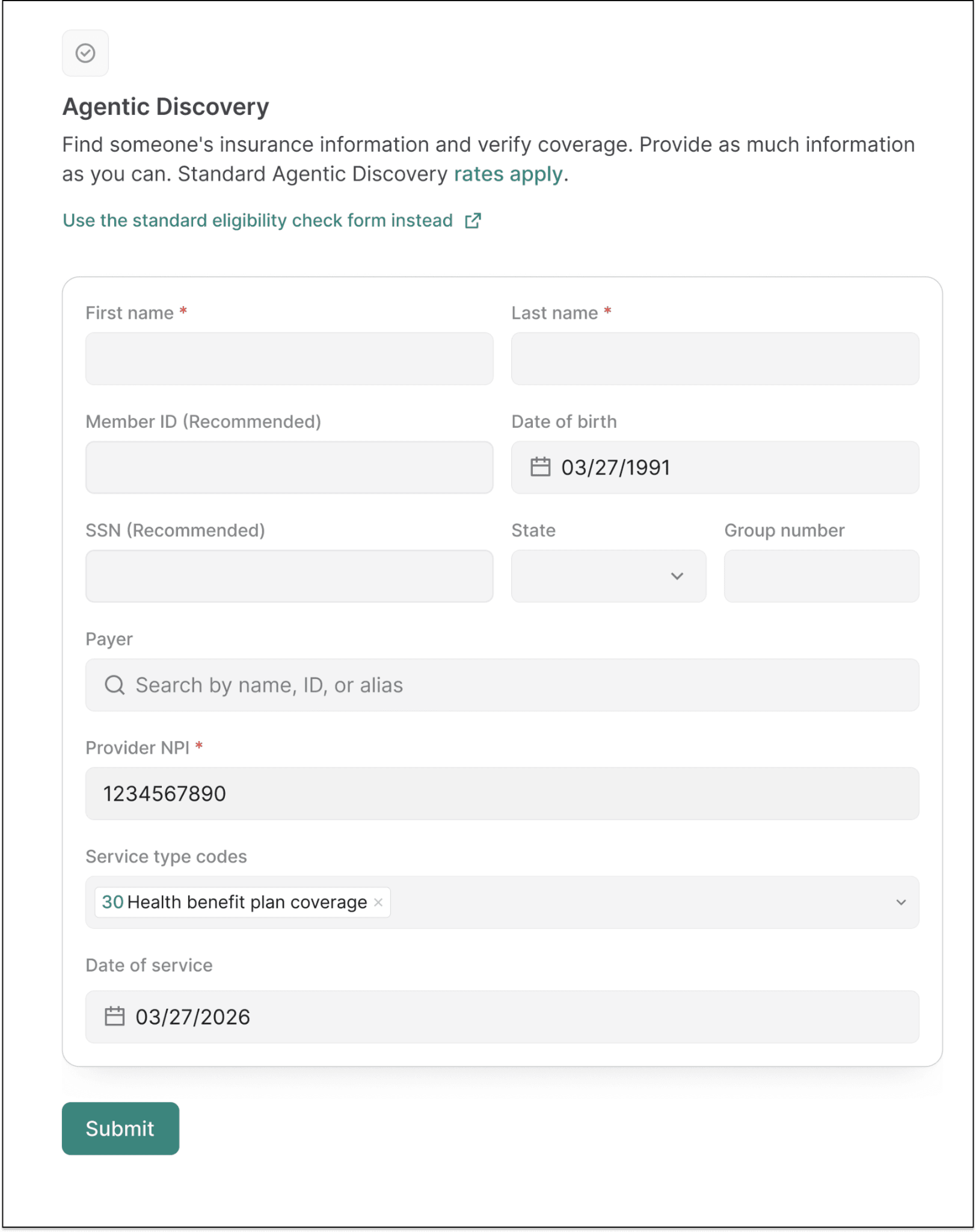
The last two options open a form in the Stedi Agent. To run an Agentic Discovery check, enter or change the patient, provider, and payer details, then click Submit.
To run a standard eligibility check without Agentic Discovery, click + New eligibility check, fill out the form, then under Run as, click Single eligibility check.
What data do I need to run an Agentic Discovery check?
You only need to provide:
- The patient's first name
- The patient's last name
- The patient's date of birth, member ID, or Social Security Number (SSN)
- The provider's NPI
We recommend you include as much information as you have, such as the state of the patient's address. Additional information increases the chances of finding active coverage.
If you don't provide a date of service, the check defaults to today's date. If you don't provide a Service Type Code (STC), the check defaults to 30 (Health Benefit Plan Coverage).
If you don't provide a payer, the agent runs an insurance discovery check using the patient's information.
Do I need to complete transaction enrollment to run Agentic Discovery checks?
Transaction enrollment with the Stedi insurance discovery payer (payer ID: DISCOVERY) isn't required, but we strongly recommend it. Enrollment lets Stedi run Medicare Beneficiary Identifier (MBI) lookups as part of insurance discovery checks, which can improve results.
Availability and pricing
Agentic Discovery is available for all Stedi production accounts.
Agentic Discovery checks are priced per agent run. You won't be billed separately for underlying eligibility or insurance discovery checks the agent uses. For pricing, see our Pricing page.
Agentic Discovery isn't available in test mode or sandbox accounts. In test mode, use the standard eligibility check form to run mock eligibility checks.
Get started
To get started with Stedi, sign up for a free sandbox account. It takes less than two minutes. No credit card is required.
When you're ready to run real eligibility checks, upgrade to production on our pay-as-you-go plan. There are no monthly minimums or setup fees. You only pay for the transactions you use.