Introducing in-app notifications and notification preferences
You can now receive in-app notifications in the Stedi portal for the following:
-
Enrollment status changes – When a transaction enrollment request changes status to
PROVISIONING,PROVIDER_ACTION_REQUIRED,LIVE, orREJECTED. -
Delivery failures for event destinations – When event deliveries to an event destination repeatedly fail.
-
Account invitations and requests – When you're invited to a Stedi account, when someone requests to join your account, and when Stedi approves your account upgrade.
Previously, Stedi only sent these notifications through email. Now, you can see them when you log in to your Stedi account.
A bell icon in the navigation bar shows your unread count and opens a dropdown where you can review notifications.
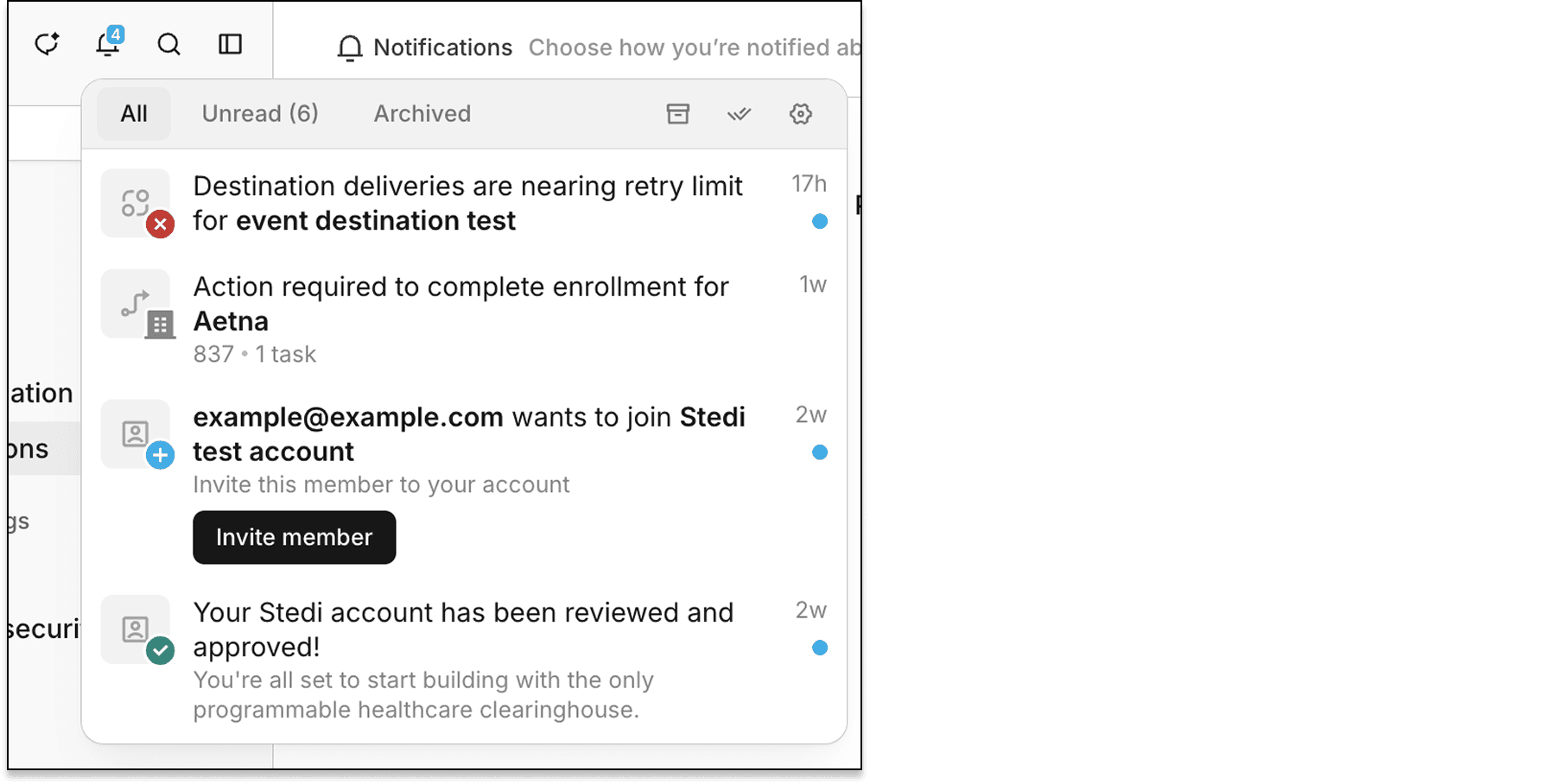
Each in-app notification includes a link to the related resource, such as the updated enrollment request. You can mark notifications as read or unread and archive them – individually or in bulk.
Notification preferences
You can now manage delivery preferences for each notification type from the new Notifications page in Settings.
For example, you can choose to receive only email notifications for enrollment status changes. All notifications are enabled by default.
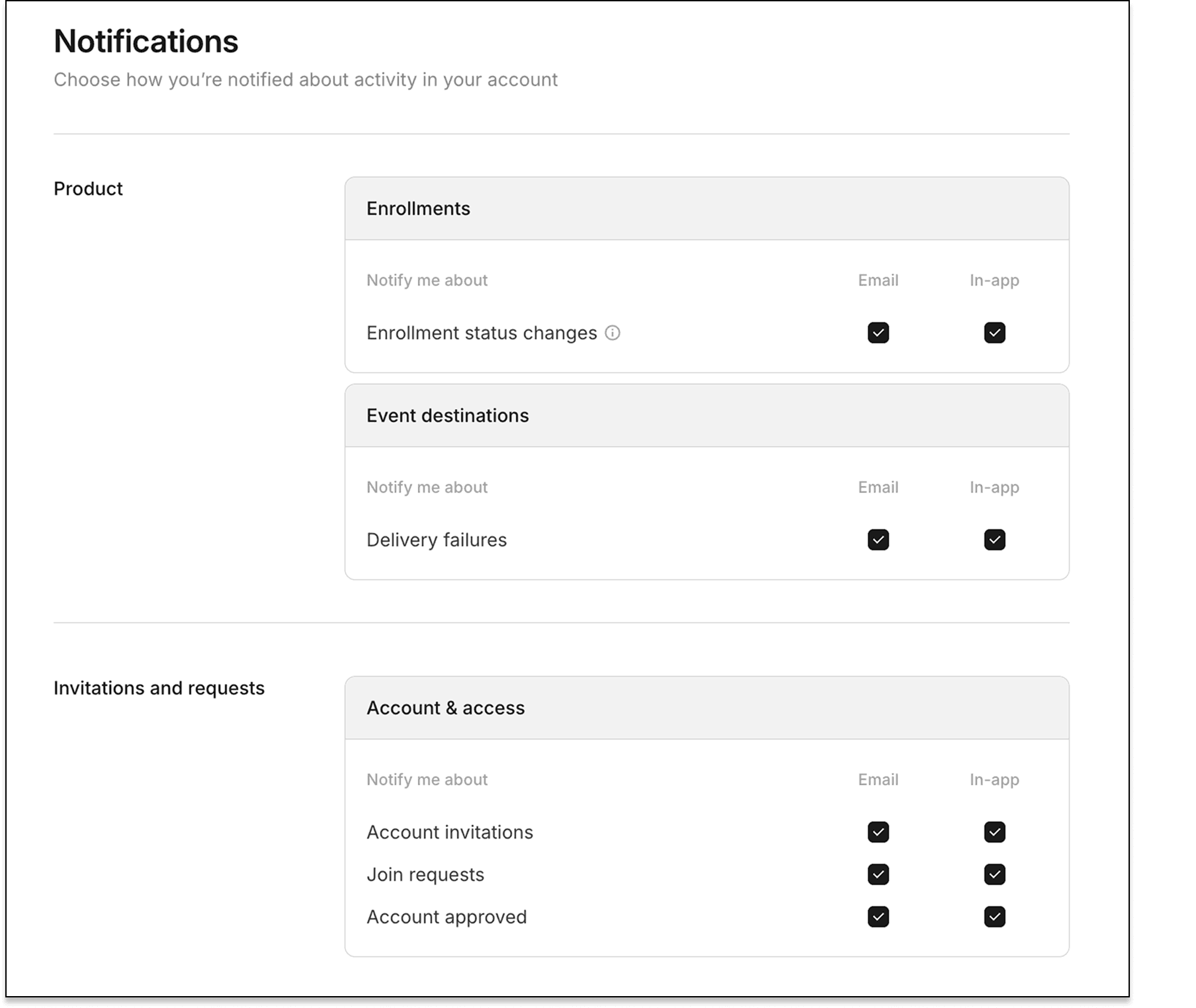
Your notification preferences apply across all Stedi accounts you can access. They're tied to your signed-in user, not to a specific Stedi account.
For more information, see our notifications docs.