Changelog

Stedi SFTP and Stedi Buckets are Generally Available

Stedi SFTP is a serverless SFTP endpoint for exchanging files at any volume. Provision users via SFTP UI or via the API and begin transferring files in seconds.Stedi SFTP is fully integrated with Stedi Buckets - a simple, reliable data store. When you upload files programmatically via the Buckets SDK

, those files are available to your trading partner via their SFTP credentials. And each time your trading partner uploads files via SFTP, those files are available via the Buckets SDK, too.

With a usage-based pricing model and no servers to manage, developers can easily offer SFTP connectivity to their trading partners as part of a new or existing B2B workflow without incurring fixed costs or operational overhead.

Create a serverless SFTP user in 20 seconds or less:
Mappings improvements

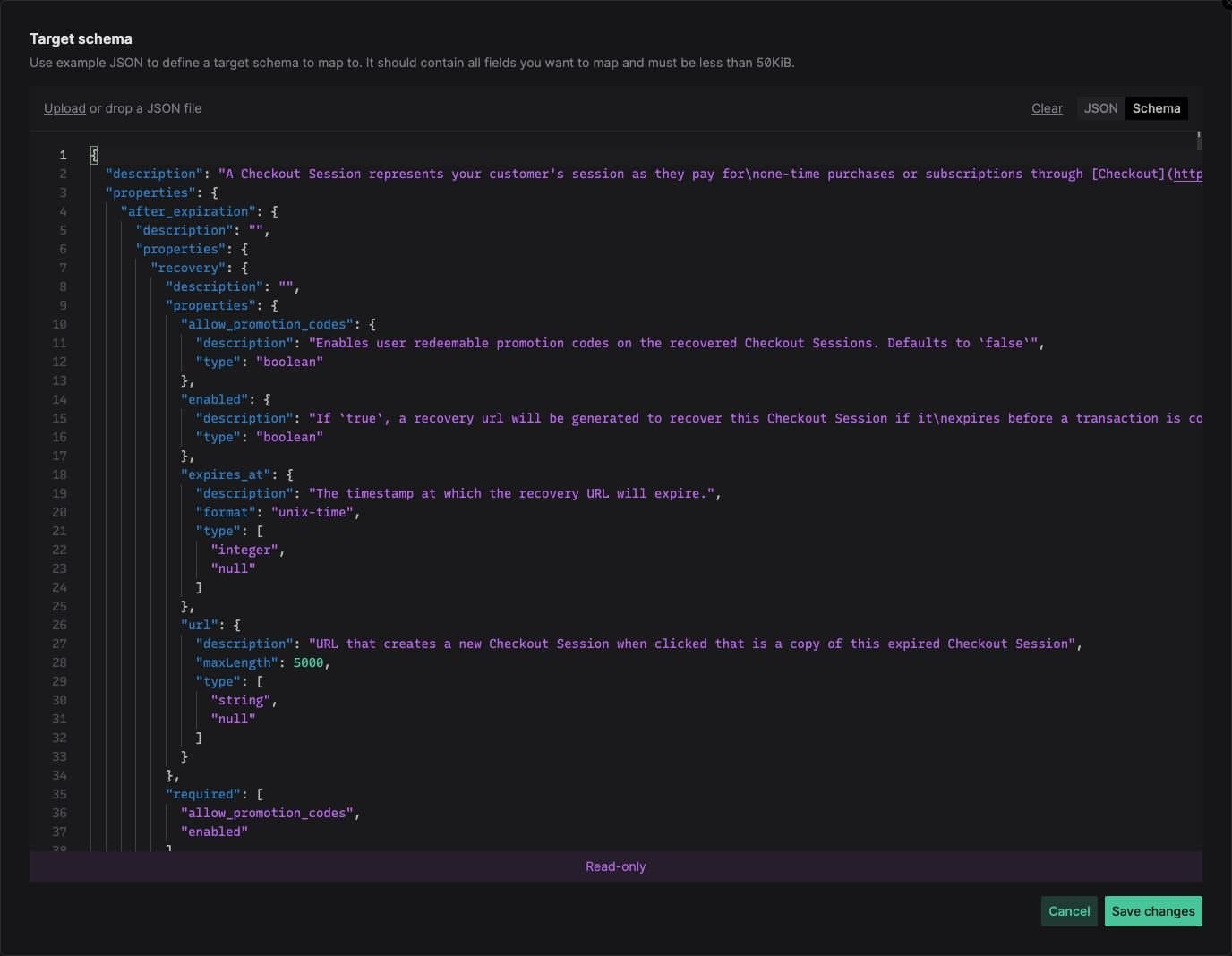
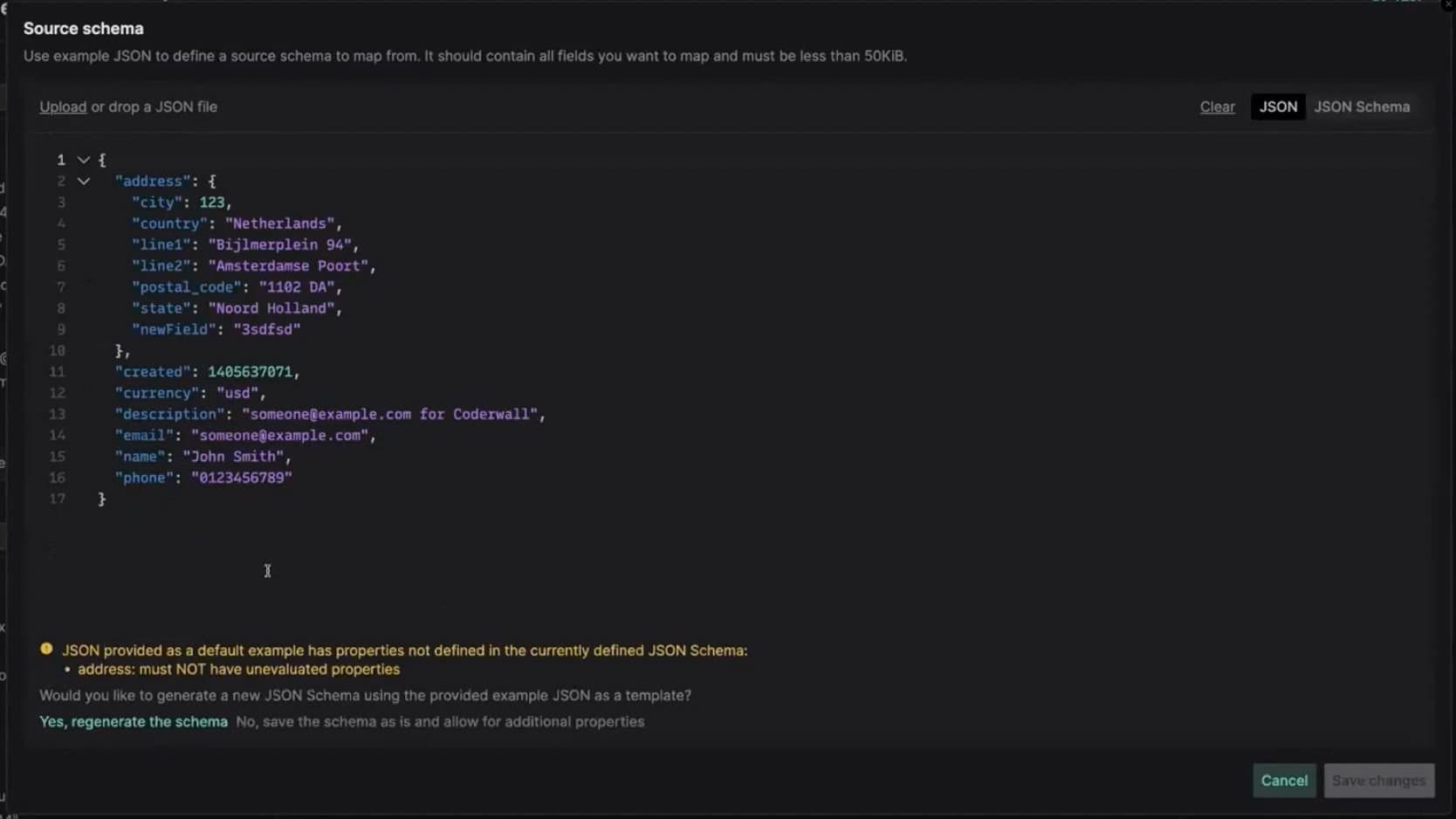
Edit JSON Schema in the Mappings UI

You can now upload and edit JSON Schema directly in the Mappings UI. Any changes in field descriptions will be automatically reflected on the mapping canvas.

In cases when JSON Schema conflicts with a JSON example after an update, you will be able to decide whether you'd like to re-generate the JSON Schema based on your new example or update your JSON Schema yourself.

Navigate source and target more easily with tree view

The source/target documents are now displayed in tree view to make it easier to navigate through large files. You can also use the search bar to quickly find the field you're looking for.

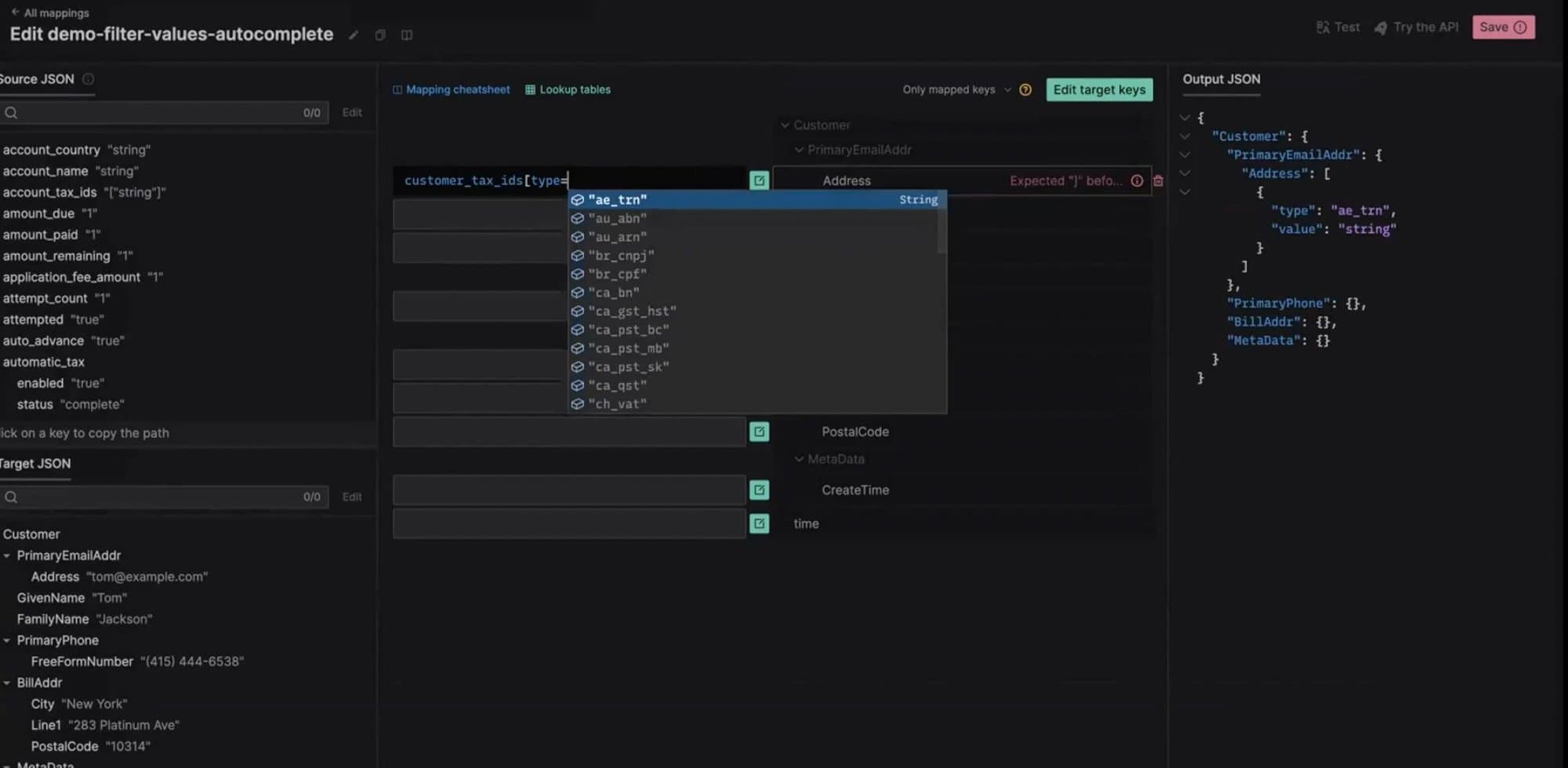
Improved autocomplete suggestions for values

Now, when you work with complex JSONata expressions that require filtering objects in arrays, you will see autocomplete suggestions for values in the predicate expressions.

Higher limits

We have increased the size limits for Mappings APIs to the following values:

  • Mapping source JSON Schema - 300 KiB

  • Mapping target JSON Schema - 300 KiB

  • Mapping JSONata expression - 300 KiB

  • Lookup tables combined size - 300 KiB

Mappings

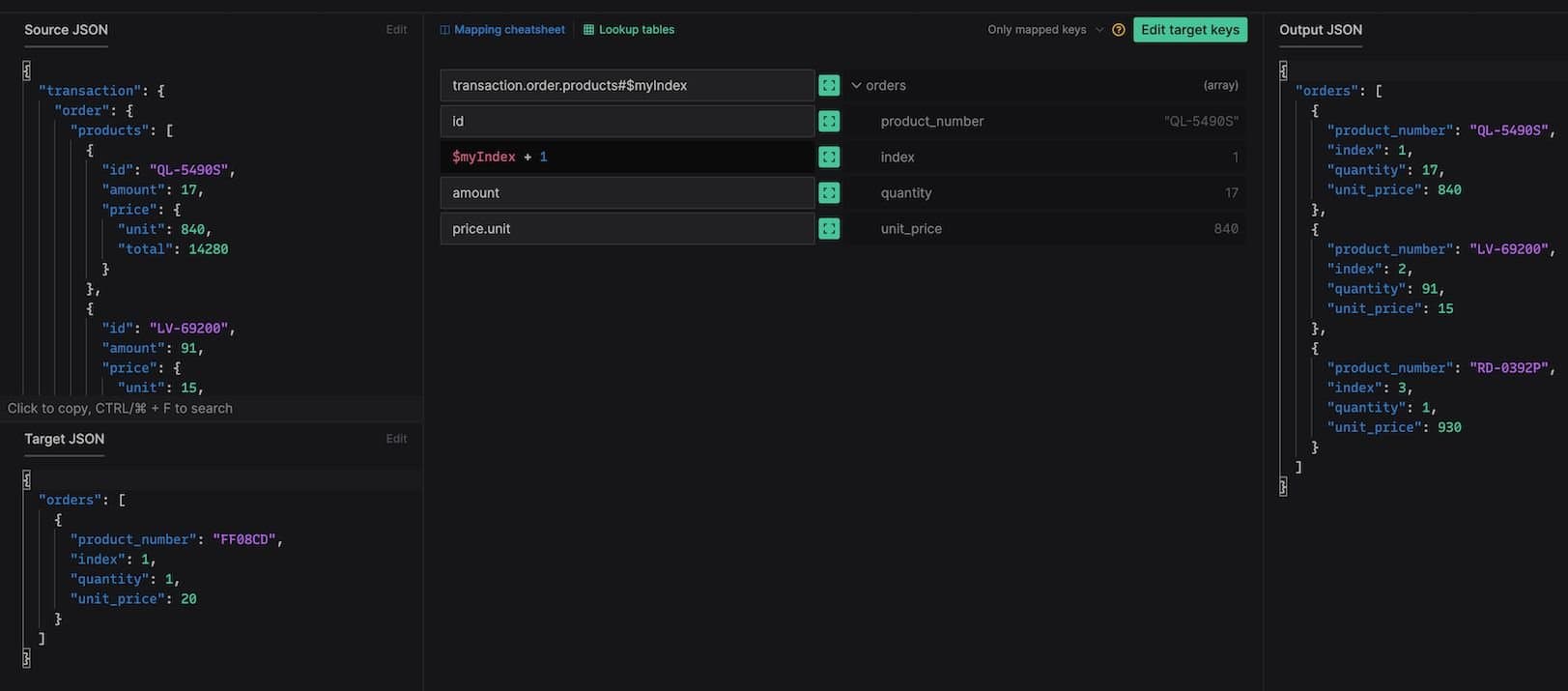
Mappings: List indexes bank

If the list entries of your target document are expected to include a list index number, you can now access it by binding a positional variable to the List Context. You can read more about the positional variable binding in the JSONata docs. To learn more about list indexes and see examples, read our documentation here.

Mappings: JSON Schema preview in Mappings UI

When you define a Source and Target JSON in the Mappings UI, these shapes are automatically converted to JSON Schema on the backend. Now, you can navigate to this JSON Schema directly in the Mappings UI. By using JSON Schema, you get a more precise description of the structure and validation constraints of your JSON documents.

EDI Core, Mappings, and Converter are now HIPAA eligible

EDI Core, Mappings, and Converter are now HIPAA eligible. Developers can now use Stedi’s APIs to build business integrations and process transactions that contain Protected Health Information (PHI).

To start building HIPAA eligible systems using Stedi you will need to agree to a HIPAA Business Associate Addendum (BAA) with Stedi. To establish a BAA with Stedi, or if you have any other questions, please contact us.

Mappings API is now multi-region

Since launch, Mappings served traffic from a single geographic region. Now, Mappings serves traffic from multiple regions. This will increase the reliability of the service in the case of a regional outage, and decrease latency for requests made geographically closer.

API for managing API keys is now generally avaialable

Requests to Stedi APIs are authenticated using a secret token called an API key. Each API key belongs to a single account and each account can have multiple API keys. API keys can be created inside of the Stedi UI by navigating to the API keys tab.

With the launch of the API for creating, listing, and deleting API keys, you can now manage this process programmatically. To learn more, you can read our documentation.

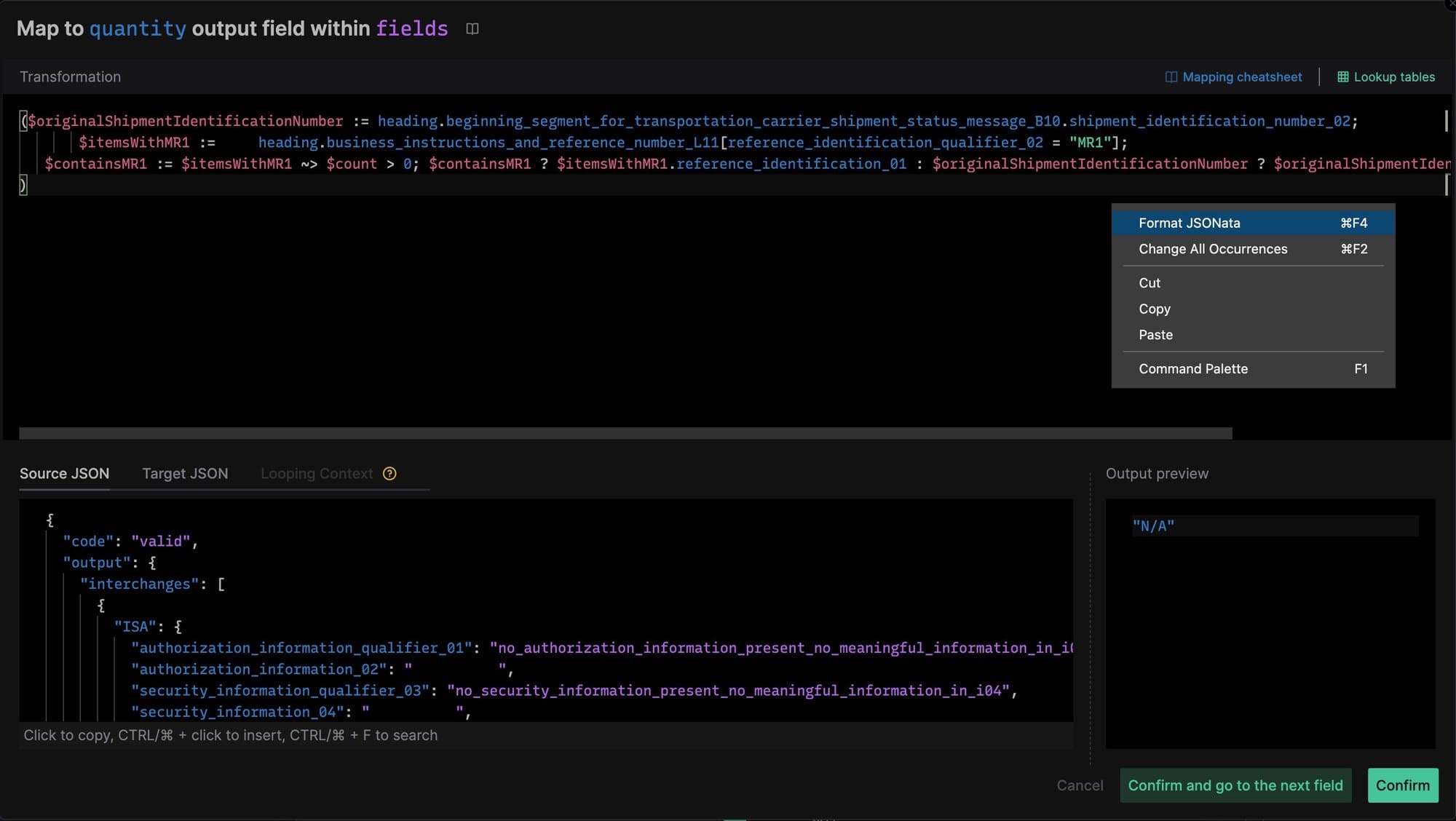
Prettier plugin for JSONata language

Prettier is an opinionated code formatter. It enforces a consistent style by parsing your code and re-printing it with its own rules that take the maximum line length into account, wrapping code when necessary.

Since developers use JSONata in the Mappings product, Stedi has contributed to Prettier by adding the prettier-plugin-jsonata, which uses the JSONata parser available as part of the jsonata package.

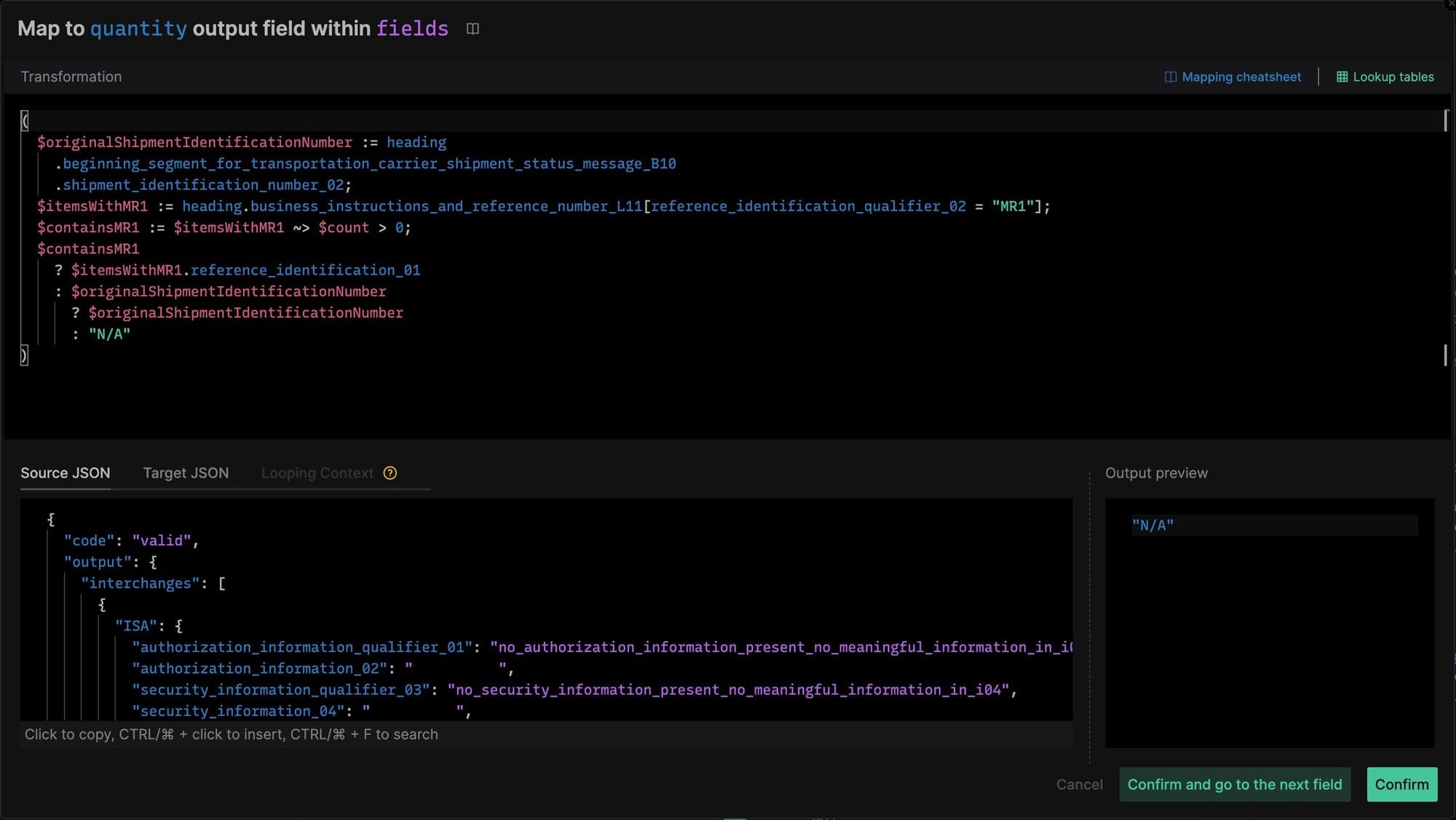
Here is what JSONata looks like in the Mappings expression editor before formatting:

…and after formatting:

Converter is Generally Available

Converter is an API that allows developers to convert various formats like CSV and XML to JSON, providing a hassle-free way to manage these conversions. Converter has a transparent, pay-per-use pricing model with a generous free tier. There are no minimum fees, monthly commitments, or upfront costs to use this product.

In the example below, the Converter API uses the headers in the CSV as keys in the JSON. The result is a list with an object for each row, where the object has a field for each column. So, if you have a CSV like this…

type,invoiceNumber,poNumber,amt invoice,INV20023,30278099,100.50 invoice,INV20024,30288899,50.99

…the resulting JSON will look like this:

{ "output": [ { "type": "invoice", "invoiceNumber": "INV20023", "poNumber": 30278099, "amt": 100.5 }, { "type": "invoice", "invoiceNumber": "INV20024", "poNumber": 30288899, "amt": 50.99 } ] }