Introducing enrollment status update requests in the Stedi portal
You can now request a status update for a delayed transaction enrollment from the Stedi portal.
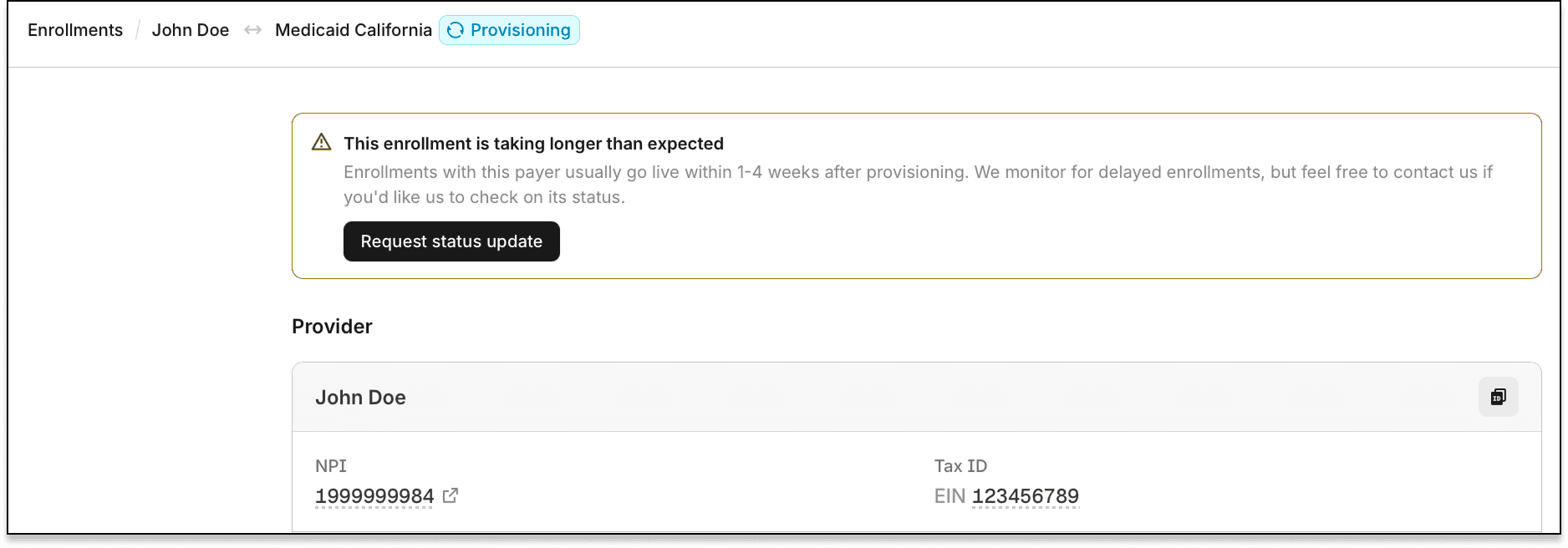
Previously, you had to copy the enrollment ID and contact Stedi support to ask about a delayed enrollment. Now you can send the request from the enrollment's details page.
How status update requests work
Each payer has a published enrollment timeframe for each transaction type. The timeframe starts when an enrollment enters PROVISIONING status – the point when Stedi sends it to the payer.
Until the timeframe elapses, most enrollments show a This enrollment is on track notice. It shows the date Stedi sent the enrollment to the payer and the expected processing time.
If the enrollment takes longer than expected, the details page shows a This enrollment is taking longer than expected notice. Click Request status update in the notice to open a prefilled support message.
The message includes the enrollment ID, payer, provider, transaction type, and submission date. Stedi checks the enrollment, follows up with the payer when needed, and replies by email.
For more information, see our review enrollment details docs.