Changelog

Logs and metrics for Functions are now available in public preview

You can now access logs and metrics for Stedi Functions directly in the Functions web UI. Logs are useful for troubleshooting test and production workloads, and the metrics provide an insight into your functions’ performance over time.

Logs and metrics for Functions are available in public preview, which means we’re actively improving the feature. Functions is generally available - you can read more about how Functions can help with your EDI integration in this blog.
Stash price cut: No more fixed charges for API requests (100% drop)

We’re announcing a 100% price cut for API request pricing for Stash, a key-value store designed for any EDI workflow or B2B integration. You are no longer charged any fixed amount for the number of Stash API requests. This change is currently in effect (since Nov 2022 billing cycle).

You are only charged for the read and write units, and for the storage of data. The pricing for these dimensions remains unchanged from before (see pricing).

Format your EDI files with a single click in the EDI Inspector

There is nothing like having an organized view when you’re analyzing data. This is especially true for testing and troubleshooting EDI files. With the EDI Inspector on Stedi guides, you can now format your EDI content with the click of a button to make it more legible. For example, you can use this option on a single-line EDI file to display each segment in a separate line.

The format button is available with the EDI Inspector on all Stedi guides, including Public Guides pages.

Create a Stedi Guide from the EDI Inspector page

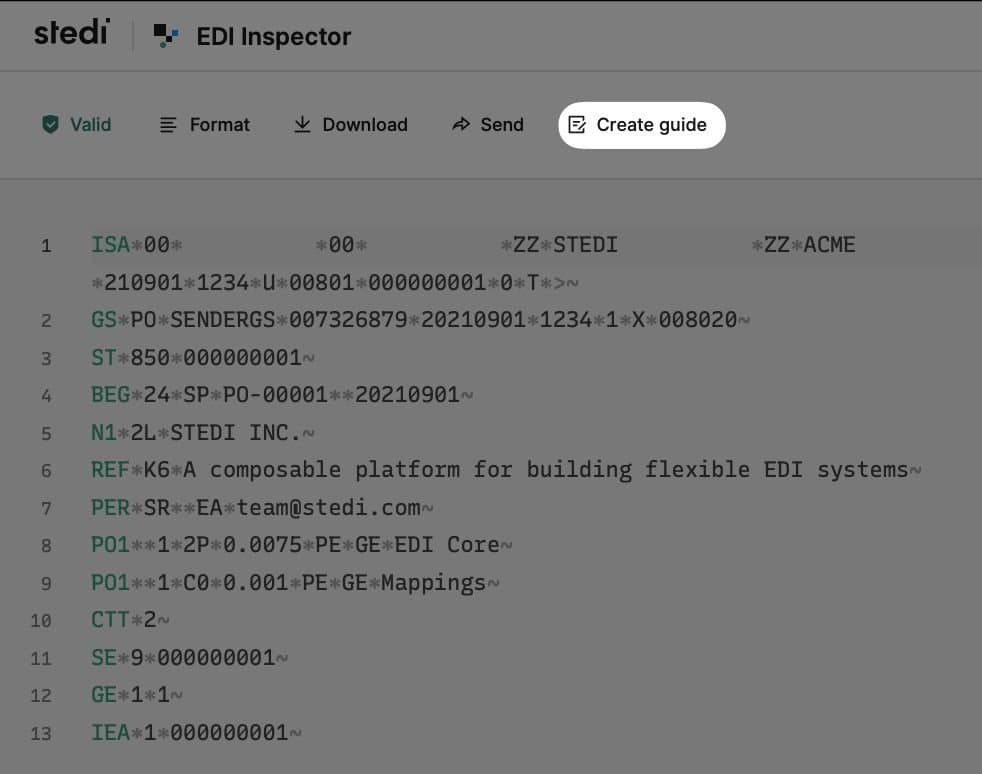
You can now create a Stedi guide directly from the EDI Inspector page. Besides validating an EDI sample, EDI Inspector will now present an option to create a Stedi guide for the specific transaction set of the EDI sample. Upon choosing this option, you will be taken to the guide builder UI with the X12 release version and transaction set pre-selected for you. You can continue after this jumpstart and complete the guide based on specifications from your trading partner.

For more details on creating a Stedi guide, check out our user guide.

Customize your Public guide further with usage notes

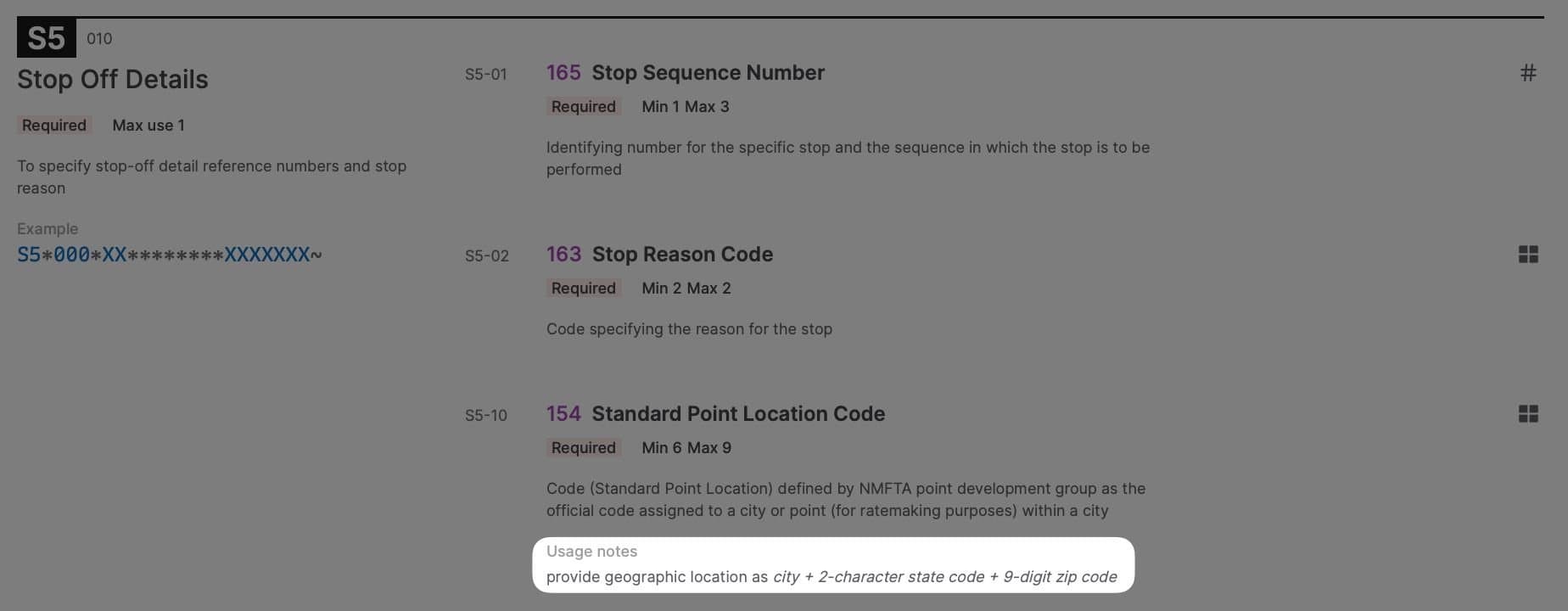
You can now add optional usage notes to any segment, loop, or element within your Stedi guide. Usage notes can also be added to individual codes for an identifier (ID) type element to convey additional context. Usage notes are rendered as part of your Public guide, and provide your trading partners guidance specific to your business beyond the standard X12 descriptions.

For example, your logistics company has a custom numbering scheme for stop sequence for Motor Carrier Load Tenders (204) and Freight Invoices (859), or your Healthcare Claim (837) specification requires a partner to provide geographic location as city + 2-character state code + 9-digit ZIP Code. This information can now be conveyed via usage notes for your trading partners to review as they onboard.

Usage notes are also rendered when viewing the guide privately by any member of your Stedi account. You can add usage notes to any Stedi guide using the guide builder UI.

EDI Translate now supports writing multiple transaction sets within a single interchange

Every EDI message contains an interchange envelope, with one or more transaction sets nested inside the interchange. The transaction set contains the actual content of the message.

Previously, customers using EDI Translate to generate EDI from a JSON payload could only generate a single transaction set inside of an interchange. Now, customers who want to “batch” multiple transaction sets inside a single interchange can do so using the same API by passing an array of transaction sets in the JSON payload.

There is no additional charge for generating EDI with multiple transaction sets, you only pay for the request and the data processed (see pricing).

View all historical transactions in your billing dashboard

Customers can now view all historical transactions in the billing dashboard by navigating to the transactions section. View and download all historical transactions such as invoices, credit notes, and payments.

Public Guides now lets you share EDI Inspector view along with the EDI file

Public Guides is a radically new and improved way for businesses to share EDI specifications and speed up the trading partner onboarding process. It features a built-in EDI inspector for validation and troubleshooting of EDI files against specifications right on the browser.

Now, Public Guides lets you share a link to your EDI inspector view, along with the EDI file and the validation results. By clicking the link, a recipient can load up the same file in the public guide’s EDI Inspector view, and they will see the same validation results (including any errors). This helps overcome communication gaps in describing validation issues over email, and the need to send EDI files back and forth. Try it out on a sample public guide, or build your own guide today.

Public Guides now provides error resolution suggestions for validation errors

Public Guides comes with a built-in EDI inspector allowing customers to validate and troubleshoot EDI files against specifications right in the browser.

Starting today, in addition to highlighting the validation error, EDI Inspector also provides an option to update the EDI file with a suggested fix. This allows customers to quickly resolve issues, without having to refer back to the specifications. Try it out on a sample public guide, or build your own guide today.

Stedi Guides now provides targeted JSON Schemas for EDI reading and EDI writing

eading and writing EDI is at the core of any EDI system. Stedi makes this easy with Guides, a way to define machine readable EDI specifications, and EDI Translate, an API to generate and parse EDI conforming to those specifications. Additionally, customers can use Mappings to transform data from the guide JSON Schema to their internal schema for inbound EDI (or vice versa for outbound EDI).

Previously, the guide builder UI exposed a single, generic JSON Schema for the guide. Customers using this guide JSON Schema for mapping had to make minor modifications depending on whether they are using the schema for EDI reading or EDI writing. Starting today, customers can access schemas specifically tailored for reading or writing EDI (in addition to the generic schema). The schemas can be used directly with Mappings without any modifications, or within your own mapping solution.

Public Guides no longer requires users to sign in to validate EDI files

Public Guides is a radically new and improved way to share EDI specifications and speed up trading partner onboarding. A public guide is a live, interactive web page that is accessible by anyone with a link. Links can be shared directly with trading partners or included in an EDI portal – they provide the same information as a traditional PDF guide, but allow users to instantly validate and troubleshoot EDI files right in the browser using the EDI Inspector.

Previously, EDI Inspector required users to sign in to validate EDI files. We now removed this authentication step to make it easier for your trading partners to onboard with you. Trading partners can still optionally sign up for a Stedi account to access valuable EDI resources, including full-fledged EDI Reference and public EDI InspectorBuild your public guide today.

Announcing a 75% price drop for Stash requests

Stash is a key-value store designed for any B2B integration or EDI workflow. You can use Stash to track transactions processed, increment control numbers, reference lookup tables, and more - all using a simple API.

As of November 2022, Stash API requests are charged at $0.055 per 1,000 requests, a 75% reduction from the previous price of $0.22 per 1,000 requests. This applies to all customers with usage above the free tier (1,000 requests per month). The pricing for read and write volumes, and data storage remains unchanged. See pricing.

Introducing Public Guides: Next generation EDI implementation guides

Public Guides is a radically new and improved way for businesses to share EDI specifications and speed up the trading partner onboarding process.

A public guide is a live, interactive web page that is accessible by anyone with a link. Links can be shared directly with trading partners or included in an EDI portal – they provide the same information as a traditional PDF guide, but allow users to instantly validate and troubleshoot EDI files right in the browser. An intuitive UI and helpful error messages lead them to quickly build EDI files that conform to the guide’s specifications, reducing the testing process from weeks to hours – and eliminating dozens of back-and-forth emails.

Stedi Guides now supports ISA and GS segments

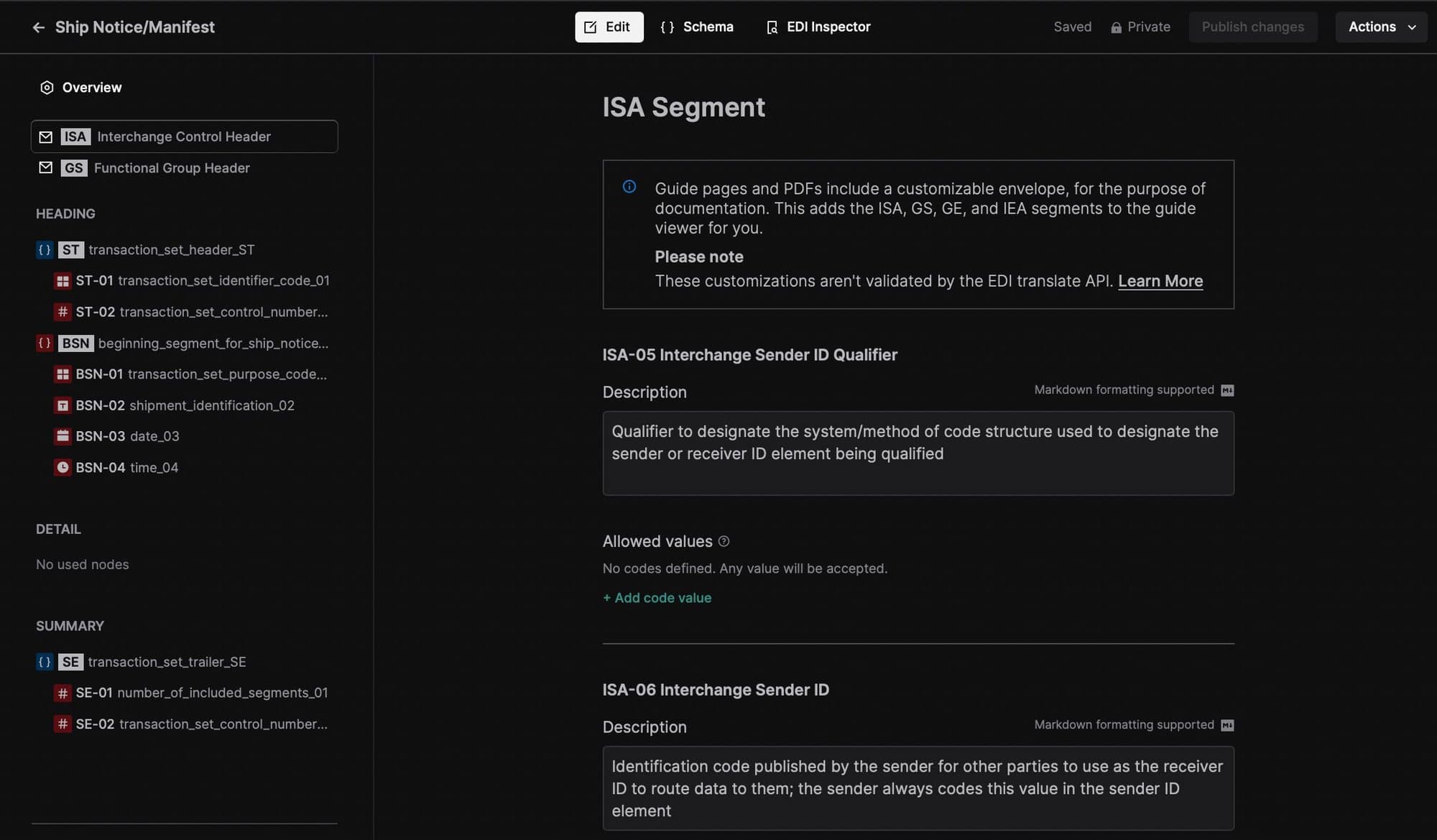
You can now view and customize ISA (Interchange Control Header) and GS (Functional Group Header) segments of the X12 envelope within a Stedi guide using the guide builder interface. These customizations are reflected in the interactive documentation of a Stedi guide, and are not used for validation by the EDI Translate API.

Translate between JSON and EDI with machine-readable EDI specifications

EDI Translate is a new API for creating and validating EDI files that conform to precise trading partner specifications. EDI Translate accepts user-defined JSON payloads and translates them into valid EDI files, and vice versa.

EDI Translate works in conjunction with recently-launched Stedi Guides, which enables users to quickly and accurately define EDI specifications using a no-code visual interface. Once a guide has been defined, users can use the EDI Translate API to create outbound EDI files that conform to the guide. Users can also use EDI Translate API to validate that inbound EDI files meet the defined specification, as well as parse these EDI files into JSON for further processing.

EDI Translate is now generally available. Read more.

Introducing Stedi Guides: Machine-readable EDI specifications for modern EDI integrations

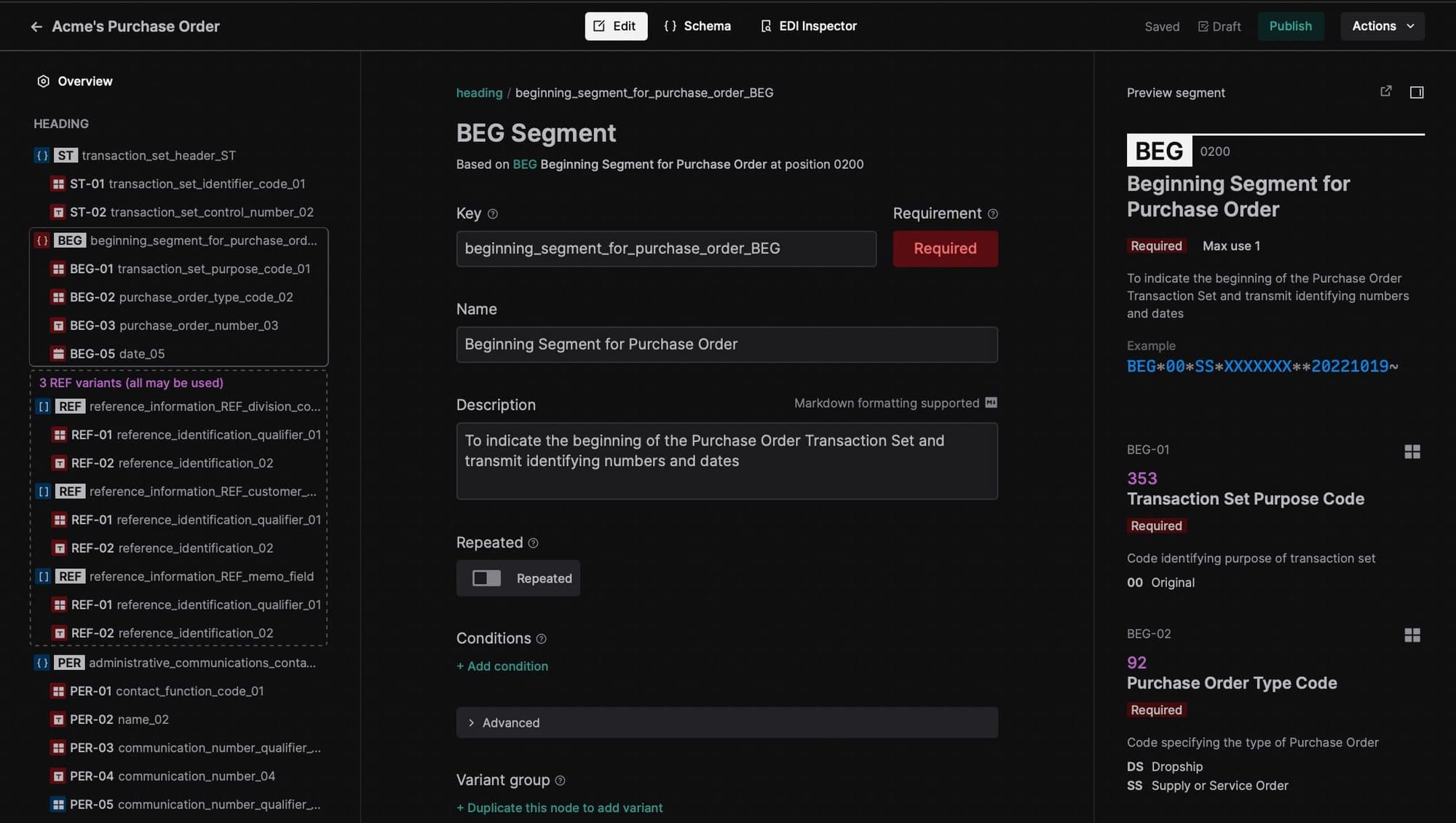
Stedi Guides is our new product that enables you to quickly and accurately create EDI specifications using a visual interface. These specifications can be used to programmatically parse and generate EDI documents via the EDI Translate API using a modern JSON Schema format, or to validate EDI manually in a web browser against interactive documentation. There is built-in support for all X12 transaction sets and releases, and the ability to customize specifications beyond the strict X12 interpretation.

Stedi Guides is now generally available. Read more.

Stedi SFTP now supports FTPS protocol

You can now use Stedi's serverless SFTP infrastructure to securely exchange files with trading partners via FTPS as well. Provision users in seconds via the Stedi dashboard or the API. The same credentials can be used for both SFTP and FTPS. Read more.

Mappings: Use wildcards in Lookup Tables

If you receive data which contains a certain string but has a range of available prefixes or suffixes, and you need to map it to a reduced set of target values, you can use Lookup Tables with wildcards to match multiple possible input options at once. Simply replace the interchangeable part of the key with * symbol. Follow a step-by-step guide here.

Stedi Converter API is now deprecated

Stedi Converter API is now deprecated. You can achieve conversions between any two data formats using Stedi Functions and a library of your choice. This tutorial explains how to deploy functions with the CLI. Please contact us if you need help with your implementation.