

Claim edits and repairs
Stedi checks each claim you submit for errors that could lead to rejections or denials.
Depending on the type of error, Stedi will either fix the issue automatically (repair) or reject the claim (edit rejection) with instructions explaining what to change before resubmitting. This process helps ensure claims are complete, accurate, HIPAA-compliant, and aligned with payer-specific rules before they reach the payer.
Catching and resolving issues early through claim edits and repairs streamlines claims processing so providers can get paid faster.
Repairs
Repairs are fixes that Stedi applies to claims before checking them against our library of claim edits. They fix problems with a known, deterministic solution, such as formatting issues. For example, if a phone number contains dashes or spaces, a repair might remove them so the claim passes validation.
We don't use repairs to change substantive or clinical content. For example, a repair won't change a CPT code in a claim to reflect a different procedure. That's a substantive change that requires resubmission.
Claim repairs don't require any action from you - they happen automatically, so you don't need to make changes or resubmit.
Edits
Claim edits are validation rules that check a specific requirement. For example, an edit might check that each phone number in the claim contains exactly 10 digits. Many of our repairs fix issues that would cause claims to fail one or more edits. For example, a repair may remove dashes in a phone number so it's in the right format for the edit validation. If the phone number still doesn't have 10 digits, the claim fails the edit.
Stedi runs our entire library of edits on each claim you submit. This applies to both new claims and claims you're resubmitting through Stedi.
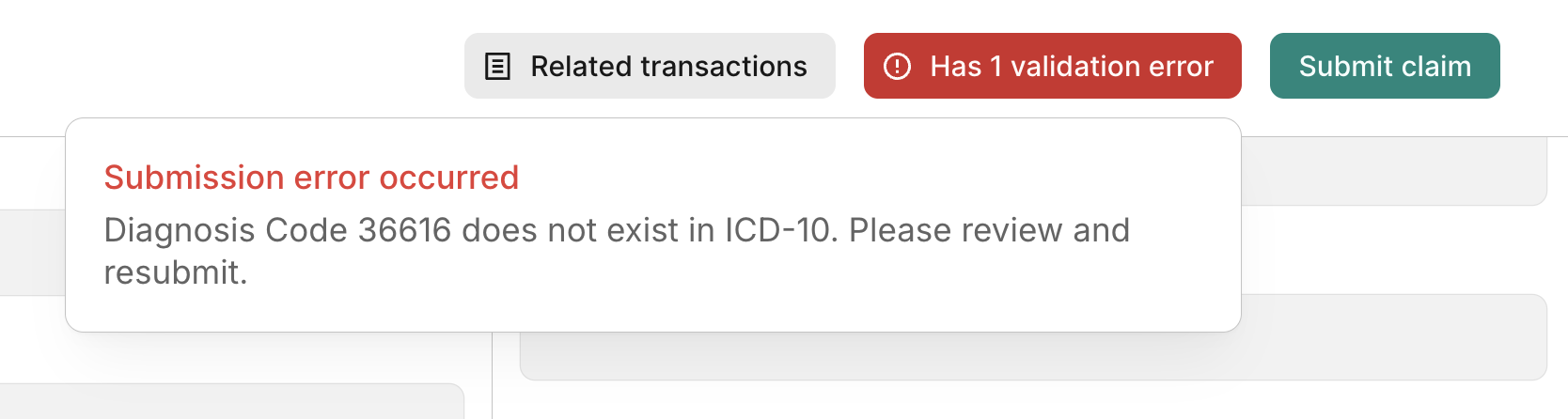
When a claim fails one or more edits, Stedi doesn't send it to the payer. Instead, you'll see a validation error for each edit the claim failed. You'll need to fix the issues causing the edit failures before you can successfully submit the claim to Stedi.
Stedi's edit database
Stedi has a growing library of claim edits, including edits for specific payers. You can review a filterable, up-to-date list of all our claim edits in our Edits database.
There's no standardized universal library of claim edits. However, a large number of industry-standard edits originate from HIPAA rules (such as using ICD-10 as the standard coding system) and from Centers for Medicare & Medicaid Services (CMS) rules, such as the National Correct Coding Initiative (NCCI). NCCI edits were originally developed by CMS for Medicare, but many non-Medicare payers have adopted them or use them as a baseline.
Our goal is to eventually cover all non-provider-specific edits that can be deterministically applied to claims. You can submit requests for new edits or updates to existing ones through our Request a claim edit form.
SNIP framework
Edits are often categorized using the Strategic National Implementation Process (SNIP) framework. The framework was created by the Workgroup for Electronic Data Interchange (WEDI), which sets guidelines (but not standards) for how EDI should be implemented in healthcare.
Each SNIP type, or level, checks a different aspect of a claim's correctness. You can find the SNIP level of all of our edits in the Edits database.
SNIP Type 1: EDI Standard Integrity Testing
Edits that check whether the claim uses valid EDI syntax. Examples:
- Are the EDI segments in the right order?
- Do fields meant for numbers contain numbers?
SNIP Type 2: HIPAA Implementation Guide Requirement Testing
Edits that check whether the claim uses HIPAA-compliant X12 syntax. Examples:
- Invalid phone numbers
- Invalid date of birth
- Invalid billing provider address
- Missing primary payer
SNIP Type 3: HIPAA Balance Testing
Edits that check whether the billing amounts in the claim add up correctly. Examples:
- Non-zero adjustment amounts
- COB claims must be balanced
- Total claim charges must equal line-level charges
SNIP Type 4: HIPAA Inter-Segment Situation Testing
Edits that check whether fields are present or missing based on the presence of other fields. Examples:
- Missing accident date
- Missing admission source code
SNIP Type 5: HIPAA External Code Set Testing
Checks that fields that use official HIPAA-adopted code sets only contain valid values. For example, an edit could check for invalid ICD-10-CM diagnosis codes.
SNIP Type 6: Product Type/Type of Service Testing
Edits that check whether the claim is valid and in the right format for the type of healthcare service listed. These edits catch mismatches between the procedure code being billed and the type of claim or service category. Examples:
- Using a CDT dental code in an 837P professional claim.
- Billing a surgery CPT code under a diagnostic service type.
- Including a revenue code, which is only for 837I institutional claims, in an 837P professional claim.
SNIP Type 7: Trading Partner-Specific Testing
Edits that check whether the claim complies with rules specific to an individual trading partner or payer. These rules vary by payer and go beyond standard HIPAA requirements. While government payers like Medicare and Medicaid are common sources of payer-specific rules, SNIP Type 7 applies to any payer with unique requirements. Examples:
- Invalid primary diagnosis on Medicare chiropractic claims
- Missing initial treatment date for Medicare chiropractic claims
- Missing referral number when the payer requires one